
HelpKit
HelpKit: A focused way for Notion teams to publish branded, searchable help centers. Ranked #63 of 136 in Knowledge Base Software by our editors (5.3/10); pricing: 7-day trial; best for notion teams publishing help centers.
At a glance
- Editor score5.3 / 10
- Pricing7-day trial
- Best forNotion teams publishing help centers
- Free planNo
- Paid from$19/mo
- Publishing audienceBoth
- Facts checked20 Sep 2026
Where it wins
- Publishes Notion pages as branded help centers and documentation sites
- Adds search, analytics, widgets, access controls, and custom domains
- Connects with Slack, Intercom, HubSpot, Zendesk, and other tools
Where it doesn't
- No free plan is available
- Paid plans rise from $19 to $79 per month
- Its strongest fit is teams already writing content in Notion
Our verdict on HelpKit
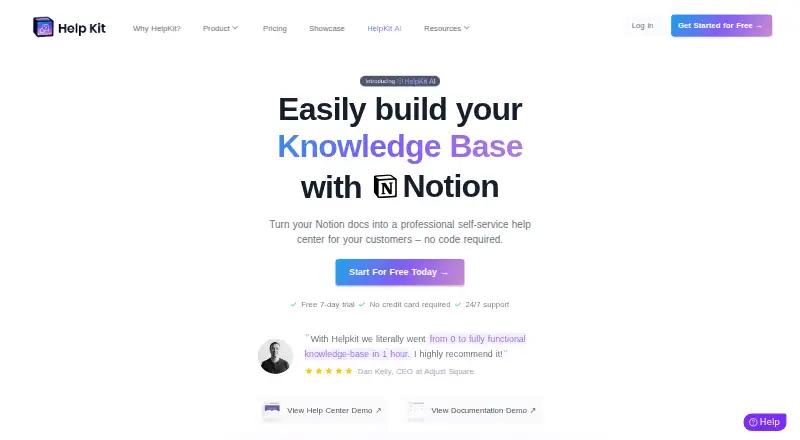
HelpKit turns Notion pages into hosted customer help centers, documentation sites, and protected internal wikis. It is designed for startups, SaaS companies, agencies, template creators, and other teams that already use Notion for writing and collaboration. The product adds full-text search, custom domains with SSL, SEO controls, article and search analytics, embeddable widgets, and access controls for public or restricted content. Multiple language and product-version knowledge bases support teams publishing more than one documentation set.
Pricing is paid-only, with a 7-day trial that does not require a credit card. The Starter plan costs $19 per month and includes a Notion-powered knowledge base. Business costs $39 per month and adds knowledge base features for teams, while Professional costs $79 per month and includes advanced knowledge base features. The plan structure gives smaller Notion-based documentation projects a lower entry point, while larger teams can move into higher tiers as their requirements expand. Buyers should compare the included capabilities in each tier against their needs before choosing a plan.
HelpKit’s platform fit is a central strength. It supports web and API access, integrates with Notion, Slack, Intercom, HubSpot, Crisp, Papercups, Freshchat, MessageBird, Front, Zendesk, and Freshdesk, and can connect with ticketing and analytics providers. Protected access is available through passwords, email lists, or JWT, and an optional AI chatbot can answer questions from the knowledge base. Choose HelpKit if Notion is already the team’s content system and the goal is to publish a branded, searchable help center without moving that content elsewhere. Teams seeking a free plan or a knowledge base built around a different authoring workflow should consider another option.
Your product? Our editors can test HelpKit in depth and publish a review, labelled as paid · from $149/mo →
HelpKit pricing
All 3 HelpKit plans and prices →
HelpKit fact sheet
| Free plan | No |
|---|---|
| Paid from | $19/mo |
| Publishing audience | Both |
| Article limit | Not verified |
| Custom domain | Yes |
| SSO support | Yes |
| Version history | Not verified |
| Content analytics | Yes |
| Free trial | 7 days · no card needed |
| Deployment | Cloud, Browser extension |
| Platforms | Web |
| Support | Email, Docs · 24/7 |
| Built for | Solo, Small business, Mid-market, Enterprise (editorial estimate) |
| Integrations | 11 integrations: Notion, Slack, Intercom, HubSpot, Crisp, Papercups … See all → |
| Pricing | 7-day trial (source) |
| Website | helpkit.so |
| Facts checked | 20 Sep 2026 |
HelpKit integrations
HelpKit lists 11 integrations on its own site.
- Notion
- Slack
- Intercom
- HubSpot
- Crisp
- Papercups
- Freshchat
- MessageBird
- Front
- Zendesk
- Freshdesk
See all HelpKit integrations →
Alternatives to HelpKit
- ConfluenceA mature knowledge workspace with structured content, permissions, search, and Atlassian integrations.9.4
- BlueSpiceA broad, open-source knowledge base with workflows, permissions, analytics, and self-hosting.9.2
- GuruA governed internal knowledge hub with cited AI answers and verification workflows.9.0



See all HelpKit alternatives →
Used HelpKit? Be the first to review it
The editor score above is our own research. What this page doesn't have yet is a reader's view — what you used HelpKit for, what worked and what didn't. No stars are seeded and no review is paid for; an editor reads every one before it appears.
Write a reviewTwo minutes · verified accounts only · read by an editor before it appears
Featured on iTechGuides

HelpKit is listed in our Knowledge Base Software directory. Add the badge to your site — it links back to this page.
<a href="https://www.itechguides.com/products/helpkit/"><img src="https://www.itechguides.com/best/badge/helpkit.svg" alt="Featured on iTechGuides" width="230" height="46"></a>
Reviewed by iTechGuides Editors · Editorial team · Updated Oct 2026
Advertiser disclosure: iTechGuides is reader-supported. Vendors can pay for top positions in our rankings and for a place on other products' pages, and we may earn a commission when you click some links. Bought places stand at the number bought; this page and our disclosure say so. Paying vendors may get a fuller, more detailed review from our editors, and that review can change their score. How we rank.
Last updated · How we research and update