HDGraph review
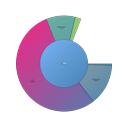
Free, portable storage analysis with zoomable multi-level pie charts.
Reviewed by iTechGuides Editors · Editorial team · Updated Oct 2026
HDGraph is a free, portable Windows utility for analyzing how storage is distributed across drives and folders. It suits solo users and small teams that want a visual way to locate large directories without installing a desktop application. The tool scans hard drives, SSDs, USB keys, other visible removable storage, network folders, optical media and cloud-storage folders. It also supports symbolic links and works with Windows 10 and Windows 11.
Its main strength is visual exploration. HDGraph calculates storage distribution and presents directories and subdirectories through multi-level pie charts, allowing users to zoom into large folders and inspect deeper levels. The scan scope covers files and folders, while the storage locations extend beyond internal disks to connected and visible external or remote locations. Running from a ZIP archive keeps deployment simple for users who prefer a portable utility or need to inspect storage without a conventional installation process.
HDGraph is a focused analyzer rather than a broader storage-management suite. The published feature set does not include treemap views, application-size views or file-type breakdowns, so users seeking those specific analysis methods should consider another tool. It also does not extend into reports, file classification or deeper management features. Choose HDGraph when free, portable Windows analysis and multi-level pie-chart exploration are the priorities; choose an alternative when cross-platform support, richer reporting or more detailed file categorization matters.
HDGraph pros and cons
- Where it wins
- Scans drives, folders, removable media, network and cloud folders
- Runs portably from a ZIP file without installation
- Zoomable multi-level pie charts reveal large directories
- Where it doesn't
- Windows-only desktop availability
- No treemap view or app-size view
- No file-type breakdown, reports or file classification
HDGraph fact sheet, pricing and score →
Advertiser disclosure: iTechGuides is reader-supported. Vendors can pay for top positions in our rankings and for a place on other products' pages, and we may earn a commission when you click some links. Bought places stand at the number bought; this page and our disclosure say so. Paying vendors may get a fuller, more detailed review from our editors, and that review can change their score. How we rank.
Last updated · How we research and update