
Hammr Time
Hammr Time: Construction-focused time tracking with cost codes, geofencing and offline capture. Ranked #5 of 19 in Construction Time Tracking Software by our editors (7.8/10); pricing: Pricing on request; best for crews needing cost codes and offline field capture.
At a glance
- Editor score7.8 / 10
- PricingPricing on request
- Best forCrews needing cost codes and offline field capture
- GPS location trackingYes
- Facts checked24 Sep 2026
Where it wins
- Switch projects and cost codes while tracking time in the field.
- Capture time offline and sync it automatically when connected.
- Clock in individuals or crews with GPS and project-radius geofencing.
Where it doesn't
- Pricing requires contacting sales for a personalized demo.
- No AI features are included.
- It may be more than needed for teams without construction workflows.
Our verdict on Hammr Time
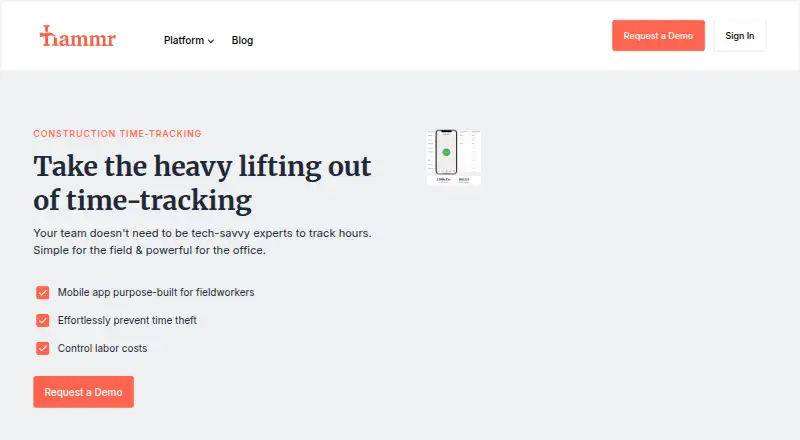
Hammr Time is a construction-focused time-tracking app for contractors, with mobile tools for employees and supervisors and web access for administrators. It covers hours, breaks, overtime, projects and cost codes, making it a fit for crews that need job-level time records from the field. Supervisors can clock in or out individuals and crews, while employees can enter timesheets manually. GPS and project-radius geofencing support clock-ins, and location and time reminders can help keep field entries tied to the workday.
Offline capture is a notable fit for construction work: time can be recorded without a connection and synchronized automatically later. The app also organizes project photos and documents, and supports automatic Spanish/English translation based on device language. The broader Hammr offering includes construction payroll, scheduling, messaging, HR and benefits services, while Hammr Time is also available through the web. Accounting integrations include QuickBooks Online and Desktop, Sage Intacct Construction, Acumatica, Xero and NetSuite, so buyers can assess whether its connections fit their existing systems.
According to the vendor's published information, Hammr Time uses a contact-sales pricing model; prospects are directed to request a personalized demo rather than select a published plan. Email and phone support are listed, with support available 24/7. The product is a stronger match for contractors that need cost codes, crew clock-ins, offline field capture and construction-oriented accounting connections. Teams seeking transparent plan prices or a basic timer without construction-specific workflows may prefer to compare alternatives before requesting a demo.
Your product? Our editors can test Hammr Time in depth and publish a review, labelled as paid · from $149/mo →
Hammr Time pricing
Hammr Time fact sheet
| Free plan | Not verified |
|---|---|
| Paid from | Not verified |
| GPS location tracking | Yes |
| Geofencing | Yes |
| Job cost codes | Yes |
| Timesheet approvals | Not verified |
| Offline time capture | Yes |
| Payroll export | Not verified |
| Deployment | Cloud, Mobile |
| Platforms | Web, iOS, Android |
| Support | Email, Phone · 24/7 |
| Built for | Small business, Mid-market, Enterprise (editorial estimate) |
| Integrations | 6 integrations: QuickBooks Online, QuickBooks Desktop, Sage Intacct Construction, Acumatica, Xero, NetSuite See all → |
| Pricing | Pricing on request |
| Website | hammr.com |
| Facts checked | 24 Sep 2026 |
Hammr Time integrations
Hammr Time lists 6 integrations on its own site.
- QuickBooks Online
- QuickBooks Desktop
- Sage Intacct Construction
- Acumatica
- Xero
- NetSuite
See all Hammr Time integrations →
Alternatives to Hammr Time
- QuickBooks TimeA connected tracker for construction teams managing field time, jobs, and payroll.9.2
- BusyBusyA construction time tracker with GPS verification, job costing and a free plan.8.8
- ClockSharkGPS job tracking, scheduling, and approvals for mobile crews, with paid plans only.8.5


See all Hammr Time alternatives →
Hammr Time vs the competition
- Hammr Time vs QuickBooks Time
- Hammr Time vs BusyBusy
- Hammr Time vs ClockShark
- Hammr Time vs Workyard
- Hammr Time vs Timecloud
- Hammr Time vs eBacon



Compare Hammr Time with any tool side by side →
Used Hammr Time? Be the first to review it
The editor score above is our own research. What this page doesn't have yet is a reader's view — what you used Hammr Time for, what worked and what didn't. No stars are seeded and no review is paid for; an editor reads every one before it appears.
Write a reviewTwo minutes · verified accounts only · read by an editor before it appears
Featured on iTechGuides

Hammr Time is listed in our Construction Time Tracking Software directory. Add the badge to your site — it links back to this page.
<a href="https://www.itechguides.com/products/hammr-time/"><img src="https://www.itechguides.com/best/badge/hammr-time.svg" alt="Featured on iTechGuides" width="230" height="46"></a>
Reviewed by iTechGuides Editors · Editorial team · Updated Oct 2026
Advertiser disclosure: iTechGuides is reader-supported. Vendors can pay for top positions in our rankings and for a place on other products' pages, and we may earn a commission when you click some links. Bought places stand at the number bought; this page and our disclosure say so. Paying vendors may get a fuller, more detailed review from our editors, and that review can change their score. How we rank.
Last updated · How we research and update