
Google Slides
Google Slides: A capable, accessible presentation tool with a narrower graphic-design focus. Ranked #91 of 148 in Graphic Design Software by our editors (3.0/10); pricing: Free plan · 14-day trial; best for free collaborative presentations with Google integration.
At a glance
- Editor score3.0 / 10
- PricingFree plan · 14-day trial
- Best forFree collaborative presentations with Google integration
- Free planYes
- Paid from$7/user/mo
- Facts checked20 Sep 2026
Where it wins
- Free presentation creation with templates and live co-editing
- Imports and edits Microsoft PowerPoint files
- Works across web, iOS, and Android with offline editing
Where it doesn't
- Focused on presentations rather than broad graphic design
- Advanced business features require Google Workspace plans
- Some recording and Gemini features depend on eligible plans
Our verdict on Google Slides
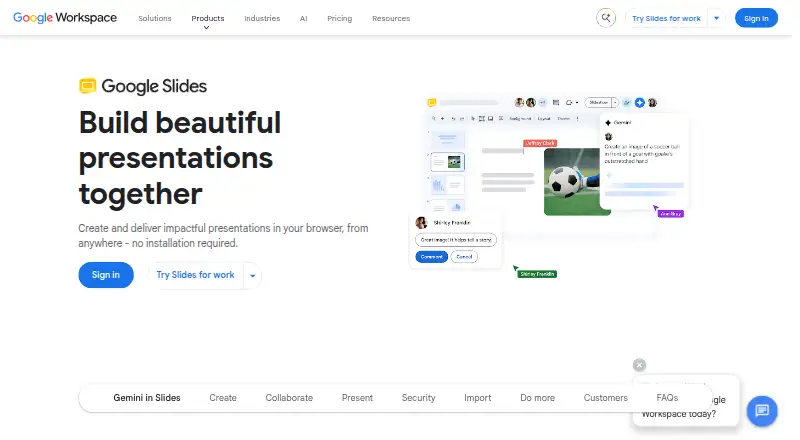
Google Slides is a browser-based presentation creation and delivery tool for individuals, teams, educators, and organizations. It supports templates, themes, layouts, backgrounds, fonts, color schemes, text, images, shapes, diagrams, and lines. Live co-editing, comments, sharing permissions, offline editing, and Microsoft PowerPoint support make it suitable for collaborative slide work, while mobile apps extend access beyond the browser.
The free option provides presentation creation through Google Accounts at no cost. Google Workspace plans add business capabilities: Business Starter costs $7 per user per month with annual billing and includes 30 GB pooled storage per user, business email, and Google Slides. Business Standard costs $14 per user per month with annual billing, adding 2 TB pooled storage per user and Gemini in Slides. Business Plus costs $22 per user per month with annual billing, offering 5 TB pooled storage per user and Vault. Enterprise includes Google Slides and data loss prevention, with contact-sales pricing. Published plans also show a 14-day free trial.
Its strongest fit comes from the Google ecosystem. Google Drive supports file access and storage, Google Meet supports presentation workflows, Canva is an integration, and add-ons extend Google Slides. Presentations can be created and edited on the web, iOS, and Android, with offline access and editing available. Eligible plans also support presentation recording and speaker spotlight, while Gemini can assist with slide and image generation. Choose Google Slides for collaborative presentations, Google Workspace alignment, and PowerPoint compatibility. Choose a more specialized graphic-design tool when illustration depth or broader visual design capabilities matter more than slide collaboration.
Your product? Our editors can test Google Slides in depth and publish a review, labelled as paid · from $149/mo →
Google Slides pricing
All 4 Google Slides plans and prices →
Google Slides fact sheet
| Free plan | Yes |
|---|---|
| Paid from | $7/user/mo |
| Template library | Yes |
| Presentation design | Yes |
| Illustration tools | Not verified |
| Brand kit | Not verified |
| Real-time collaboration | Yes |
| Desktop app | Not verified |
| Mobile app | Yes |
| Free trial | 14 days |
| Deployment | Cloud, Mobile |
| Platforms | Web, iOS, Android |
| Compliance & security | SOC 2, ISO 27001 |
| Support | Community, Docs |
| Built for | Solo, Small business, Mid-market, Enterprise (editorial estimate) |
| Integrations | 6 integrations: Google Meet, Google Drive, Google Sheets, Microsoft PowerPoint, Canva, Slides add-ons |
| Pricing | Free plan · 14-day trial (source) |
| Website | workspace.google.com |
| Facts checked | 20 Sep 2026 |
Google Slides integrations
Google Slides lists 6 integrations on its own site.
- Google Meet
- Google Drive
- Google Sheets
- Microsoft PowerPoint
- Canva
- Slides add-ons
Alternatives to Google Slides
- Adobe Creative CloudA broad creative suite for teams that need design, video, collaboration, and asset management.9.4
- CanvaA broad template-based editor for creating and sharing varied visual content.9.3
- FigmaA shared workspace for interface design, prototyping, developer handoff and more.9.2



See all Google Slides alternatives →
Also Ranked In
Google Slides is ranked in 11 of our directories; the 6 strongest besides Graphic Design Software.
Used Google Slides? Be the first to review it
The editor score above is our own research. What this page doesn't have yet is a reader's view — what you used Google Slides for, what worked and what didn't. No stars are seeded and no review is paid for; an editor reads every one before it appears.
Write a reviewTwo minutes · verified accounts only · read by an editor before it appears
Featured on iTechGuides

Google Slides is listed in our Graphic Design Software directory. Add the badge to your site — it links back to this page.
<a href="https://www.itechguides.com/products/google-slides/"><img src="https://www.itechguides.com/best/badge/google-slides.svg" alt="Featured on iTechGuides" width="230" height="46"></a>
Reviewed by iTechGuides Editors · Editorial team · Updated Oct 2026
Advertiser disclosure: iTechGuides is reader-supported. Vendors can pay for top positions in our rankings and for a place on other products' pages, and we may earn a commission when you click some links. Bought places stand at the number bought; this page and our disclosure say so. Paying vendors may get a fuller, more detailed review from our editors, and that review can change their score. How we rank.
Last updated · How we research and update