Google Play Games on PC
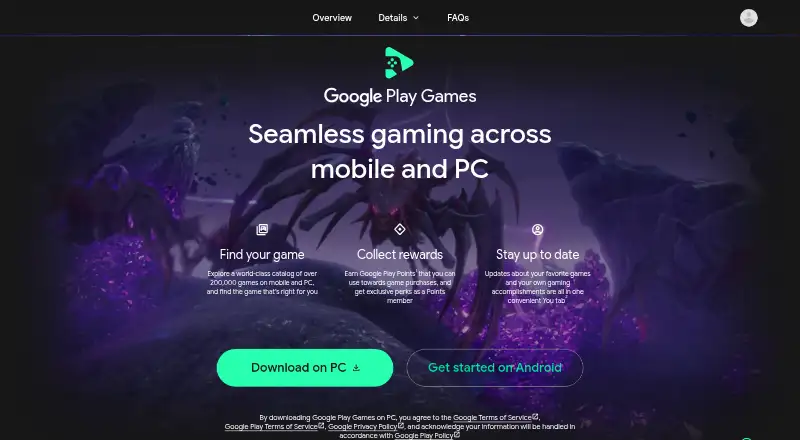
Google Play Games on PC: A free Windows launcher for supported mobile games, with PC controls and synced progress. Ranked #12 of 21 in PC Game Launchers by our editors (7.5/10); pricing: Free plan; best for playing supported mobile games on Windows.
At a glance
- Editor score7.5 / 10
- PricingFree plan
- Best forPlaying supported mobile games on Windows
- Free planYes
- Paid fromFree
- Supported OSWindows
- Facts checked19 Sep 2026
Where it wins
- Keyboard and mouse controls with custom key mapping
- Syncs progress across devices for supported games
- Supports controllers, multiple windows, and multi-instancing
Where it doesn't
- Works only with supported games
- Requires Windows 10 version 2004 or later and specific hardware
- Some games or in-game items may cost money
Our verdict on Google Play Games on PC
Google Play Games on PC brings a catalog of supported mobile games to Windows desktops and laptops. It is aimed at players who want to browse and install compatible titles on a PC, use keyboard and mouse controls, and keep progress synchronized across devices where a game supports that feature. Google Play profile integration and Play Points earning connect the launcher to the Google Play ecosystem. The launcher is free, though individual games or in-game items may require payment.
Its PC controls go beyond basic keyboard and mouse support: players can customize key mappings, use a controller with compatible games, and open multiple game windows or instances. Compatibility labels and catalog filtering help narrow the selection to games suited to the PC client. The trade-off is that this is not a general-purpose PC game launcher; its catalog is specifically for supported mobile games, and controller support and cross-device progress depend on the game. It suits players whose preferred titles are available in that catalog, rather than people seeking broad PC game-library management.
The system requirements shape who can install it: the client requires Windows 10 version 2004 or later, hardware virtualization, an SSD with available storage, 8 GB of RAM, and a compatible graphics processor. That makes it worth checking the PC against those requirements before choosing the launcher. Google Play Pass and Google Play Points are listed integrations, while Play Points earning is a stated feature. Choose it for supported mobile games and Google Play continuity on Windows; choose another option if you need a wider PC catalog or your games are not supported.
Your product? Our editors can test Google Play Games on PC in depth and publish a review, labelled as paid · from $149/mo →
Google Play Games on PC pricing
Google Play Games on PC fact sheet
| Free plan | Yes |
|---|---|
| Paid from | Free |
| Supported OS | Windows |
| Cloud saves | Yes |
| Offline mode | Not verified |
| Subscription catalog | Yes |
| Third-party game import | Not verified |
| Mod integration | Not verified |
| Deployment | Desktop |
| Platforms | Windows |
| Integrations | 2 integrations: Google Play Pass, Google Play Points |
| Pricing | Free plan |
| Website | play.google.com |
| Facts checked | 19 Sep 2026 |
Google Play Games on PC integrations
Google Play Games on PC lists 2 integrations on its own site.
- Google Play Pass
- Google Play Points
Alternatives to Google Play Games on PC
- SteamA free game library and launcher with community tools, mods, cloud saves, and offline play.9.4
- GOG GalaxyA free library hub with offline support and rollback for supported games.9.1
- Xbox app for PCA free Windows launcher with a paid PC Game Pass catalog and cross-store features.8.9

See all Google Play Games on PC alternatives →
Also Ranked In
Google Play Games on PC is ranked in 4 of our directories.
Used Google Play Games on PC? Be the first to review it
The editor score above is our own research. What this page doesn't have yet is a reader's view — what you used Google Play Games on PC for, what worked and what didn't. No stars are seeded and no review is paid for; an editor reads every one before it appears.
Write a reviewTwo minutes · verified accounts only · read by an editor before it appears
Featured on iTechGuides

Google Play Games on PC is listed in our PC Game Launchers directory. Add the badge to your site — it links back to this page.
<a href="https://www.itechguides.com/products/google-play-games-on-pc/"><img src="https://www.itechguides.com/best/badge/google-play-games-on-pc.svg" alt="Featured on iTechGuides" width="230" height="46"></a>
Reviewed by iTechGuides Editors · Editorial team · Updated Oct 2026
Advertiser disclosure: iTechGuides is reader-supported. Vendors can pay for top positions in our rankings and for a place on other products' pages, and we may earn a commission when you click some links. Bought places stand at the number bought; this page and our disclosure say so. Paying vendors may get a fuller, more detailed review from our editors, and that review can change their score. How we rank.
Last updated · How we research and update