GLava
GLava: A flexible Linux visualizer for OBS, desktop windows, and shader-driven audio graphics. Ranked #33 of 35 in Audio Visualizer Software by our editors (6.0/10); pricing: Open source; best for linux users building OBS visualizers.
At a glance
- Editor score6.0 / 10
- PricingOpen source
- Best forLinux users building OBS visualizers
- Paid fromFree
- Facts checked21 Sep 2026
Where it wins
- Direct OBS scene rendering through an OBS plugin
- GLSL configuration supports custom shader modules
- PulseAudio and MPD input options support varied audio workflows
Where it doesn't
- Requires comfort compiling and configuring native software
- Focused on X11 desktop environments rather than browser workflows
- Open-source desktop software, not a managed visualizer service
Our verdict on GLava
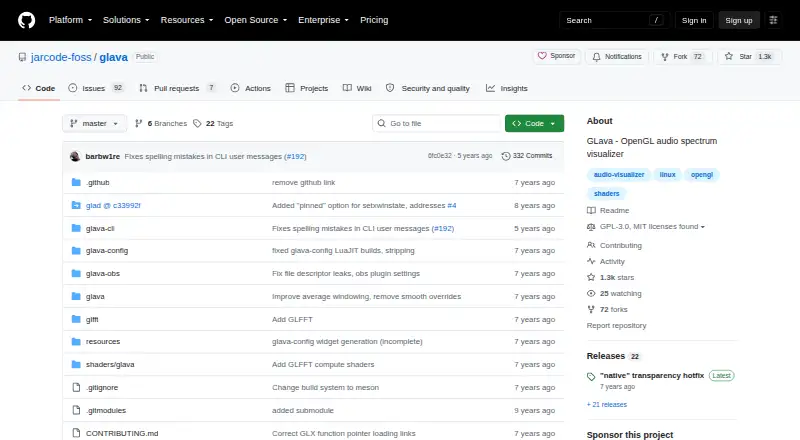
GLava is an open-source audio visualizer for Linux and BSD X11 environments, aimed at desktop users who want configurable audio graphics rather than a fixed visual preset. It renders OpenGL shader modules driven by audio input, with spectrum, waveform, bar, radial, graph, wave, and circle visualizations. Linux users creating OBS scenes are a particularly strong fit because GLava can render directly into OBS through an OBS plugin.
Customization is the product's defining strength. GLSL-based configuration files allow users to adjust modules and parameters or create custom shader modules, while the available bar, radial, graph, waveform, and circle styles cover several visual directions. PulseAudio and MPD FIFO input provide two documented audio paths, and the --pipe feature supports runtime value streaming. Desktop-window embedding with EWMH window-manager support further suits users who want the visualizer integrated into an X11 desktop workflow.
GLava is best suited to technically comfortable Linux users who can compile and configure native software and want control over how audio-reactive visuals are rendered. Its OBS integration makes it relevant for streaming and scene composition, while MPD support fits music-focused desktop setups. Users seeking a browser-based editor, mobile workflow, or a managed service should choose a different type of tool. GLava's narrow focus is a strength for shader customization and direct rendering, but it also means the product is oriented toward desktop configuration rather than a guided, cross-platform production environment.
Your product? Our editors can test GLava in depth and publish a review, labelled as paid · from $149/mo →
GLava pricing
GLava fact sheet
| Free plan | Not verified |
|---|---|
| Paid from | Free |
| Waveform visuals | Yes |
| Spectrum visuals | Yes |
| Video export | Not verified |
| Transparent export | Not verified |
| Max resolution | Not verified |
| Platform coverage | Desktop |
| Max audio length | Not verified |
| Deployment | Desktop |
| Platforms | Linux |
| Support | Community, Docs |
| Built for | Solo, Small business (editorial estimate) |
| Integrations | 2 integrations: OBS, MPD |
| Pricing | Open source |
| Website | github.com |
| Facts checked | 21 Sep 2026 |
GLava integrations
GLava lists 2 integrations on its own site.
- OBS
- MPD
Alternatives to GLava
- FosforaA cross-platform VJ engine for layered, audio-reactive live visual production.9.4
- BeatVisualiserA flexible visualizer maker with a useful free tier and local browser rendering.9.2
- Magic Music VisualsA deep desktop visualizer for VJs and audiovisual creators who need real-time control.9.0

Used GLava? Be the first to review it
The editor score above is our own research. What this page doesn't have yet is a reader's view — what you used GLava for, what worked and what didn't. No stars are seeded and no review is paid for; an editor reads every one before it appears.
Write a reviewTwo minutes · verified accounts only · read by an editor before it appears
Featured on iTechGuides

GLava is listed in our Audio Visualizer Software directory. Add the badge to your site — it links back to this page.
<a href="https://www.itechguides.com/products/glava/"><img src="https://www.itechguides.com/best/badge/glava.svg" alt="Featured on iTechGuides" width="230" height="46"></a>
Reviewed by iTechGuides Editors · Editorial team · Updated Oct 2026
Advertiser disclosure: iTechGuides is reader-supported. Vendors can pay for top positions in our rankings and for a place on other products' pages, and we may earn a commission when you click some links. Bought places stand at the number bought; this page and our disclosure say so. Paying vendors may get a fuller, more detailed review from our editors, and that review can change their score. How we rank.
Last updated · How we research and update