Fotowall
Fotowall: A free, open-source canvas for layered collages and broader visual compositions. Ranked #18 of 34 in Collage Maker Software by our editors (7.3/10); pricing: Free plan; best for open-source canvas compositions.
At a glance
- Editor score7.3 / 10
- PricingFree plan
- Best forOpen-source canvas compositions
- Free planYes
- Paid fromFree
- PlatformsDesktop
- Founded2008
- Facts checked20 Sep 2026
Where it wins
- Layer, transform, and arrange photos, text, video, and web content
- Creates wordclouds and supports live video content
- Exports compositions to PDF and SVG
Where it doesn't
- Desktop release is Fotowall 1.0 from 2017
- Browser access is provided as a demo rather than the core application
- Broader composition tools make it less collage-specific
Our verdict on Fotowall
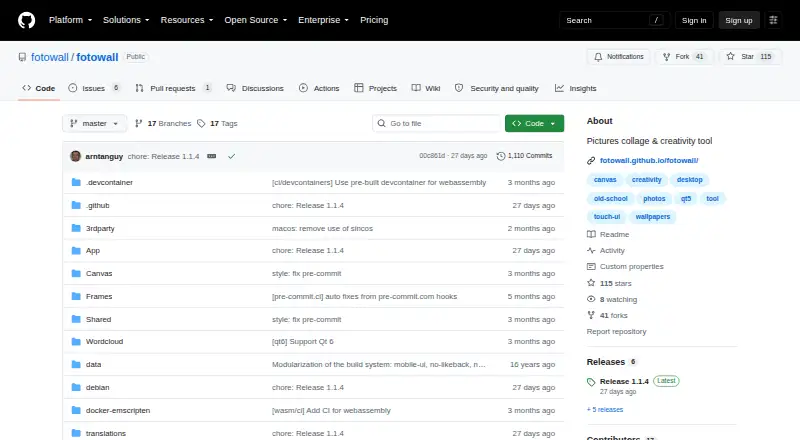
Fotowall is an open-source application for building collages and other graphical compositions on a layered canvas. It suits users who want to arrange photos, pictures, text, live video, wordclouds, and internet content in custom layouts rather than follow a fixed collage template. Elements can be moved, resized, rotated, cropped, and adjusted with perspective transformations. Linux packages and AppImages, Windows executables, source builds, and a browser-based demo give the project several access points.
Its strongest advantage is the depth of its canvas manipulation. Users can combine different content types, edit text elements, drag and drop material from the internet, and create compositions intended for images, printing, PDF output, or SVG output. That makes Fotowall a practical fit for posters, visual boards, mixed-media layouts, and experimental compositions as well as standard photo collages. The open-source model and free plan also make it accessible for users who prefer software they can obtain and inspect without a paid tier.
The main consideration is its desktop-oriented release path. The published stable desktop release is Fotowall 1.0 from 2017, while current development builds are labeled REVIVAL; users seeking a conventional, regularly versioned collage product may prefer a more narrowly focused alternative. The browser-based demo offers a way to explore the concept, but the full workflow centers on desktop capabilities across Windows and Linux. Choose Fotowall for flexible, open-source canvas work and varied export formats; choose elsewhere if your priority is a specialized collage interface rather than broad composition control.
Your product? Our editors can test Fotowall in depth and publish a review, labelled as paid · from $149/mo →
Fotowall pricing
Fotowall fact sheet
| Free plan | Yes |
|---|---|
| Paid from | Free |
| Platforms | Desktop |
| Maximum photos | Not verified |
| Custom layouts | Yes |
| Video collages | Not verified |
| Text overlays | Yes |
| Watermark-free exports | Not verified |
| Export formats | PDF, SVG |
| Deployment | Desktop |
| Platforms | Web, Windows, Linux |
| Built for | Solo, Small business (editorial estimate) |
| Pricing | Free plan |
| Website | github.com |
| Facts checked | 20 Sep 2026 |
Alternatives to Fotowall
- PicCollageA broad collage tool for photos, videos, social graphics, and personal designs.9.3
- PhotoGridA broad collage editor for photos, videos, social visuals, and AI-assisted layouts.9.1
- SCRLA flexible collage maker for polished Instagram and TikTok carousel designs.8.9



See all Fotowall alternatives →
Used Fotowall? Be the first to review it
The editor score above is our own research. What this page doesn't have yet is a reader's view — what you used Fotowall for, what worked and what didn't. No stars are seeded and no review is paid for; an editor reads every one before it appears.
Write a reviewTwo minutes · verified accounts only · read by an editor before it appears
Featured on iTechGuides

Fotowall is listed in our Collage Maker Software directory. Add the badge to your site — it links back to this page.
<a href="https://www.itechguides.com/products/fotowall/"><img src="https://www.itechguides.com/best/badge/fotowall.svg" alt="Featured on iTechGuides" width="230" height="46"></a>
Reviewed by iTechGuides Editors · Editorial team · Updated Oct 2026
Advertiser disclosure: iTechGuides is reader-supported. Vendors can pay for top positions in our rankings and for a place on other products' pages, and we may earn a commission when you click some links. Bought places stand at the number bought; this page and our disclosure say so. Paying vendors may get a fuller, more detailed review from our editors, and that review can change their score. How we rank.
Last updated · How we research and update