Fotor
Fotor: Fotor brings accessible AI editing, layers, masking, and batch tools to multiple platforms. Ranked #16 of 158 in Photo Editing Software by our editors (7.9/10); pricing: Free plan; best for accessible AI editing across platforms.
At a glance
- Editor score7.9 / 10
- PricingFree plan
- Best forAccessible AI editing across platforms
- Free planYes
- PlatformMulti-platform
- Facts checked20 Sep 2026
Where it wins
- AI portrait retouching, object removal, and background cleanup
- Layers and masking support detailed, non-destructive image edits
- Web, desktop, and mobile apps with cloud synchronization
Where it doesn't
- The free plan adds watermarks to JPG, PNG, and PDF exports
- Advanced tools and larger storage are reserved for paid plans
- The broad feature set may exceed the needs of simple photo adjustments
Our verdict on Fotor
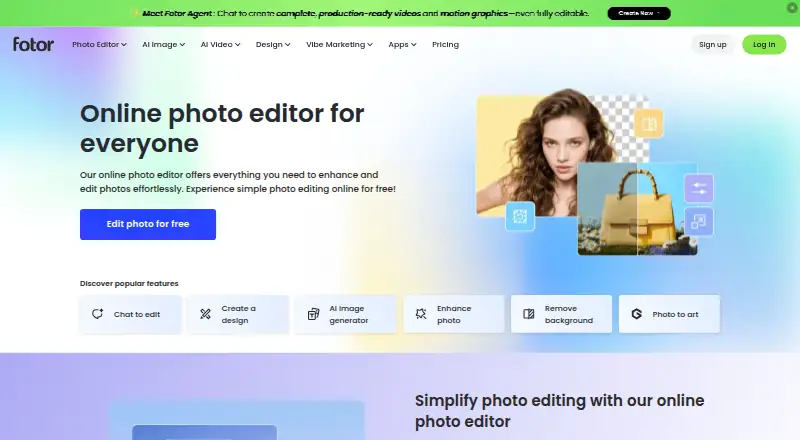
Fotor is photo editing and visual creation software for individuals, creators, small businesses, and designers. It works across web, Windows, macOS, iOS, and Android, combining basic adjustments with effects, filters, collages, templates, portrait retouching, object removal, masking, layers, and batch processing. Its free Fotor Basic plan includes basic editing tools, basic templates and collage, 512MB of cloud storage and device sync, plus watermarked JPG, PNG, and PDF exports. That makes Fotor a practical starting point for users who want editing access across devices without an upfront cost.
The strongest case for Fotor is the depth of its editing toolkit. Users can independently move, resize, recolor, replace, and edit image elements through editable layers, while masking adds overlays, transparency, layer positioning, and intensity controls. AI features cover portrait retouching tasks such as wrinkle and blemish reduction, skin smoothing, teeth whitening, and red-eye removal, along with object removal and background cleanup. Batch editing extends the workflow to crops, text, adjustments, format conversion, and bulk retouching, giving creators and small businesses tools for repeated image work rather than only one-off edits.
The paid plans separate export quality, storage, and advanced AI workflows from the free experience. Fotor Pro adds 100+ editing tools, AI portrait retouching, 2GB of cloud storage and device sync, HD and transparent PNG exports, and watermark-free exports. Fotor Pro+ adds AI batch editing, multiple brand kits, 100GB of storage and device sync, 100+ editing tools, and watermark-free HD exports. Choose Fotor if cross-platform access, AI retouching, layers, masking, and batch work matter together. Users who only need basic edits and accept watermarked exports may be well served by Basic; those needing broader export and storage capabilities should consider a paid tier.
Your product? Our editors can test Fotor in depth and publish a review, labelled as paid · from $149/mo →
Fotor pricing
All 3 Fotor plans and prices →
Fotor fact sheet
| Free plan | Yes |
|---|---|
| Paid from | Not verified |
| Platform | Multi-platform |
| RAW photo support | Not verified |
| Layer editing | Yes |
| Masking tools | Yes |
| Batch editing | Yes |
| Cloud sync | Yes |
| AI retouching | Yes |
| Deployment | Cloud, Desktop, Mobile |
| Platforms | Web, Windows, macOS, iOS, Android |
| Support | Email, Live chat, Tickets, Docs |
| Built for | Solo, Small business, Mid-market (editorial estimate) |
| Pricing | Free plan (source) |
| Website | fotor.com |
| Facts checked | 20 Sep 2026 |
Alternatives to Fotor
- Adobe PhotoshopA deep, multi-platform editor for compositing, retouching, RAW work, and AI-assisted edits.9.4
- Adobe LightroomA broad Lightroom workflow for RAW editing, masking, organization, and synchronized access.9.2
- Capture OneA deep choice for professional RAW and tethered workflows, without a free plan.9.0



Also Ranked In
Fotor is ranked in 35 of our directories; the 6 strongest besides Photo Editing Software.
Used Fotor? Be the first to review it
The editor score above is our own research. What this page doesn't have yet is a reader's view — what you used Fotor for, what worked and what didn't. No stars are seeded and no review is paid for; an editor reads every one before it appears.
Write a reviewTwo minutes · verified accounts only · read by an editor before it appears
Featured on iTechGuides

Fotor is listed in our Photo Editing Software directory. Add the badge to your site — it links back to this page.
<a href="https://www.itechguides.com/products/fotor/"><img src="https://www.itechguides.com/best/badge/fotor.svg" alt="Featured on iTechGuides" width="230" height="46"></a>
Reviewed by iTechGuides Editors · Editorial team · Updated Oct 2026
Advertiser disclosure: iTechGuides is reader-supported. Vendors can pay for top positions in our rankings and for a place on other products' pages, and we may earn a commission when you click some links. Bought places stand at the number bought; this page and our disclosure say so. Paying vendors may get a fuller, more detailed review from our editors, and that review can change their score. How we rank.
Last updated · How we research and update