
Formstack Forms
Formstack Forms: A mature form builder for organizations that need integrations, payments, and routing. Ranked #24 of 39 in Online Form Builders by our editors (7.1/10); pricing: 14-day trial; best for organizations needing enterprise integrations.
At a glance
- Editor score7.1 / 10
- Pricing14-day trial
- Best forOrganizations needing enterprise integrations
- Free planNo
- Paid from$83/mo
- Quiz supportYes
- Founded2006
- Facts checked20 Sep 2026
Where it wins
- Broad integrations including Salesforce, HubSpot, and cloud storage
- Supports payments, file uploads, quizzes, approvals, and routing
- Multiple publishing options plus API and webhook support
Where it doesn't
- No free plan; access begins with a paid subscription
- Annual billing starts at $83 per month
- Base plan includes one Builder user and 25 forms
Our verdict on Formstack Forms
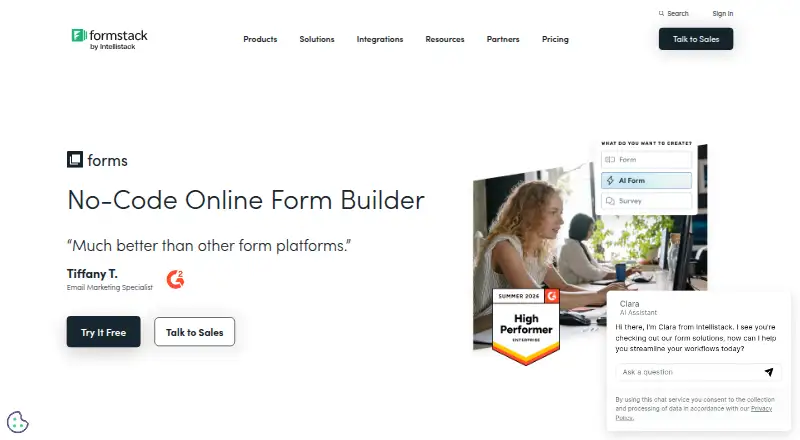
Formstack Forms is a web-based, no-code form builder for organizations collecting information, accepting payments, processing uploads, and routing submissions into business workflows. Its tools include drag-and-drop building, conditional logic, responsive forms, field prefilling, analytics, electronic signatures, approval workflows, and AI-assisted form creation. It fits business, healthcare, education, nonprofit, and financial-services teams that need more than a basic contact form, especially when forms must connect with existing operational systems.
Its strongest area is ecosystem fit. Formstack Forms integrates with Salesforce, Amazon S3, PayPal, Stripe, HubSpot, Airtable, Microsoft OneDrive, Google Drive, Dropbox, Zapier, Smartsheet, and Zendesk. Forms can be published through hosted links, JavaScript, iFrame, or Lightbox, while the Forms API and webhooks support custom integrations. Payment processors and PCI-compliant payment fields extend its use to transactions, and cloud-storage integrations pair with file upload fields. These capabilities make it a practical choice for teams managing submissions across several business applications.
Pricing is straightforward but favors organizations with a defined budget. The Forms plan costs $83 per month with annual billing or $99 per month with monthly billing, and both options include one Builder user, 25 forms, 1,000 submissions per form, and 2GB of storage. A 14-day free trial is available, but there is no free plan. Choose Formstack Forms when integrations, payment collection, uploads, quizzes, approvals, and routing justify a paid platform. Organizations seeking a free option, a lower entry price, or more Builder users in the base plan should consider alternatives.
Your product? Our editors can test Formstack Forms in depth and publish a review, labelled as paid · from $149/mo →
Formstack Forms pricing
All 1 Formstack Forms plans and prices →
Formstack Forms fact sheet
| Free plan | No |
|---|---|
| Paid from | $83/mo |
| Form limit | 25 forms |
| Quiz support | Yes |
| Payment collection | Yes |
| Embed options | Multiple |
| Native integrations | 300 integrations |
| File uploads | Yes |
| Free trial | 14 days · no card needed |
| Deployment | Cloud |
| Platforms | Web |
| Compliance & security | SOC 2, GDPR, HIPAA, PCI DSS, 2FA |
| Support | Email, Live chat, Tickets, Docs |
| Built for | Small business, Mid-market, Enterprise (editorial estimate) |
| Integrations | 300+ integrations: Salesforce, Constant Contact, Stripe, Google Drive, Dropbox, PayPal … See all → |
| Pricing | 14-day trial (source) |
| Website | formstack.com |
| Facts checked | 20 Sep 2026 |
Formstack Forms integrations
Formstack Forms lists 300+ integrations on its own site — the 11 named here are the ones its pages call out.
- Salesforce
- Constant Contact
- Stripe
- Google Drive
- Dropbox
- PayPal
- Box
- Amazon S3
- HubSpot
- Zendesk
- Zapier
See all Formstack Forms integrations →
Alternatives to Formstack Forms
- JotformA template-rich form builder with payments, offline mobile collection, and broad integrations.9.4
- Zoho FormsA broad form platform with payments, workflows, analytics, and mobile collection.9.2
- TypeformA polished form builder with branching, quizzes, payments, embeds, and API access.9.1



See all Formstack Forms alternatives →
Also Ranked In
Formstack Forms is ranked in 5 of our directories.
Used Formstack Forms? Be the first to review it
The editor score above is our own research. What this page doesn't have yet is a reader's view — what you used Formstack Forms for, what worked and what didn't. No stars are seeded and no review is paid for; an editor reads every one before it appears.
Write a reviewTwo minutes · verified accounts only · read by an editor before it appears
Featured on iTechGuides

Formstack Forms is listed in our Online Form Builders directory. Add the badge to your site — it links back to this page.
<a href="https://www.itechguides.com/products/formstack-forms/"><img src="https://www.itechguides.com/best/badge/formstack-forms.svg" alt="Featured on iTechGuides" width="230" height="46"></a>
Reviewed by iTechGuides Editors · Editorial team · Updated Oct 2026
Advertiser disclosure: iTechGuides is reader-supported. Vendors can pay for top positions in our rankings and for a place on other products' pages, and we may earn a commission when you click some links. Bought places stand at the number bought; this page and our disclosure say so. Paying vendors may get a fuller, more detailed review from our editors, and that review can change their score. How we rank.
Last updated · How we research and update