
FontCap
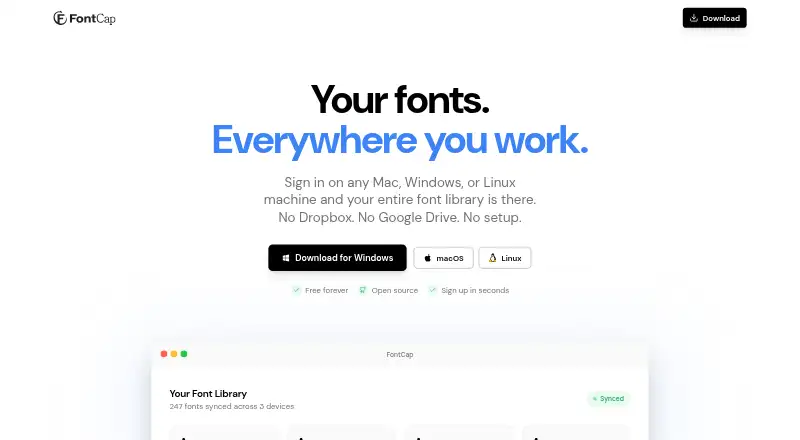
FontCap: A free, open-source font manager for syncing libraries across macOS, Windows, and Linux. Ranked #9 of 26 in Font Management Software by our editors (8.1/10); pricing: Free plan; best for free users needing cross-platform font syncing.
At a glance
- Editor score8.1 / 10
- PricingFree plan
- Best forFree users needing cross-platform font syncing
- Free planYes
- Paid fromFree
- Facts checked20 Sep 2026
Where it wins
- Cloud synchronization keeps font libraries aligned across connected devices
- SHA-256 duplicate detection helps identify duplicate font files
- Supports macOS, Windows, and Linux with automatic missing-font downloads
Where it doesn't
- No subscription tiers for organizations seeking paid service options
- Focused on desktop operating systems rather than broader platform coverage
- Automatic downloads and installation may require careful font-library oversight
Our verdict on FontCap
FontCap is a free, open-source desktop font-management and synchronization tool for freelancers, design studios, developers, and other users working across multiple computers. It automatically scans installed fonts, supports drag-and-drop importing, and manages font libraries across macOS, Windows, and Linux. Supported formats include TTF, OTF, WOFF, and WOFF2, giving it coverage across common desktop and web-font files. The product is particularly suited to individuals and teams that need the same font collection available on connected devices without subscription tiers.
Its strongest area is synchronization combined with library maintenance. FontCap uploads font files to cloud storage, detects duplicates using SHA-256 hashing, and automatically downloads and installs missing fonts on connected devices. Connected-device management, parallel downloads, automatic retry, and system-tray operation support an ongoing workflow rather than a one-time import. These capabilities make it a practical fit for users moving between operating systems or maintaining shared font libraries across several computers.
The trade-off is a focused product scope. FontCap concentrates on scanning, importing, syncing, duplicate detection, and installation, so users seeking a broader paid service structure or capabilities beyond desktop font management may need a different category of tool. Its free model and open-source presentation are clear advantages for cost-conscious users, while the absence of subscription tiers keeps the offering simple. Choose FontCap if cross-platform synchronization and automated font maintenance are the priority; look elsewhere if your requirements extend beyond its desktop library-management focus.
Your product? Our editors can test FontCap in depth and publish a review, labelled as paid · from $149/mo →
FontCap pricing
All 1 FontCap plans and prices →
FontCap fact sheet
| Free plan | Yes |
|---|---|
| Paid from | Free |
| Auto-activation | Not verified |
| Cloud font sync | Yes |
| Team font sharing | Not verified |
| Supported platforms | Not verified |
| Supported font formats | TTF, OTF, WOFF, WOFF2 |
| Duplicate detection | Yes |
| Font library limit | Not verified |
| Deployment | Cloud, Desktop |
| Platforms | macOS, Windows, Linux |
| Built for | Solo, Small business (editorial estimate) |
| Pricing | Free plan (source) |
| Website | fontcap.com |
| Facts checked | 20 Sep 2026 |
Alternatives to FontCap
- FontBaseA low-cost, cross-platform font manager with strong Adobe and collection tools.9.4
- Adobe FontsA strong Adobe-centered font library with web projects, variable-font controls, and free access.9.2
- FontAgentA detailed font cataloging tool for creative teams willing to pay annually.8.9



See all FontCap alternatives →
Used FontCap? Be the first to review it
The editor score above is our own research. What this page doesn't have yet is a reader's view — what you used FontCap for, what worked and what didn't. No stars are seeded and no review is paid for; an editor reads every one before it appears.
Write a reviewTwo minutes · verified accounts only · read by an editor before it appears
Featured on iTechGuides

FontCap is listed in our Font Management Software directory. Add the badge to your site — it links back to this page.
<a href="https://www.itechguides.com/products/fontcap/"><img src="https://www.itechguides.com/best/badge/fontcap.svg" alt="Featured on iTechGuides" width="230" height="46"></a>
Reviewed by iTechGuides Editors · Editorial team · Updated Oct 2026
Advertiser disclosure: iTechGuides is reader-supported. Vendors can pay for top positions in our rankings and for a place on other products' pages, and we may earn a commission when you click some links. Bought places stand at the number bought; this page and our disclosure say so. Paying vendors may get a fuller, more detailed review from our editors, and that review can change their score. How we rank.
Last updated · How we research and update