
Focusmeter
Focusmeter: A focused Android timer with strong analytics, exports, and no task list. Ranked #20 of 28 in Pomodoro Timer Apps by our editors (7.0/10); pricing: Free plan; best for android users focused on analytics.
At a glance
- Editor score7.0 / 10
- PricingFree plan
- Best forAndroid users focused on analytics
- Free planYes
- Custom intervalsYes
- Facts checked20 Sep 2026
Where it wins
- Custom modes with automatic focus and rest transitions
- Tag-based analytics with daily, weekly, and monthly summaries
- Background operation, widgets, dark mode, and data exports
Where it doesn't
- Android-only availability limits platform coverage
- No built-in task list for managing work items
- Advanced analytics and customization require the Pro upgrade
Our verdict on Focusmeter
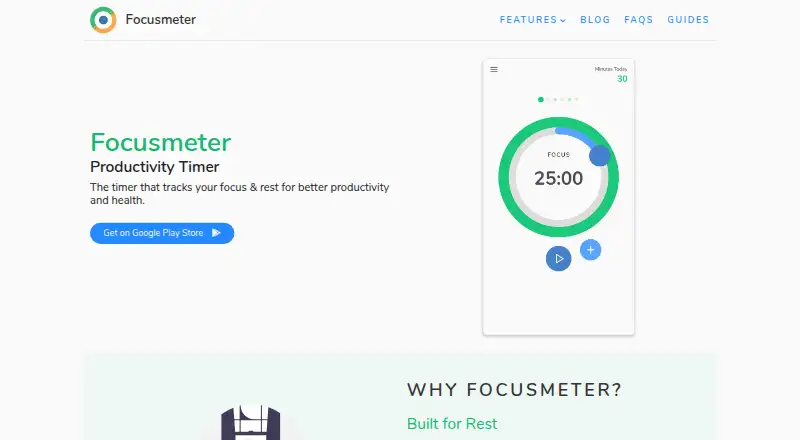
Focusmeter is an Android focus and rest timer for people who follow Pomodoro-style routines or create custom work cycles. It supports configurable focus and rest durations, saved timer modes, automatic transitions, session tags, productivity summaries, timeline editing, manual session entry, background operation, and CSV or JSON export. Timer data is stored locally on the device, and analytics do not require an account. Its free, ad-free tier makes it suitable for Android users who want structured timing with measurable session history.
The published plans divide features between Minimalist and Pro. Minimalist includes timer customization, unlimited modes, background timing, focus and rest sessions, session tags, and daily, weekly, and monthly summaries. Pro includes everything in Minimalist, plus full tag analytics, custom date selection for analytics, extended tag colors, custom UI colors, and all Time Machine features. Pro is sold as a one-time Google Play purchase, with Google Play displaying the price in the user's local currency. The free tier covers the core timer and summary workflow, while Pro is aimed at users who need deeper analysis and additional personalization.
Focusmeter's strongest fit is a single-device Android workflow centered on timing and review rather than task management. Automatic transitions, background operation, widgets, dark mode, editable timelines, and exports give users several ways to maintain and examine a routine. Its narrower scope is also clear: there is no task list, and the app is not presented for platforms beyond Android. Choose Focusmeter if customizable cycles, tags, local analytics, and exported records matter most. Choose another Pomodoro app if cross-platform access or integrated task planning is essential.
Your product? Our editors can test Focusmeter in depth and publish a review, labelled as paid · from $149/mo →
Focusmeter pricing
All 2 Focusmeter plans and prices →
Focusmeter fact sheet
| Free plan | Yes |
|---|---|
| Paid from | Not verified |
| Custom intervals | Yes |
| Auto-start breaks | Yes |
| Focus statistics | Yes |
| Platform coverage | Mobile |
| Built-in task list | No |
| Calendar integration | Not verified |
| Deployment | Mobile |
| Platforms | Android |
| Support | Email, Docs |
| Built for | Solo, Small business (editorial estimate) |
| Pricing | Free plan (source) |
| Website | focusmeter.app |
| Facts checked | 20 Sep 2026 |
Alternatives to Focusmeter
- Focus To-DoA low-cost Pomodoro app for organizing tasks, tracking focus, and syncing across devices.9.4
- PomofocusA free, cross-platform timer that adds task estimates, reports, and project tracking.9.2
- SessionA focused Apple timer with calendars, blocking, analytics, and automation.9.0


See all Focusmeter alternatives →
Also Ranked In
Focusmeter is ranked in 2 of our directories.
Used Focusmeter? Be the first to review it
The editor score above is our own research. What this page doesn't have yet is a reader's view — what you used Focusmeter for, what worked and what didn't. No stars are seeded and no review is paid for; an editor reads every one before it appears.
Write a reviewTwo minutes · verified accounts only · read by an editor before it appears
Featured on iTechGuides

Focusmeter is listed in our Pomodoro Timer Apps directory. Add the badge to your site — it links back to this page.
<a href="https://www.itechguides.com/products/focusmeter/"><img src="https://www.itechguides.com/best/badge/focusmeter.svg" alt="Featured on iTechGuides" width="230" height="46"></a>
Reviewed by iTechGuides Editors · Editorial team · Updated Oct 2026
Advertiser disclosure: iTechGuides is reader-supported. Vendors can pay for top positions in our rankings and for a place on other products' pages, and we may earn a commission when you click some links. Bought places stand at the number bought; this page and our disclosure say so. Paying vendors may get a fuller, more detailed review from our editors, and that review can change their score. How we rank.
Last updated · How we research and update