Focus Timer (formerly GNOME Pomodoro)
Focus Timer (formerly GNOME Pomodoro): A focused Linux Pomodoro timer with GNOME integration, statistics, and extensibility. Ranked #19 of 28 in Pomodoro Timer Apps by our editors (7.1/10); pricing: Open source; best for linux users wanting GNOME integration.
At a glance
- Editor score7.1 / 10
- PricingOpen source
- Best forLinux users wanting GNOME integration
- Paid fromFree
- Custom intervalsYes
- Facts checked20 Sep 2026
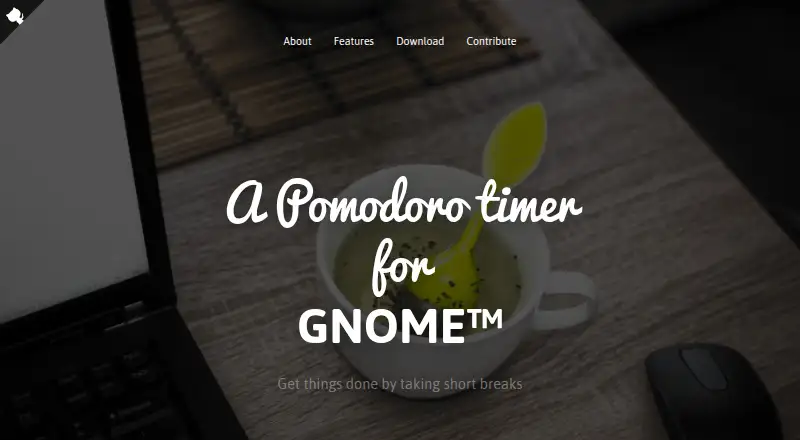
Where it wins
- Custom work and break intervals with reminders and fullscreen notifications
- Daily, weekly, and monthly statistics for reviewing focus patterns
- CLI, D-Bus, and shell-command extensibility for Linux workflows
Where it doesn't
- Available on Linux rather than across multiple platforms
- Does not include a task list for planning work
- Focused on desktop timing rather than a broader productivity suite
Our verdict on Focus Timer (formerly GNOME Pomodoro)
Focus Timer, formerly GNOME Pomodoro, is an open-source Linux desktop application for managing work and break intervals with the Pomodoro technique. It suits individuals who want a focused desktop timer integrated with the GNOME environment rather than a web-based productivity suite. Customizable session lengths, break lengths, reminders, fullscreen notifications, and a system-tray or desktop indicator support a structured work rhythm. Global keyboard shortcuts and a screen overlay during breaks keep the timer visible within a desktop workflow.
The strongest fit is its Linux and GNOME integration. The published feature set includes daily, weekly, and monthly statistics, giving users ways to review focus activity over time. Installation is available through Flatpak or Linux distribution packages, while the project’s official website states that GNOME Pomodoro was renamed to Focus Timer and ported to GTK4. For users already working in GNOME, these desktop-oriented features make the app more relevant than a browser-only timer.
Focus Timer also has a narrower scope than productivity suites. It provides timing, notifications, statistics, shortcuts, and extensibility through CLI, D-Bus, and custom shell commands, but it does not include a task list. That makes it a suitable choice for users who already manage tasks elsewhere and want a configurable timer, while users seeking task planning in the same application should choose a tool with task-management features. Its Linux-only platform coverage further limits it for people who need the same timer across multiple operating systems.
Your product? Our editors can test Focus Timer (formerly GNOME Pomodoro) in depth and publish a review, labelled as paid · from $149/mo →
Focus Timer (formerly GNOME Pomodoro) pricing
Focus Timer (formerly GNOME Pomodoro) fact sheet
| Free plan | Not verified |
|---|---|
| Paid from | Free |
| Custom intervals | Yes |
| Auto-start breaks | Not verified |
| Focus statistics | Yes |
| Platform coverage | Desktop |
| Built-in task list | Not verified |
| Calendar integration | Not verified |
| Deployment | Desktop |
| Platforms | Linux |
| Support | Community |
| Built for | Solo, Small business (editorial estimate) |
| Pricing | Open source |
| Website | gnomepomodoro.org |
| Facts checked | 20 Sep 2026 |
Alternatives to Focus Timer (formerly GNOME Pomodoro)
- Focus To-DoA low-cost Pomodoro app for organizing tasks, tracking focus, and syncing across devices.9.4
- PomofocusA free, cross-platform timer that adds task estimates, reports, and project tracking.9.2
- SessionA focused Apple timer with calendars, blocking, analytics, and automation.9.0


See all Focus Timer (formerly GNOME Pomodoro) alternatives →
Used Focus Timer (formerly GNOME Pomodoro)? Be the first to review it
The editor score above is our own research. What this page doesn't have yet is a reader's view — what you used Focus Timer (formerly GNOME Pomodoro) for, what worked and what didn't. No stars are seeded and no review is paid for; an editor reads every one before it appears.
Write a reviewTwo minutes · verified accounts only · read by an editor before it appears
Featured on iTechGuides

Focus Timer (formerly GNOME Pomodoro) is listed in our Pomodoro Timer Apps directory. Add the badge to your site — it links back to this page.
<a href="https://www.itechguides.com/products/focus-timer-formerly-gnome-pomodoro/"><img src="https://www.itechguides.com/best/badge/focus-timer-formerly-gnome-pomodoro.svg" alt="Featured on iTechGuides" width="230" height="46"></a>
Reviewed by iTechGuides Editors · Editorial team · Updated Oct 2026
Advertiser disclosure: iTechGuides is reader-supported. Vendors can pay for top positions in our rankings and for a place on other products' pages, and we may earn a commission when you click some links. Bought places stand at the number bought; this page and our disclosure say so. Paying vendors may get a fuller, more detailed review from our editors, and that review can change their score. How we rank.
Last updated · How we research and update