Focus Area
Focus Area: A focused planner for students who want routines, countdowns, and progress tracking in one place. Ranked #25 of 27 in Routine Planner Apps by our editors (6.5/10); pricing: Free plan; best for students tracking exams and study consistency.
At a glance
- Editor score6.5 / 10
- PricingFree plan
- Best forStudents tracking exams and study consistency
- Free planYes
- Recurring schedulesYes
- Facts checked20 Sep 2026
Where it wins
- Automatically generates daily tasks from weekly and monthly routines
- Combines exam countdowns, syllabus tracking, and consistency metrics
- Supports read-only schedule sharing with mentors and teachers
Where it doesn't
- The Aspirant plan supports only one active exam goal
- External calendar synchronization is not part of its documented workflow
- Platform coverage and supported operating systems are not specified
Our verdict on Focus Area
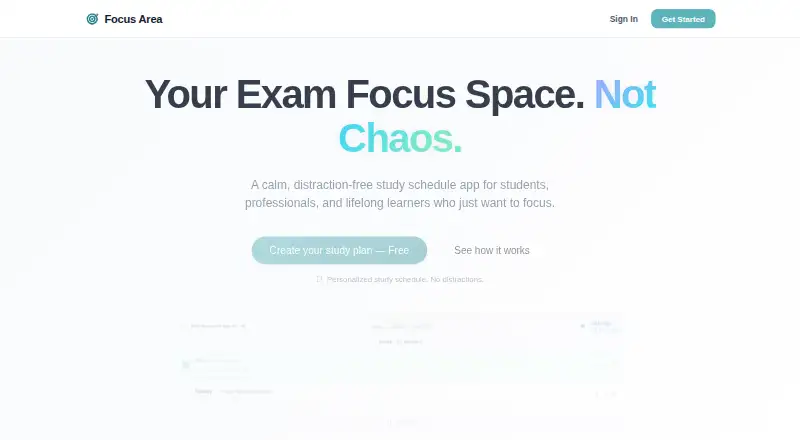
Focus Area is a study-planning app for students and other learners preparing for exams or long-term courses. It combines daily, weekly, and monthly planning with automatically generated tasks, a Pomodoro-style focus timer, exam countdowns, syllabus tracking, and progress metrics. Its intended use cases include university exams, professional certifications, medical and bar exams, civil services, and competitive entrance tests. The product is most suitable for learners who want a dedicated system for maintaining study routines and monitoring consistency.
The two plans create a clear progression. Aspirant includes one active exam goal, a daily task planner, a basic focus timer, seven-day history tracking, weekly and monthly routines, and cloud sync. Ranker adds unlimited exam goals, automatic weekly and monthly routines, advanced analytics and trends, multi-device cloud sync, priority support, and premium themes. The published pricing model is freemium, so users can begin with a free plan before considering the expanded Ranker feature set. Aspirant is a reasonable fit for one primary exam, while Ranker is better aligned with multiple goals or longer-term analysis.
Focus Area’s standout strength is the connection between planning and execution: routines can surface daily tasks, while the visual study calendar distinguishes studied, planned, and exam days. The focus timer, consistency tracking, and syllabus tracking extend the workflow beyond a simple checklist. Read-only schedule sharing also gives mentors and teachers visibility without making them part of the planning process. The product is less compelling for people seeking broad calendar integration, a general-purpose task manager, or a planner whose primary emphasis is work and personal scheduling. Students who want exam-centered structure should consider Focus Area; those needing a wider productivity ecosystem should look elsewhere.
Your product? Our editors can test Focus Area in depth and publish a review, labelled as paid · from $149/mo →
Focus Area pricing
All 2 Focus Area plans and prices →
Focus Area fact sheet
| Free plan | Yes |
|---|---|
| Paid from | Not verified |
| Recurring schedules | Yes |
| Reminder types | Not verified |
| Step timers | Not verified |
| Active routine limit | Not verified |
| Platform support | Not verified |
| Calendar sync | Not verified |
| Support | |
| Built for | Solo (editorial estimate) |
| Pricing | Free plan (source) |
| Website | focusarea.app |
| Facts checked | 20 Sep 2026 |
Alternatives to Focus Area
- TiimoA cross-platform visual planner with routines, reminders, calendars, and AI scheduling.9.4
- RoutineryA focused routine timer with habit analytics, alerts, and broad AI integrations.9.2
- Daily RoutineA detailed iOS routine planner with flexible blocks, timelines, and a low entry price.9.0



See all Focus Area alternatives →
Used Focus Area? Be the first to review it
The editor score above is our own research. What this page doesn't have yet is a reader's view — what you used Focus Area for, what worked and what didn't. No stars are seeded and no review is paid for; an editor reads every one before it appears.
Write a reviewTwo minutes · verified accounts only · read by an editor before it appears
Featured on iTechGuides

Focus Area is listed in our Routine Planner Apps directory. Add the badge to your site — it links back to this page.
<a href="https://www.itechguides.com/products/focus-area/"><img src="https://www.itechguides.com/best/badge/focus-area.svg" alt="Featured on iTechGuides" width="230" height="46"></a>
Reviewed by iTechGuides Editors · Editorial team · Updated Oct 2026
Advertiser disclosure: iTechGuides is reader-supported. Vendors can pay for top positions in our rankings and for a place on other products' pages, and we may earn a commission when you click some links. Bought places stand at the number bought; this page and our disclosure say so. Paying vendors may get a fuller, more detailed review from our editors, and that review can change their score. How we rank.
Last updated · How we research and update