
FireShot
FireShot: A browser-focused capture tool for full pages, scrolling content, and batch screenshots. Ranked #26 of 61 in Screen Capture Software by our editors (5.7/10); pricing: Free plan · 10-day trial; best for browser-heavy users capturing complete webpages.
At a glance
- Editor score5.7 / 10
- PricingFree plan · 10-day trial
- Best forBrowser-heavy users capturing complete webpages
- Free planYes
- Paid from$39.95/yr
- Annotation toolsYes
- Facts checked19 Sep 2026
Where it wins
- Captures full pages, selections, open tabs, and infinite-scroll content
- Exports searchable, linked PDFs and images in five formats
- Supports batch capture, annotations, uploads, and a website integration API
Where it doesn't
- Pro editor and smart annotations on Windows
- Pro costs $39.95 per year, or $99.95 for a lifetime license
- Advanced Pro capabilities differ by platform
Our verdict on FireShot
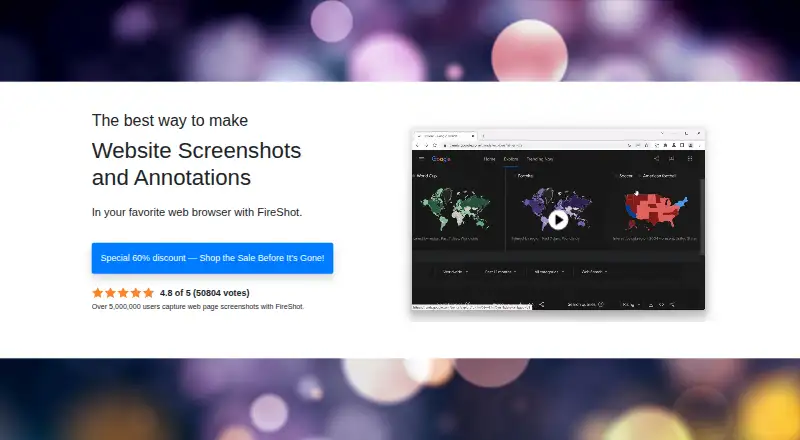
FireShot is a browser extension and desktop software for capturing webpages, from visible areas and selections to full pages and scrolling elements. It is suited to people creating browser-based documentation, QA records, support materials, training resources, or research notes. Its focus is broader than a quick screen grab: captures can be edited, annotated, exported, copied, or sent to connected services. Browser-heavy users who need complete-page records are the clearest fit; people seeking primarily general desktop capture may prefer a tool centered on that workflow.
Capture options include all open tabs, batches of URLs, and infinite-scrolling pages. Editing tools include resizing, cropping, highlighting, blurring, erasing, and text annotations. FireShot can create searchable, linked single-page and multipage PDFs, and save images as JPEG, PNG, GIF, or BMP. Pro adds OCR, capture history, batch and automated captures, advanced PDF export, and on-device processing. The editor and smart annotations on Windows are included in the Pro Yearly plan, while advanced Pro capabilities vary by platform, so buyers should match the required workflow to their operating system before choosing it.
The free Lite version provides a way to start without a paid plan, and the Pro trial lasts 10 days before reverting to Lite. According to the vendor's pricing page, Pro Yearly costs $39.95 per year; Pro Lifetime License costs $99.95 once and includes future updates and use on two devices. FireShot supports Chrome extension, Windows, macOS, and Linux, plus integrations with Microsoft OneNote, Gmail, Dropbox, OneDrive, Google Drive, FTP servers, and HTTP servers. Its API supports website integration. Choose FireShot for browser capture, export, and annotation needs; consider alternatives if you need a consistent Pro editor across platforms or a broader desktop-capture focus.
Your product? Our editors can test FireShot in depth and publish a review, labelled as paid · from $149/mo →
FireShot pricing
All 2 FireShot plans and prices →
FireShot fact sheet
| Free plan | Yes |
|---|---|
| Paid from | $39.95/yr |
| Scrolling capture | Yes |
| Annotation tools | Yes |
| OCR | Yes |
| Browser extension | Yes |
| Desktop platforms | Both |
| Cloud sharing | Yes |
| Export formats | PDF, JPEG, PNG, GIF, BMP |
| Free trial | 10 days |
| Deployment | Browser extension, Desktop |
| Platforms | Chrome extension, Windows, macOS, Linux |
| Integrations | 7 integrations: Microsoft OneNote, Gmail, Dropbox, OneDrive, Google Drive, FTP servers … |
| Pricing | Free plan · 10-day trial (source) |
| Website | getfireshot.com |
| Facts checked | 19 Sep 2026 |
FireShot integrations
FireShot lists 7 integrations on its own site.
- Microsoft OneNote
- Gmail
- Dropbox
- OneDrive
- Google Drive
- FTP servers
- HTTP servers
Alternatives to FireShot
- SnagitA polished capture and editing toolkit for teams that can budget for an annual subscription.9.3
- ShareXA flexible Windows capture toolkit with scrolling screenshots, OCR, recording and upload workflows.9.1
- ZightA cross-platform capture tool with team workflows, integrations, and a free plan.9.0



See all FireShot alternatives →
Also Ranked In
FireShot is ranked in 4 of our directories.
Used FireShot? Be the first to review it
The editor score above is our own research. What this page doesn't have yet is a reader's view — what you used FireShot for, what worked and what didn't. No stars are seeded and no review is paid for; an editor reads every one before it appears.
Write a reviewTwo minutes · verified accounts only · read by an editor before it appears
Featured on iTechGuides

FireShot is listed in our Screen Capture Software directory. Add the badge to your site — it links back to this page.
<a href="https://www.itechguides.com/products/fireshot/"><img src="https://www.itechguides.com/best/badge/fireshot.svg" alt="Featured on iTechGuides" width="230" height="46"></a>
Reviewed by iTechGuides Editors · Editorial team · Updated Oct 2026
Advertiser disclosure: iTechGuides is reader-supported. Vendors can pay for top positions in our rankings and for a place on other products' pages, and we may earn a commission when you click some links. Bought places stand at the number bought; this page and our disclosure say so. Paying vendors may get a fuller, more detailed review from our editors, and that review can change their score. How we rank.
Last updated · How we research and update