
FireCut
FireCut: A broad AI editing toolkit for desktop editors, podcast teams, and short-form creators. Ranked #10 of 30 in AI Video Editing Software by our editors (7.8/10); pricing: Free plan · 7-day trial; best for editors using Premiere, Resolve, or Linux.
At a glance
- Editor score7.8 / 10
- PricingFree plan · 7-day trial
- Best forEditors using Premiere, Resolve, or Linux
- Free planYes
- AI editing actionssilence removal, filler removal, repetition detection, profanity removal, podcast camera switching, chapter detection, caption generation, zoom cuts, B-roll search, music search, highlights generation, script-guided editing, Magic Cut
- Facts checked22 Sep 2026
Where it wins
- Free plan includes silence removal and DaVinci Resolve markers
- AI tools cover captions, cleanup, chapters, B-roll, and highlights
- Supports web, Windows, macOS, Linux, Premiere Pro, and Resolve
Where it doesn't
- Plan structure is split across editing, Shorts, and captions offerings
- Team plan is the only listed tier with centralized administration
- Advanced features are distributed across higher-tier plans
Our verdict on FireCut
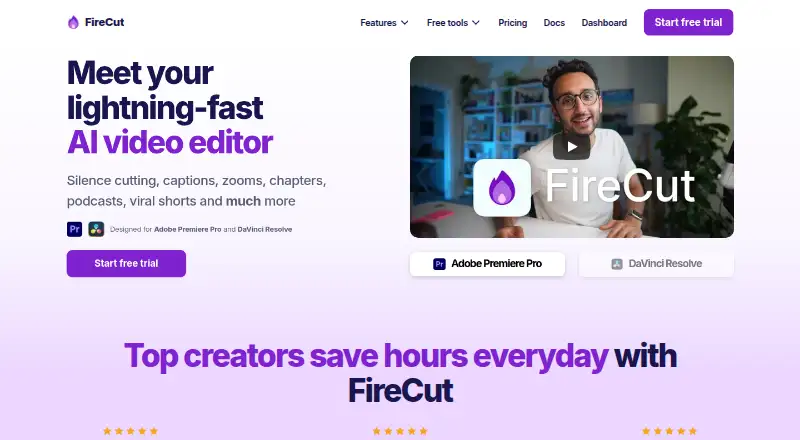
FireCut is an AI video-editing product for creators, editors, agencies, and social-media teams. It combines desktop plugins for Adobe Premiere Pro and DaVinci Resolve with browser-based short-video editing. Its feature set covers silence removal, J-cuts, filler and repetition cleanup, profanity removal, automatic captions, transcript editing, podcast camera switching, chapter detection, zoom cuts, B-roll and music search, voiceover generation, script-guided editing, Magic Cut, and short-form highlights. It is a particularly suitable fit for editors who want to keep working in Premiere or Resolve, as well as Linux users who need a supported platform option.
The plan structure spans several workflows. The Free plan includes silence removal, multichannel audio splitting, and Markers+ for DaVinci Resolve. Starter adds advanced silence cutting and J-cuts, while Pro adds 25 hours of monthly transcription, captions in 50+ languages, podcast editing, B-roll, background music, cleanup tools, and chapter detection. Max raises transcription to 100 hours and adds script-guided editing, Magic Cut, AI voiceover, 4K B-roll, and unlimited caption templates. FireCut Shorts offers browser editing for 25 videos per month with clips up to 5 minutes, while Shorts Free provides basic cutting and effects. The Captions plan costs $8 per month, and Team costs $34 per user per month when billed monthly.
Platform and ecosystem fit are central strengths. FireCut supports web, Windows, macOS, and Linux, integrates with Premiere Pro and DaVinci Resolve, and connects with Storyblocks, Pexels, Pixabay, and Giphy for media discovery. Captions can be produced in 50+ or 90+ languages depending on the plan, with SRT and VTT export available through the Captions offering. Choose FireCut if you want AI actions across editing, captioning, podcast production, and repurposing. Editors seeking a single, simpler plan structure or a narrower specialist tool may prefer an alternative.
Your product? Our editors can test FireCut in depth and publish a review, labelled as paid · from $149/mo →
FireCut pricing
All 8 FireCut plans and prices →
FireCut fact sheet
| Free plan | Yes |
|---|---|
| Paid from | Not verified |
| AI editing actions | silence removal, filler removal, repetition detection, profanity removal, podcast camera switching, chapter detection, caption generation, zoom cuts, B-roll search, music search, highlights generation, script-guided editing, Magic Cut |
| Auto captions | Yes |
| Text-based editing | Yes |
| Repurposing outputs | 9:16 short-form sequences, SRT, VTT |
| Max export resolution | Not verified |
| Supported platforms | web, Windows, macOS, Linux |
| Maximum video length | Not verified |
| Free trial | 7 days |
| Deployment | Cloud, Desktop |
| Platforms | Web, Windows, macOS, Linux |
| Support | Email, Live chat, Community |
| Built for | Solo, Small business, Mid-market, Enterprise (editorial estimate) |
| Integrations | 6 integrations: Adobe Premiere Pro, DaVinci Resolve, Storyblocks, Pexels, Pixabay, Giphy |
| Pricing | Free plan · 7-day trial (source) |
| Website | firecut.ai |
| Facts checked | 22 Sep 2026 |
FireCut integrations
FireCut lists 6 integrations on its own site.
- Adobe Premiere Pro
- DaVinci Resolve
- Storyblocks
- Pexels
- Pixabay
- Giphy
Alternatives to FireCut
- CapCutA broad, flexible editor with AI tools, captions, templates and cross-device projects.9.4
- DescriptA text-first editor for podcasts, screen recordings, and collaborative video work.9.2
- VEEDA broad browser-first editor for teams creating, refining, and sharing video.9.0



See all FireCut alternatives →
Used FireCut? Be the first to review it
The editor score above is our own research. What this page doesn't have yet is a reader's view — what you used FireCut for, what worked and what didn't. No stars are seeded and no review is paid for; an editor reads every one before it appears.
Write a reviewTwo minutes · verified accounts only · read by an editor before it appears
Featured on iTechGuides

FireCut is listed in our AI Video Editing Software directory. Add the badge to your site — it links back to this page.
<a href="https://www.itechguides.com/products/firecut/"><img src="https://www.itechguides.com/best/badge/firecut.svg" alt="Featured on iTechGuides" width="230" height="46"></a>
Reviewed by iTechGuides Editors · Editorial team · Updated Oct 2026
Advertiser disclosure: iTechGuides is reader-supported. Vendors can pay for top positions in our rankings and for a place on other products' pages, and we may earn a commission when you click some links. Bought places stand at the number bought; this page and our disclosure say so. Paying vendors may get a fuller, more detailed review from our editors, and that review can change their score. How we rank.
Last updated · How we research and update