
Descript
Descript: A text-first editor for podcasts, screen recordings, and collaborative video work. Ranked #2 of 30 in AI Video Editing Software by our editors (9.2/10); pricing: Free plan; best for teams editing podcasts and screen recordings.
At a glance
- Editor score9.2 / 10
- PricingFree plan
- Best forTeams editing podcasts and screen recordings
- Free planYes
- Paid from$16/user/mo
- Facts checked20 Sep 2026
Where it wins
- Edit video and audio by changing the transcript
- Combines recording, captions, AI tools, and collaboration
- Supports web, Windows, macOS, and 4K export on Creator and higher
Where it doesn't
- Paid plans start at $16 per user per month with annual billing
- 4K export is limited to Creator and higher plans
- No mobile app is listed among the supported platforms
Our verdict on Descript
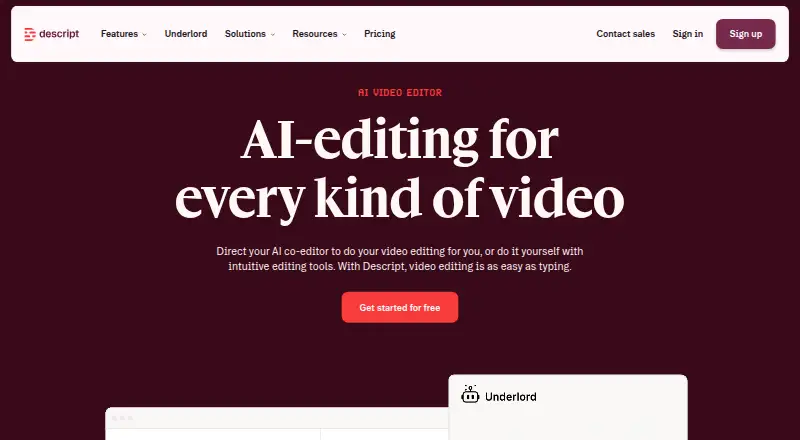
Descript is a video and audio editing application for creators, podcasters, marketers, educators, and teams. Its text-based workflow connects automatic transcription with video and audio editing, allowing users to change media by editing the transcript. It also includes screen recording, remote recording for up to 10 participants, captions, subtitles, AI-assisted editing through Underlord, voice cloning, text-to-speech, publishing through shareable web pages, and collaborative review. Descript is available on the web, Windows, and macOS.
The plan structure covers free individual use through enterprise deployments. The Free plan includes text-based editing, AI tools, and recording, editing, and mixing for audio and video. Hobbyist costs $16 per user per month with annual billing or $24 monthly, adding watermark-free projects, Underlord AI video co-editor access, and 1080p watermark-free export. Creator costs $24 annually or $35 monthly and adds 4K watermark-free export, full Underlord access, and a royalty-free stock media library. Business costs $50 annually or $65 monthly, with Brand Studio, video translation and dubbing, and priority support with SLA. Enterprise adds custom AI and media quotas, SSO and SCIM, custom legal terms, flexible billing, and dedicated customer success.
For teams working across publishing, storage, recording, and post-production tools, Descript connects with Google Drive, Slack, YouTube, Adobe Audition, Adobe Premiere, Ecamm, Final Cut Pro, Dropbox, Zoom, Wistia, and several podcast and education services. Real-time collaboration, comments, and version history support shared review. The trade-off is platform coverage: the listed applications are web, Windows, and macOS, with no mobile app listed. Descript suits teams that want transcript-driven editing, recording, AI assistance, and review in one workflow. Teams seeking mobile editing or a narrower, conventional timeline-focused tool should consider alternatives.
Your product? Our editors can test Descript in depth and publish a review, labelled as paid · from $149/mo →
Descript pricing
All 5 Descript plans and prices →
Descript fact sheet
| Free plan | Yes |
|---|---|
| Paid from | $16/user/mo |
| AI editing actions | Not verified |
| Auto captions | Not verified |
| Text-based editing | Not verified |
| Repurposing outputs | Not verified |
| Max export resolution | Not verified |
| Supported platforms | Not verified |
| Maximum video length | Not verified |
| Deployment | Cloud, Desktop, Browser extension |
| Platforms | Web, Windows, macOS |
| Compliance & security | SOC 2, GDPR, SSO/SAML, 2FA |
| Support | Email, Live chat, Docs |
| Built for | Solo, Small business, Mid-market, Enterprise (editorial estimate) |
| Integrations | 18 integrations: Google Drive, Slack, YouTube, Adobe Audition, Adobe Premiere, Ecamm … See all → |
| Pricing | Free plan (source) |
| Website | descript.com |
| Facts checked | 20 Sep 2026 |
Descript integrations
Descript lists 18 integrations on its own site.
- Google Drive
- Slack
- YouTube
- Adobe Audition
- Adobe Premiere
- Ecamm
- Final Cut Pro
- Dropbox
- Zoom
- Wistia
- Coursera
- Buzzsprout
- Castos
- Podbean
- Restream
- Transistor
- VideoAsk
- DaVinci Resolve
See all Descript integrations →
Alternatives to Descript
- CapCutA broad, flexible editor with AI tools, captions, templates and cross-device projects.9.4
- VEEDA broad browser-first editor for teams creating, refining, and sharing video.9.0
- VizardA focused web-first editor for turning long-form video into social content.8.7



See all Descript alternatives →
Descript vs the competition
- Descript vs CapCut
- Descript vs VEED
- Descript vs Vizard
- Descript vs Submagic
- Descript vs Pictory
- Descript vs Captions



Compare Descript with any tool side by side →
Also Ranked In
Descript is ranked in 12 of our directories; the 6 strongest besides AI Video Editing Software.
Used Descript? Be the first to review it
The editor score above is our own research. What this page doesn't have yet is a reader's view — what you used Descript for, what worked and what didn't. No stars are seeded and no review is paid for; an editor reads every one before it appears.
Write a reviewTwo minutes · verified accounts only · read by an editor before it appears
Featured on iTechGuides

Descript is listed in our AI Video Editing Software directory. Add the badge to your site — it links back to this page.
<a href="https://www.itechguides.com/products/descript/"><img src="https://www.itechguides.com/best/badge/descript.svg" alt="Featured on iTechGuides" width="230" height="46"></a>
Reviewed by iTechGuides Editors · Editorial team · Updated Oct 2026
Advertiser disclosure: iTechGuides is reader-supported. Vendors can pay for top positions in our rankings and for a place on other products' pages, and we may earn a commission when you click some links. Bought places stand at the number bought; this page and our disclosure say so. Paying vendors may get a fuller, more detailed review from our editors, and that review can change their score. How we rank.
Last updated · How we research and update