
FFQueue
FFQueue: A free graphical FFmpeg queue for batch conversion, filtering, and custom commands. Ranked #43 of 74 in Video Converter Software by our editors (4.8/10); pricing: Free plan; best for A free graphical FFmpeg queue.
At a glance
- Editor score4.8 / 10
- PricingFree plan
- Best forA free graphical FFmpeg queue
- Free planYes
- Paid fromFree
- Supported platformsCross-platform
- Facts checked20 Sep 2026
Where it wins
- Drag-and-drop batch creation and queued encoding jobs
- Presets, two-pass encoding, filtergraphs, and subtitle burn-in
- Slideshows, thumbnails, concatenation, and custom FFmpeg commands
Where it doesn't
- FFmpeg must be downloaded separately
- Available for Windows and Linux
- Output formats depend on the connected FFmpeg build
Our verdict on FFQueue
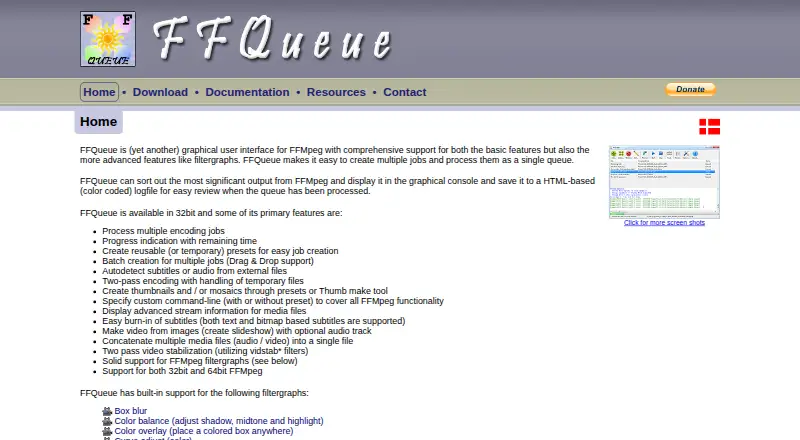
FFQueue is a free, open-source desktop graphical interface for FFmpeg. It is designed for users who want a visual workflow for media conversion while retaining access to FFmpeg’s encoding and filtering capabilities. The application supports multiple encoding jobs in a queue, drag-and-drop batch job creation, reusable and temporary presets, media stream inspection, and custom FFmpeg command lines. It is a practical fit for people who need more structure than direct command-line use but still want control over FFmpeg-based processing.
Its strongest area is the breadth of the conversion workflow. FFQueue can apply audio and video filtergraphs, perform two-pass video encoding, burn in text and bitmap subtitles, create thumbnails and mosaics, build slideshows from images, and concatenate media. Queue-based processing also makes it suitable for handling multiple jobs together, while presets can preserve recurring settings. These capabilities give it a wider scope than a converter focused only on file-to-file format changes.
The main setup consideration is that FFmpeg must be downloaded separately, and output formats and codec availability depend on the connected FFmpeg build. That makes the overall experience dependent on the external FFmpeg installation rather than FFQueue alone. Windows and Linux users who want a free, graphical queue with advanced FFmpeg access should consider it. Users seeking a self-contained converter or a different platform should look elsewhere.
Your product? Our editors can test FFQueue in depth and publish a review, labelled as paid · from $149/mo →
FFQueue pricing
FFQueue fact sheet
| Free plan | Yes |
|---|---|
| Paid from | Free |
| Supported platforms | Cross-platform |
| Output formats | Not verified |
| Batch conversion | Yes |
| Hardware acceleration | Not verified |
| Maximum output resolution | Not verified |
| Audio extraction | Not verified |
| Deployment | Desktop |
| Platforms | Windows, Linux |
| Support | Docs |
| Built for | Solo, Small business (editorial estimate) |
| Integrations | 1 integrations: FFmpeg |
| Pricing | Free plan |
| Website | ffqueue.bruchhaus.dk |
| Facts checked | 20 Sep 2026 |
FFQueue integrations
FFQueue lists 1 integrations on its own site.
- FFmpeg
Alternatives to FFQueue
- FFmpegA powerful open-source toolkit for technical media workflows across major desktop platforms.9.4
- HandBrakeA capable free converter for everyday desktop encoding, presets, queues, and disc sources.9.3
- Adobe Media EncoderA deep Adobe-centered encoder for teams managing complex media pipelines.9.2



See all FFQueue alternatives →
Used FFQueue? Be the first to review it
The editor score above is our own research. What this page doesn't have yet is a reader's view — what you used FFQueue for, what worked and what didn't. No stars are seeded and no review is paid for; an editor reads every one before it appears.
Write a reviewTwo minutes · verified accounts only · read by an editor before it appears
Featured on iTechGuides

FFQueue is listed in our Video Converter Software directory. Add the badge to your site — it links back to this page.
<a href="https://www.itechguides.com/products/ffqueue/"><img src="https://www.itechguides.com/best/badge/ffqueue.svg" alt="Featured on iTechGuides" width="230" height="46"></a>
Reviewed by iTechGuides Editors · Editorial team · Updated Oct 2026
Advertiser disclosure: iTechGuides is reader-supported. Vendors can pay for top positions in our rankings and for a place on other products' pages, and we may earn a commission when you click some links. Bought places stand at the number bought; this page and our disclosure say so. Paying vendors may get a fuller, more detailed review from our editors, and that review can change their score. How we rank.
Last updated · How we research and update