FCEUX
FCEUX: A free, open-source choice for NES emulation, debugging and tool-assisted speedruns. Ranked #5 of 26 in NES Emulators by our editors (8.9/10); pricing: Free plan; best for TAS creators and emulator researchers.
At a glance
- Editor score8.9 / 10
- PricingFree plan
- Best forTAS creators and emulator researchers
- Free planYes
- Paid fromFree
- Founded2006
- Facts checked20 Sep 2026
Where it wins
- Supports NES, Famicom, Dendy and Famicom Disk System software
- Includes debugging, Lua scripting and a dedicated TAS Editor
- Runs on Windows, macOS and Linux with graphics scaling options
Where it doesn't
- Network play is not presently functional
- Focuses on NES-family systems rather than broader console emulation
- Its advanced tooling may exceed the needs of casual players
Our verdict on FCEUX
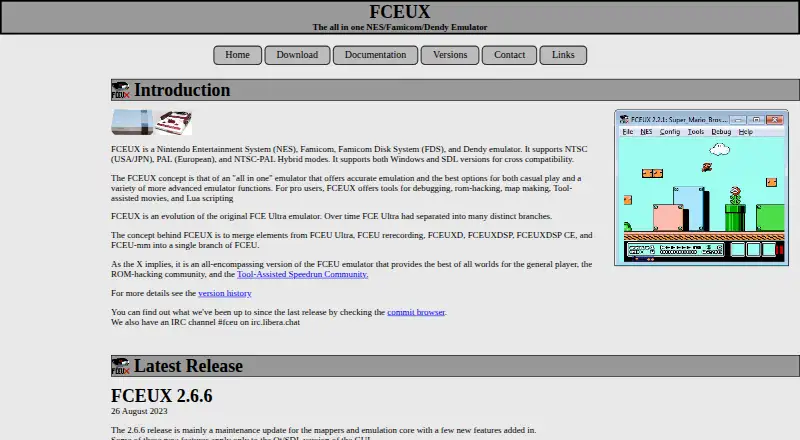
FCEUX is a free, open-source desktop emulator for NES, Famicom, Dendy and Famicom Disk System software. It serves general players, ROM hackers, emulator researchers and the tool-assisted speedrun community. Official builds cover Windows and macOS, while a Qt/SDL port is intended for Windows and Unix-like systems including Linux. The feature set combines game playback with debugging, Lua scripting, savestates, graphics scalers, prescaling options, a sprite viewer and an NES Palette Editor.
There is no paid tier to compare: FCEUX follows an open-source model and provides downloadable binaries alongside its source code. That makes it a straightforward option for users who want a no-cost desktop emulator across Windows, macOS or Linux. Its platform fit is focused rather than broad, covering NES-family systems and Famicom Disk System software instead of presenting a multi-console scope. The published feature set also includes AVI recording support, which adds a defined output option for users documenting emulator sessions or tool-assisted work.
FCEUX’s strongest distinction is its concentration of research and TAS-oriented tools. Movie recording for tool-assisted speedruns, the TAS Editor, Lua scripting and debugging support give advanced users ways to inspect, automate and refine play beyond ordinary emulation. Graphics configuration tools add control over presentation, while savestates support repeatable workflows. Network play is not presently functional, so users who require netplay should choose an alternative. FCEUX is a strong fit for TAS creators, ROM hackers and emulator researchers; casual players who only need basic playback may find its specialist tooling unnecessary.
Your product? Our editors can test FCEUX in depth and publish a review, labelled as paid · from $149/mo →
FCEUX pricing
FCEUX fact sheet
| Free plan | Yes |
|---|---|
| Paid from | Free |
| Supported platforms | Not verified |
| Save states | Not verified |
| Rewind | Not verified |
| Netplay | No |
| Shader support | Not verified |
| Cheat support | Not verified |
| Deployment | Desktop |
| Platforms | Windows, macOS, Linux |
| Support | Docs |
| Built for | Solo, Small business (editorial estimate) |
| Pricing | Free plan |
| Website | fceux.com |
| Facts checked | 20 Sep 2026 |
Alternatives to FCEUX
- KuroganeNESA feature-rich, open-source NES emulator delivered as a self-contained HTML file.9.4
- DendyA feature-rich, open-source NES emulator for desktop, browser, and multiplayer play.9.2
- puNESA feature-rich, free NES emulator for Windows and Linux desktops.9.1
FCEUX vs the competition
- FCEUX vs KuroganeNES
- FCEUX vs Dendy
- FCEUX vs puNES
- FCEUX vs NESER
- FCEUX vs Nestopia Undead Edition
- FCEUX vs Nintengo
Compare FCEUX with any tool side by side →
Also Ranked In
FCEUX is ranked in 3 of our directories.
Used FCEUX? Be the first to review it
The editor score above is our own research. What this page doesn't have yet is a reader's view — what you used FCEUX for, what worked and what didn't. No stars are seeded and no review is paid for; an editor reads every one before it appears.
Write a reviewTwo minutes · verified accounts only · read by an editor before it appears
Featured on iTechGuides

FCEUX is listed in our NES Emulators directory. Add the badge to your site — it links back to this page.
<a href="https://www.itechguides.com/products/fceux/"><img src="https://www.itechguides.com/best/badge/fceux.svg" alt="Featured on iTechGuides" width="230" height="46"></a>
Reviewed by iTechGuides Editors · Editorial team · Updated Oct 2026
Advertiser disclosure: iTechGuides is reader-supported. Vendors can pay for top positions in our rankings and for a place on other products' pages, and we may earn a commission when you click some links. Bought places stand at the number bought; this page and our disclosure say so. Paying vendors may get a fuller, more detailed review from our editors, and that review can change their score. How we rank.
Last updated · How we research and update