FaçadeSignage
FaçadeSignage: A Windows-focused mapping and playback tool for programmed facade and signage installations. Ranked #19 of 24 in Projection Mapping Software by our editors (7.4/10); pricing: 21-day trial; best for windows signage and programmed facade playback.
At a glance
- Editor score7.4 / 10
- Pricing21-day trial
- Best forWindows signage and programmed facade playback
- Free planNo
- 3D mappingYes
- Facts checked20 Sep 2026
Where it wins
- Supports multiple projectors, unlimited surfaces, and layered compositions.
- Offers cues, sets, remote management, and MIDI, OSC, and HTTP automation.
- Handles video, images, webcams, PowerPoint, Spout, and live application sources.
Where it doesn't
- Runs on Windows only.
- The Lite plan is limited to one projector and home use.
- Paid plan pricing is not shown here.
Our verdict on FaçadeSignage
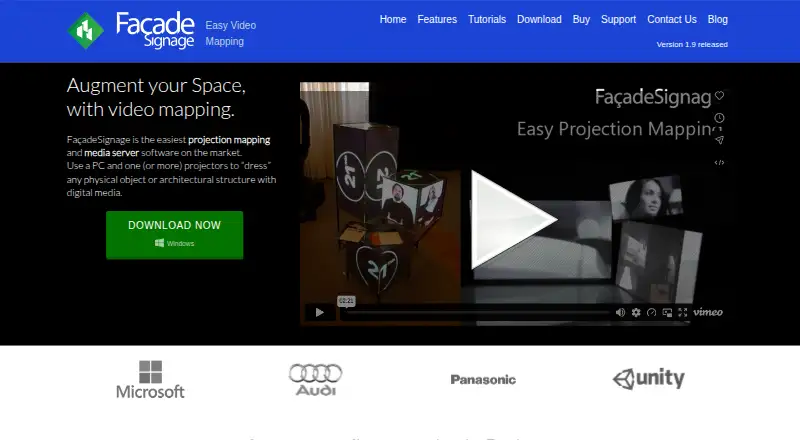
FaçadeSignage is Windows software for creating projection mappings and media-server installations. It is designed for events, shops, showrooms, museums, theatres, conferences, and lobbies where users need to draw and warp surfaces over physical objects or architectural structures, assign media, and play content through one or more projectors. Its workflow combines surface mapping, live media handling, programmed playback, output recording, and external control, making it a fit for signage and facade presentations that need more than simple video playback.
The plan structure scales by output and production requirements. Lite is intended for home use and supports one projector, unlimited media and surfaces, unlimited cues, one set per project, and 1920x1080 output resolution. Standard adds multi-projector operation, live input and remote control, unlimited sets, movie export, and 3840x1200 output resolution. Professional removes stated limits, adds a second editing license, live application grab, advanced remote control, and unlimited output resolution. A one-time 21-day trial provides a way to evaluate the workflow before choosing a paid tier.
Its strongest fit is a Windows-based installation that needs programmed cues, multiple surfaces and layers, masks, cropping regions, and control from outside the application. PowerPoint, Processing, Unity, and Spout integrations extend the range of content and workflows, while DirectShow, webcam, application-window, and fullscreen sources support live inputs. MIDI, OSC, and HTTP automation are useful for coordinated playback and control-panel management. Organizations requiring Windows software for facade or signage playback should consider it; teams needing another operating system or a free plan should look elsewhere.
Questions about FaçadeSignage
Is there a free trial of FaçadeSignage? Yes: a 21-day free trial.
What does FaçadeSignage run on? Windows. It runs as a desktop app.
What does FaçadeSignage integrate with? 4 integrations: PowerPoint, Processing, Unity and Spout.
Who is FaçadeSignage built for? Small businesses, mid-market companies and enterprises (our editorial estimate).
Your product? Our editors can test FaçadeSignage in depth and publish a review, labelled as paid · from $149/mo →
FaçadeSignage pricing
All 3 FaçadeSignage plans and prices →
FaçadeSignage fact sheet
| Free plan | No |
|---|---|
| Paid from | Not verified |
| Workflow | Hybrid |
| Projection outputs | 1 outputs |
| Edge blending | Not verified |
| Live video input | Yes |
| 3D mapping | Yes |
| Control protocols | Advanced |
| Free trial | 21 days |
| Deployment | Desktop |
| Platforms | Windows |
| Support | Tickets, Email |
| Built for | Small business, Mid-market, Enterprise (editorial estimate) |
| Integrations | 4 integrations: PowerPoint, Processing, Unity, Spout |
| Pricing | 21-day trial (source) |
| Website | videomappingsoftware.com |
| Facts checked | 20 Sep 2026 |
FaçadeSignage integrations
FaçadeSignage lists 4 integrations on its own site.
- PowerPoint
- Processing
- Unity
- Spout
Alternatives to FaçadeSignage
- VIOSOA broad professional toolkit for planning, aligning, controlling, and playing projection shows.9.4
- Christie MystiqueA focused choice for automating alignment and projection mapping across Christie systems.9.3
- ScreenberryA broad, control-focused choice for projection mapping and live visual shows.9.1



See all FaçadeSignage alternatives →
Used FaçadeSignage? Be the first to review it
The editor score above is our own research. What this page doesn't have yet is a reader's view — what you used FaçadeSignage for, what worked and what didn't. No stars are seeded and no review is paid for; an editor reads every one before it appears.
Write a reviewTwo minutes · verified accounts only · read by an editor before it appears
Featured on iTechGuides

FaçadeSignage is listed in our Projection Mapping Software directory. Add the badge to your site — it links back to this page.
<a href="https://www.itechguides.com/products/fa-adesignage/"><img src="https://www.itechguides.com/best/badge/fa-adesignage.svg" alt="Featured on iTechGuides" width="230" height="46"></a>
Reviewed by iTechGuides Editors · Editorial team · Updated Nov 2026
Advertiser disclosure: iTechGuides is reader-supported. Vendors can pay for top positions in our rankings and for a place on other products' pages, and we may earn a commission when you click some links. Bought places stand at the number bought; this page and our disclosure say so. Paying vendors may get a fuller, more detailed review from our editors, and that review can change their score. How we rank.
Last updated · How we research and update