
Express Scribe
Express Scribe: A focused desktop workspace for manual transcription with pedals, hotkeys, and routing. Ranked #4 of 46 in Transcription Software by our editors (8.8/10); pricing: Free plan; best for human transcribers using foot pedals and hotkeys.
At a glance
- Editor score8.8 / 10
- PricingFree plan
- Best forHuman transcribers using foot pedals and hotkeys
- Free planYes
- Facts checked22 Sep 2026
Where it wins
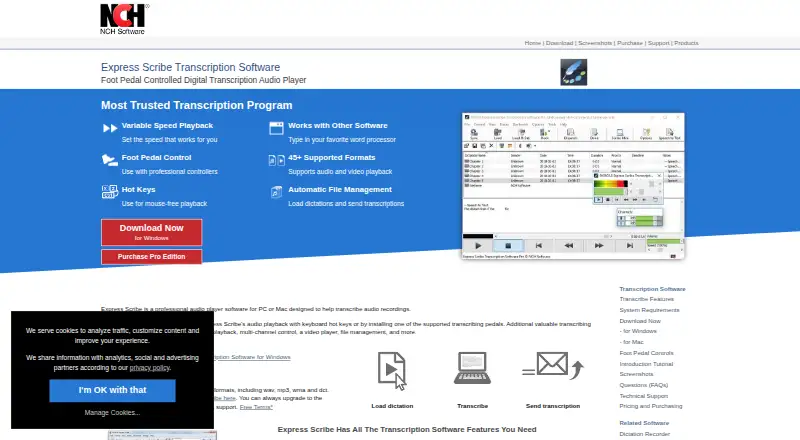
- Variable-speed playback, constant pitch, and mouse-free keyboard control
- Supports professional foot pedals, timestamps, and common audio and video formats
- Routes files through FTP, email, local networks, or folders
Where it doesn't
- Automatic transcription is available through integration rather than built in
- The workflow is centered on desktop transcription rather than browser-based work
- Advanced capabilities are associated with Professional editions
Our verdict on Express Scribe
Express Scribe is desktop transcription software for typists and transcription professionals working with audio and video recordings. Its core workflow combines variable-speed playback, constant pitch, keyboard hotkeys, foot-pedal control, timestamp insertion, and file management. Support for Windows, macOS, and Linux gives it a broad desktop footprint, while compatibility with Microsoft Word and other word processors suits established transcription routines.
The pricing structure starts with an unlimited Free version supporting common audio formats. Paid choices include Professional Quarterly, Basic Annual, and Professional Annual. The published plan details describe Professional features, all upgrades, and unlimited ongoing use for the quarterly option; the annual options cover Standard Edition and an Unrestricted Professional License. The Professional edition also adds support described for proprietary formats, video, and business licensing. This makes the free edition a practical entry point for basic audio work, while organizations with broader format or licensing requirements should review the paid editions.
Express Scribe is particularly well matched to manual transcription teams that need precise playback control and predictable file movement. Automatic loading from FTP, email, local networks, or folders can reduce intake work, and completed transcriptions can be dispatched automatically. Speech-to-text integration, SDK support, and command-line integration extend the workflow without changing its central design. Choose it for pedal-driven, keyboard-focused desktop transcription; choose an alternative if built-in automatic transcription is the primary requirement.
Your product? Our editors can test Express Scribe in depth and publish a review, labelled as paid · from $149/mo →
Express Scribe pricing
All 4 Express Scribe plans and prices →
Express Scribe fact sheet
| Free plan | Yes |
|---|---|
| Paid from | Not verified |
| Languages supported | Not verified |
| Included minutes | Not verified |
| Speaker identification | Not verified |
| Timestamp support | Yes |
| Export formats | Not verified |
| API access | Not verified |
| Deployment | Desktop |
| Platforms | Windows, macOS, Linux |
| Support | Community, Docs |
| Built for | Solo, Small business, Enterprise (editorial estimate) |
| Integrations | 8 integrations: Microsoft Word, Corel WordPerfect, Lotus WordPro, FTP, Email, Local computer networks … |
| Pricing | Free plan (source) |
| Website | nch.com.au |
| Facts checked | 22 Sep 2026 |
Express Scribe integrations
Express Scribe lists 8 integrations on its own site.
- Microsoft Word
- Corel WordPerfect
- Lotus WordPro
- FTP
- Local computer networks
- Professional foot pedals
- Speech recognition software
Alternatives to Express Scribe
- Amazon TranscribeA low-cost AWS transcription service with broad workflow and analytics features.9.3
- Google Cloud Speech-to-TextA flexible speech API with strong transcription features and usage-based pricing.9.2
- WhisperA flexible free transcription engine for developers who can work with code.9.1


See all Express Scribe alternatives →
Express Scribe vs the competition
- Express Scribe vs Amazon Transcribe
- Express Scribe vs Google Cloud Speech-to-Text
- Express Scribe vs Whisper
- Express Scribe vs IBM Watson Speech to Text
- Express Scribe vs Happy Scribe
- Express Scribe vs AssemblyAI



Compare Express Scribe with any tool side by side →
Used Express Scribe? Be the first to review it
The editor score above is our own research. What this page doesn't have yet is a reader's view — what you used Express Scribe for, what worked and what didn't. No stars are seeded and no review is paid for; an editor reads every one before it appears.
Write a reviewTwo minutes · verified accounts only · read by an editor before it appears
Featured on iTechGuides

Express Scribe is listed in our Transcription Software directory. Add the badge to your site — it links back to this page.
<a href="https://www.itechguides.com/products/express-scribe/"><img src="https://www.itechguides.com/best/badge/express-scribe.svg" alt="Featured on iTechGuides" width="230" height="46"></a>
Reviewed by iTechGuides Editors · Editorial team · Updated Oct 2026
Advertiser disclosure: iTechGuides is reader-supported. Vendors can pay for top positions in our rankings and for a place on other products' pages, and we may earn a commission when you click some links. Bought places stand at the number bought; this page and our disclosure say so. Paying vendors may get a fuller, more detailed review from our editors, and that review can change their score. How we rank.
Last updated · How we research and update