
EXP Soundboard
EXP Soundboard: A focused, open-source Windows soundboard with routing, TTS, and streaming integrations. Ranked #21 of 26 in Soundboard Software by our editors (7.2/10); pricing: Free plan; best for free Windows soundboard with TTS.
At a glance
- Editor score7.2 / 10
- PricingFree plan
- Best forFree Windows soundboard with TTS
- Free planYes
- Paid fromFree
- Desktop appYes
- Facts checked20 Sep 2026
Where it wins
- Free and open source for Windows
- Hotkeys, per-sound volume, and saved configurations
- Routes audio to Discord and OBS through virtual devices
Where it doesn't
- Windows-only desktop coverage
- Playback is centered on MP3 and WAV files
- Designed for personal, non-commercial use
Our verdict on EXP Soundboard
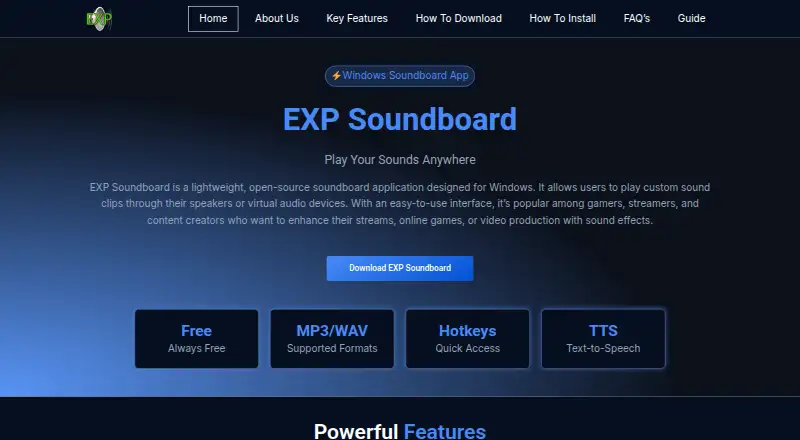
EXP Soundboard is a free, open-source Windows desktop soundboard for gamers, streamers, and content creators. It plays MP3 and WAV audio clips, assigns keyboard hotkeys, adjusts volume for individual sounds, and saves soundboard configurations. Text-to-speech playback adds another input option beyond stored audio files, while routing through speakers or virtual audio devices supports different sound-output workflows.
Its strongest fit is with Discord and OBS setups that need triggered audio rather than a broad production environment. Virtual Audio Cable support lets users send sounds to applications such as Discord and OBS, and the software includes streaming integrations in its feature set. The combination of hotkey triggering, virtual-device routing, and per-sound controls covers the core needs of live reactions, voice lines, alerts, and other short clips without adding a subscription tier.
The trade-off is focus. EXP Soundboard is available on Windows, so it is not a cross-platform choice, and its documented playback formats are MP3 and WAV. The software is also described as suitable for personal, non-commercial use, which makes it a narrower fit for commercial production or teams seeking broader operating-system coverage. Choose it for a free Windows soundboard with TTS, saved configurations, and practical Discord or OBS routing; consider an alternative if platform breadth or a wider audio workflow matters more than a focused desktop tool.
Your product? Our editors can test EXP Soundboard in depth and publish a review, labelled as paid · from $149/mo →
EXP Soundboard pricing
EXP Soundboard fact sheet
| Free plan | Yes |
|---|---|
| Paid from | Free |
| Desktop app | Yes |
| Browser app | Not verified |
| Hotkey triggering | Yes |
| Streaming integrations | Yes |
| Voice effects | Not verified |
| Multiple soundboards | Not verified |
| Deployment | Desktop |
| Platforms | Windows |
| Support | |
| Built for | Solo, Small business (editorial estimate) |
| Integrations | 3 integrations: Discord, OBS, Virtual Audio Cable |
| Pricing | Free plan |
| Website | expsoundboard.com |
| Facts checked | 20 Sep 2026 |
EXP Soundboard integrations
EXP Soundboard lists 3 integrations on its own site.
- Discord
- OBS
- Virtual Audio Cable
Alternatives to EXP Soundboard
- AudioPadA strong free choice for desktop sound triggers, routing, and voice-chat playback.9.4
- ResananceA free, flexible soundboard for hotkeys, voice effects, and streaming audio.9.2
- Sound ShowA flexible cross-platform soundboard for live shows, streaming, and multimedia cues.9.1


See all EXP Soundboard alternatives →
Used EXP Soundboard? Be the first to review it
The editor score above is our own research. What this page doesn't have yet is a reader's view — what you used EXP Soundboard for, what worked and what didn't. No stars are seeded and no review is paid for; an editor reads every one before it appears.
Write a reviewTwo minutes · verified accounts only · read by an editor before it appears
Featured on iTechGuides

EXP Soundboard is listed in our Soundboard Software directory. Add the badge to your site — it links back to this page.
<a href="https://www.itechguides.com/products/exp-soundboard/"><img src="https://www.itechguides.com/best/badge/exp-soundboard.svg" alt="Featured on iTechGuides" width="230" height="46"></a>
Reviewed by iTechGuides Editors · Editorial team · Updated Oct 2026
Advertiser disclosure: iTechGuides is reader-supported. Vendors can pay for top positions in our rankings and for a place on other products' pages, and we may earn a commission when you click some links. Bought places stand at the number bought; this page and our disclosure say so. Paying vendors may get a fuller, more detailed review from our editors, and that review can change their score. How we rank.
Last updated · How we research and update