Equidox Software
Equidox Software: A structure-focused PDF remediation tool for accessible reading order, tags, forms, and images. Ranked #17 of 26 in PDF Accessibility Software by our editors (7.8/10); pricing: Pricing on request; best for detailed document-structure remediation.
At a glance
- Editor score7.8 / 10
- PricingPricing on request
- Best forDetailed document-structure remediation
- PDF tagging toolsYes
- Facts checked20 Sep 2026
Where it wins
- Detailed controls for reading order, lists, tables, and forms
- OCR supports scanned and image-only PDFs
- Cloud or on-premises deployment supports different environments
Where it doesn't
- Pricing requires contact with sales
- Batch processing and API access are separate from this product
- It is proprietary rather than open source
Our verdict on Equidox Software
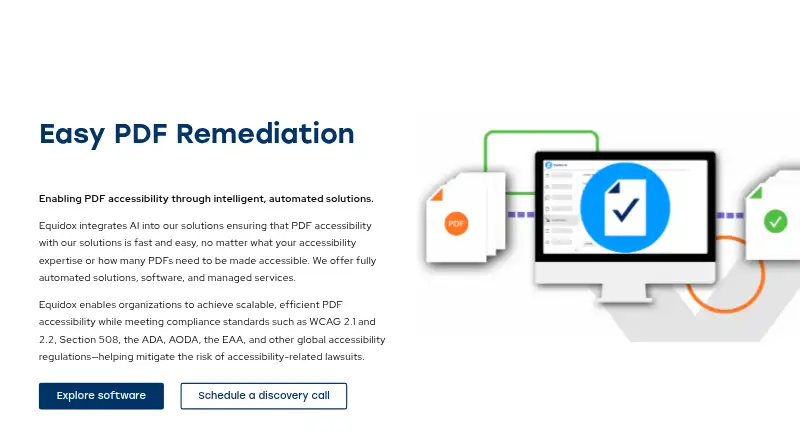
Equidox Software is a PDF remediation application for organizations that need to make documents accessible to people using assistive technologies. It is designed for both novice and experienced remediators across government, education, enterprise, and other organizations handling individual or recurring PDF documents. Deployment can be cloud-based or self-hosted, while the feature set covers PDF tagging, reading-order correction, alternative text, forms, tables, lists, and OCR.
Its strongest area is detailed document-structure remediation. Smart Zone Detector identifies PDF content elements, then reading-order and multi-column tools help correct how content is interpreted. Automatic tagging supports nested and multi-level lists, while table controls cover rows, columns, headers, and spans. Remediators can add image descriptions, mark decorative images as artifacts, and add field tooltips to accessible forms. HTML Preview provides a way to check structure and reading order, and Zone Transfer supports recurring or similarly structured documents.
Equidox Software fits teams that need focused control over document structure and may benefit from either web or self-hosted deployment. OCR extends the workflow to scanned and image-only PDFs, giving the product broader document coverage than a tool limited to digitally generated files. Pricing is handled through contact with sales. Organizations looking for a high-volume workflow or API access should evaluate the vendor’s separate Equidox AI offering rather than assume those capabilities are part of Equidox Software. Teams seeking open-source software should also choose another product.
Your product? Our editors can test Equidox Software in depth and publish a review, labelled as paid · from $99/mo →
Equidox Software pricing
Equidox Software fact sheet
| Free plan | Not verified |
|---|---|
| Paid from | Not verified |
| PDF tagging tools | Yes |
| Reading order tools | Yes |
| Alternative-text tools | Yes |
| PDF/UA support | Not verified |
| OCR support | Yes |
| Batch processing | Not verified |
| API access | Not verified |
| Deployment | Cloud, Self-hosted |
| Platforms | Web |
| Support | Email, Phone |
| Built for | Small business, Mid-market, Enterprise (editorial estimate) |
| Pricing | Pricing on request |
| Website | equidox.co |
| Facts checked | 20 Sep 2026 |
Alternatives to Equidox Software
- CASO ComplyAutomates PDF accessibility work from OCR and tagging through validation and remediation.9.4
- DocAccessibleA freemium PDF workflow spanning automated checks, remediation, approvals, publishing, and monitoring.9.3
- AccessibilityNowA broad accessibility platform for high-volume enterprise document workflows.9.2



See all Equidox Software alternatives →
Also Ranked In
Equidox Software is ranked in 2 of our directories.
Used Equidox Software? Be the first to review it
The editor score above is our own research. What this page doesn't have yet is a reader's view — what you used Equidox Software for, what worked and what didn't. No stars are seeded and no review is paid for; an editor reads every one before it appears.
Write a reviewTwo minutes · verified accounts only · read by an editor before it appears
Featured on iTechGuides

Equidox Software is listed in our PDF Accessibility Software directory. Add the badge to your site — it links back to this page.
<a href="https://www.itechguides.com/products/equidox-software/"><img src="https://www.itechguides.com/best/badge/equidox-software.svg" alt="Featured on iTechGuides" width="230" height="46"></a>
Reviewed by iTechGuides Editors · Editorial team · Updated Oct 2026
Advertiser disclosure: iTechGuides is reader-supported. Vendors can pay for top positions in our rankings and for a place on other products' pages, and we may earn a commission when you click some links. Bought places stand at the number bought; this page and our disclosure say so. Paying vendors may get a fuller, more detailed review from our editors, and that review can change their score. How we rank.
Last updated · How we research and update