eqtune
eqtune: A focused, open-source parametric EQ for system-wide macOS audio control. Ranked #16 of 22 in Audio Equalizer Software by our editors (7.7/10); pricing: Free plan; best for minimalist free macOS parametric EQ.
At a glance
- Editor score7.7 / 10
- PricingFree plan
- Best forMinimalist free macOS parametric EQ
- Free planYes
- Paid fromFree
- Facts checked21 Sep 2026
Where it wins
- System-wide processing through Apple Core Audio process taps
- Editable parametric filters, presets, preamp, limiter, and bypass
- Open-source command-line control with preset import and export
Where it doesn't
- macOS 14.2 or later is required
- Command-line operation may not suit users seeking a graphical workflow
- Focused on equalization rather than a broader integration ecosystem
Our verdict on eqtune
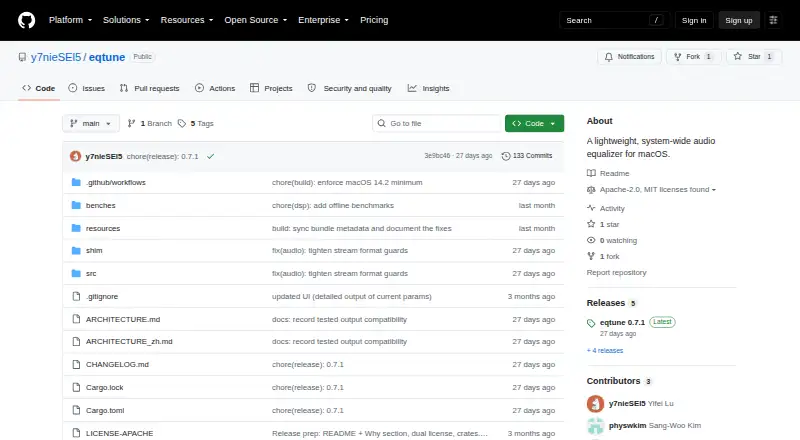
eqtune is an open-source, command-line audio equalizer for macOS 14.2 and later. It is designed for listeners who want system-wide control over audio rather than adjustments limited to a single application. Through Apple’s Core Audio process-tap API, it captures system audio, applies parametric equalization, and sends the processed signal to the current output device. Its audience is therefore macOS users comfortable with a focused desktop utility and command-line control.
The standout feature is the editable parametric EQ. Users can adjust frequency, gain, Q, and preamp settings, with support for peaking, low-shelf, and high-shelf filters. Built-in and custom presets make it possible to save different configurations, while preset import and export support moving those configurations between setups. A soft limiter and bypass controls add practical control over the processed signal. Automatic suspension during idle playback and Low Power Mode also keeps the tool from processing continuously when playback is inactive or the system is conserving power.
eqtune’s scope is intentionally narrow. It provides system-wide Core Audio processing on macOS, with a launchd daemon and command-line control, but it is not positioned as a cross-platform equalizer or a broad audio ecosystem. The macOS requirement and command-line workflow will suit technically comfortable users who value open-source software and direct parameter control. Users seeking a graphical interface, broader platform coverage, or a larger integration layer should choose a different equalizer. For a minimalist macOS setup centered on parametric filters, presets, and system-wide processing, eqtune keeps the feature set focused.
Your product? Our editors can test eqtune in depth and publish a review, labelled as paid · from $149/mo →
eqtune pricing
eqtune fact sheet
| Free plan | Yes |
|---|---|
| Paid from | Free |
| System-wide control | Yes |
| Per-app controls | Not verified |
| Parametric EQ | Yes |
| Device profiles | Not verified |
| Desktop operating systems | Macos |
| EQ band count | Not verified |
| Deployment | Desktop |
| Platforms | macOS |
| Support | Community, Docs |
| Built for | Solo, Small business (editorial estimate) |
| Pricing | Free plan |
| Website | github.com |
| Facts checked | 21 Sep 2026 |
Alternatives to eqtune
- Equalizer APOA powerful free Windows system EQ with deep filtering, low latency, and VST support.9.3
- CamillaDSPA flexible, free DSP engine for room correction, crossovers, routing, and equalization.9.2
- SotFFree, open-source EQ and room-correction software for cross-platform audio workflows.9.1


Used eqtune? Be the first to review it
The editor score above is our own research. What this page doesn't have yet is a reader's view — what you used eqtune for, what worked and what didn't. No stars are seeded and no review is paid for; an editor reads every one before it appears.
Write a reviewTwo minutes · verified accounts only · read by an editor before it appears
Featured on iTechGuides

eqtune is listed in our Audio Equalizer Software directory. Add the badge to your site — it links back to this page.
<a href="https://www.itechguides.com/products/eqtune/"><img src="https://www.itechguides.com/best/badge/eqtune.svg" alt="Featured on iTechGuides" width="230" height="46"></a>
Reviewed by iTechGuides Editors · Editorial team · Updated Oct 2026
Advertiser disclosure: iTechGuides is reader-supported. Vendors can pay for top positions in our rankings and for a place on other products' pages, and we may earn a commission when you click some links. Bought places stand at the number bought; this page and our disclosure say so. Paying vendors may get a fuller, more detailed review from our editors, and that review can change their score. How we rank.
Last updated · How we research and update