Epson Label Editor
Epson Label Editor: A free, template-rich label designer for compatible Epson and K-Sun printers. Ranked #22 of 32 in Label Design Software by our editors (7.0/10); pricing: Free plan; best for free template-rich Epson label printing.
At a glance
- Editor score7.0 / 10
- PricingFree plan
- Best forFree template-rich Epson label printing
- Free planYes
- Paid fromFree
- Barcode supportYes
- Facts checked20 Sep 2026
Where it wins
- Hundreds of templates and more than 1,000 industry symbols
- Imports CSV, TXT, spreadsheet data, images and logos
- Creates barcodes and QR codes with USB or selected wireless printing
Where it doesn't
- Printer support is limited to listed Epson and K-Sun models
- Designed for desktop use on Windows and macOS
- Wireless printing is available only on selected printers
Our verdict on Epson Label Editor
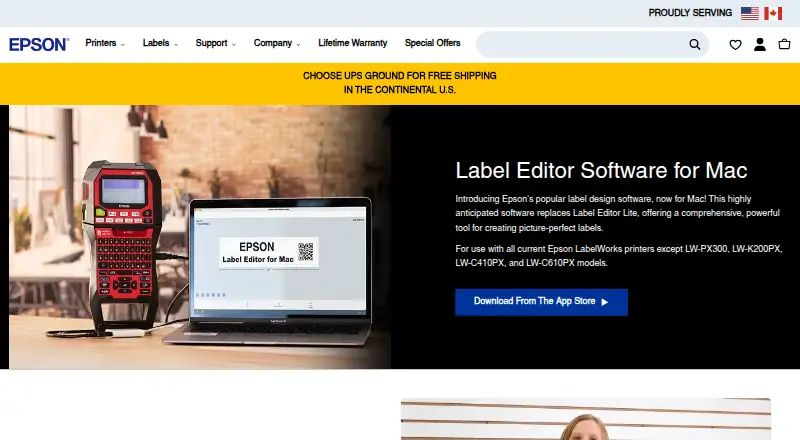
Epson Label Editor is free desktop software for designing and printing labels with compatible Epson LabelWorks and selected K-Sun PEARLabel printers. It suits small businesses, offices, warehouses and other teams that need label creation, variable-data printing or barcode output without a separate software subscription. The Windows version supports Windows 10 and 11, while the Mac version is distributed through the App Store. Its focus is practical label production rather than a broad, printer-independent design workflow.
The strongest part of the package is its built-in design coverage. Hundreds of label templates and more than 1,000 industry symbols can shorten the path from a blank layout to a usable label. Users can import images and logos, create barcodes and QR codes, and bring in spreadsheet data or CSV and TXT batch files. Those features make it suitable for repeated labels, inventory markings, identification tags and other jobs where variable data matters. USB printing is supported, with wireless printing available on selected printers.
Printer compatibility is the key boundary. Supported models include Epson units such as the LW-Z5010PX, LW-Z5000PX, LW-PX900, LW-PX800, LW-PX750, LW-PX700, LW-PX400, LW-K740PX, LW-C410PX and LW-C610PX, along with selected K-Sun PEARLabel models. Buyers should choose Epson Label Editor when they already work within that hardware range and want templates, symbols, imports and barcode tools at no software cost. Organizations needing a printer-neutral application, broader platform coverage or wireless support across every compatible model should consider a different label-design workflow.
Your product? Our editors can test Epson Label Editor in depth and publish a review, labelled as paid · from $149/mo →
Epson Label Editor pricing
Epson Label Editor fact sheet
| Free plan | Yes |
|---|---|
| Paid from | Free |
| Barcode support | Yes |
| Shipping labels | Not verified |
| Compliance labels | Not verified |
| Variable data printing | Yes |
| Print automation | Not verified |
| Supported printers | LW-Z5010PX, LW-Z5000PX, LW-PX900, LW-PX800, LW-PX750, LW-PX700, LW-PX400, LW-K740PX, LW-C410PX, LW-C610PX, K-Sun PEARLabel 270, PEARLabel 360, PEARLabel 400iXL, 2020LSTB |
| Deployment model | Desktop |
| Deployment | Desktop |
| Platforms | Windows, macOS |
| Support | Email, Phone, Live chat, Docs |
| Built for | Small business, Mid-market, Enterprise (editorial estimate) |
| Pricing | Free plan |
| Website | labelworks.epson.com |
| Facts checked | 20 Sep 2026 |
Alternatives to Epson Label Editor
- EtikStudioA feature-rich choice for enterprise label automation, with pricing that requires sales contact.9.4
- BarTenderA broad labeling platform for organizations that need automation, control, and data-driven printing.9.2
- PrintSpiritA low-cost, integration-ready label platform with broad deployment options.9.0

See all Epson Label Editor alternatives →
Also Ranked In
Epson Label Editor is ranked in 2 of our directories.
Used Epson Label Editor? Be the first to review it
The editor score above is our own research. What this page doesn't have yet is a reader's view — what you used Epson Label Editor for, what worked and what didn't. No stars are seeded and no review is paid for; an editor reads every one before it appears.
Write a reviewTwo minutes · verified accounts only · read by an editor before it appears
Featured on iTechGuides

Epson Label Editor is listed in our Label Design Software directory. Add the badge to your site — it links back to this page.
<a href="https://www.itechguides.com/products/epson-label-editor/"><img src="https://www.itechguides.com/best/badge/epson-label-editor.svg" alt="Featured on iTechGuides" width="230" height="46"></a>
Reviewed by iTechGuides Editors · Editorial team · Updated Oct 2026
Advertiser disclosure: iTechGuides is reader-supported. Vendors can pay for top positions in our rankings and for a place on other products' pages, and we may earn a commission when you click some links. Bought places stand at the number bought; this page and our disclosure say so. Paying vendors may get a fuller, more detailed review from our editors, and that review can change their score. How we rank.
Last updated · How we research and update