
Enolsoft PDF Converter OCR
Enolsoft PDF Converter OCR: A focused desktop converter for basic OCR, batch work, and editable PDF output. Ranked #23 of 46 in PDF Converter Software by our editors (6.8/10); pricing: Paid; best for basic OCR conversion on Windows and Mac.
At a glance
- Editor score6.8 / 10
- PricingPaid
- Best forBasic OCR conversion on Windows and Mac
- OCR conversionYes
- Founded2011
- Facts checked19 Sep 2026
Where it wins
- Handles native, scanned, and encrypted PDFs
- Supports OCR, batch conversion, and selected page ranges
- Preserves formatting, layout, and image resolution
Where it doesn't
- Desktop-focused, with support limited to Windows and macOS
- Broader integrations and platform automation are limited
- Annual licensing auto-renews, though cancellation is allowed anytime
Our verdict on Enolsoft PDF Converter OCR
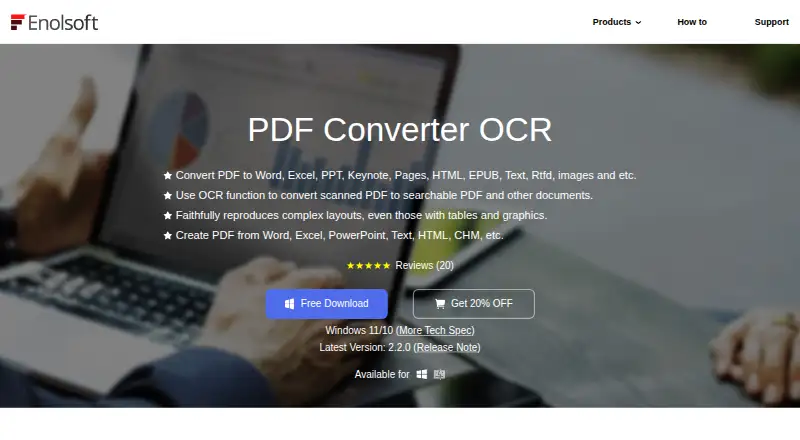
Enolsoft PDF Converter OCR is desktop software for Windows and macOS that turns native, scanned, and encrypted PDFs into editable document and image formats. It is suited to individuals and businesses that need to reuse PDF content in formats such as DOC, DOCX, PPTX, XLSX, TXT, RTF, CSV, HTML, PNG, JPEG, TIFF, BMP, and JPG. OCR extends conversion to scanned PDFs and images, while PDF creation supports documents and images as source material.
Its feature set is strongest around practical document conversion. Users can process multiple PDFs in a batch, choose selected pages or page ranges, and convert content to editable formats or images. The product also aims to preserve document formatting, layout, and image resolution during conversion, which matters when the output needs to remain close to the original PDF. These capabilities make it a focused option for recurring desktop workflows rather than a general document automation platform.
The published plans include an Annual Plan with auto-renewal, cancellation anytime, one year of free updates, and one year of free support. The Lifetime Plan adds lifetime free updates and support, while the Business Plan is intended for commercial use and includes those lifetime benefits. Enolsoft is a good fit for Windows and Mac users who need OCR, batch conversion, page selection, and broad file-format support in a desktop application. Organizations seeking extensive integrations or broader platform automation should consider a more connected alternative.
Your product? Our editors can test Enolsoft PDF Converter OCR in depth and publish a review, labelled as paid · from $149/mo →
Enolsoft PDF Converter OCR pricing
All 3 Enolsoft PDF Converter OCR plans and prices →
Enolsoft PDF Converter OCR fact sheet
| Free plan | Not verified |
|---|---|
| Paid from | Not verified |
| Conversion targets | PDF, DOC, DOCX, PPTX, XLSX, TXT, RTF, CSV, HTML, PNG, JPEG, TIFF, BMP, JPG |
| OCR conversion | Yes |
| Batch conversion | Yes |
| Maximum file size | Not verified |
| Supported platforms | Windows, macOS |
| API access | Not verified |
| Deployment | Desktop |
| Platforms | Windows, macOS |
| Pricing | Paid (source) |
| Website | enolsoft.com |
| Facts checked | 19 Sep 2026 |
Alternatives to Enolsoft PDF Converter OCR
- Wondershare PDFelementA full PDF workbench with conversion, OCR, forms, security, signatures, and AI tools.9.3
- Adobe PDF Services APIA broad PDF automation API with a useful free tier and quote-based paid scaling.9.1
- ConvertioA broad cloud converter for documents, media, images, and automated workflows.9.0



See all Enolsoft PDF Converter OCR alternatives →
Used Enolsoft PDF Converter OCR? Be the first to review it
The editor score above is our own research. What this page doesn't have yet is a reader's view — what you used Enolsoft PDF Converter OCR for, what worked and what didn't. No stars are seeded and no review is paid for; an editor reads every one before it appears.
Write a reviewTwo minutes · verified accounts only · read by an editor before it appears
Featured on iTechGuides

Enolsoft PDF Converter OCR is listed in our PDF Converter Software directory. Add the badge to your site — it links back to this page.
<a href="https://www.itechguides.com/products/enolsoft-pdf-converter-ocr/"><img src="https://www.itechguides.com/best/badge/enolsoft-pdf-converter-ocr.svg" alt="Featured on iTechGuides" width="230" height="46"></a>
Reviewed by iTechGuides Editors · Editorial team · Updated Oct 2026
Advertiser disclosure: iTechGuides is reader-supported. Vendors can pay for top positions in our rankings and for a place on other products' pages, and we may earn a commission when you click some links. Bought places stand at the number bought; this page and our disclosure say so. Paying vendors may get a fuller, more detailed review from our editors, and that review can change their score. How we rank.
Last updated · How we research and update