
EbSynth
EbSynth: A focused tool for propagating stylized edits across video sequences. Ranked #27 of 37 in Visual Effects Software by our editors (6.0/10); pricing: Free plan; best for stylized video retouching and keyframe effects.
At a glance
- Editor score6.0 / 10
- PricingFree plan
- Best forStylized video retouching and keyframe effects
- Free planYes
- Paid from$20/mo
- Facts checked20 Sep 2026
Where it wins
- Propagates edited keyframes across video sequences
- Supports retouching, colorizing, rotoscoping, and painterly styles
- Studio adds local Windows processing and full data privacy
Where it doesn't
- Free exports are limited to 720p video in MP4 format
- Pro and Studio are required for higher-resolution or local workflows
- Platform coverage is limited to web and Windows
Our verdict on EbSynth
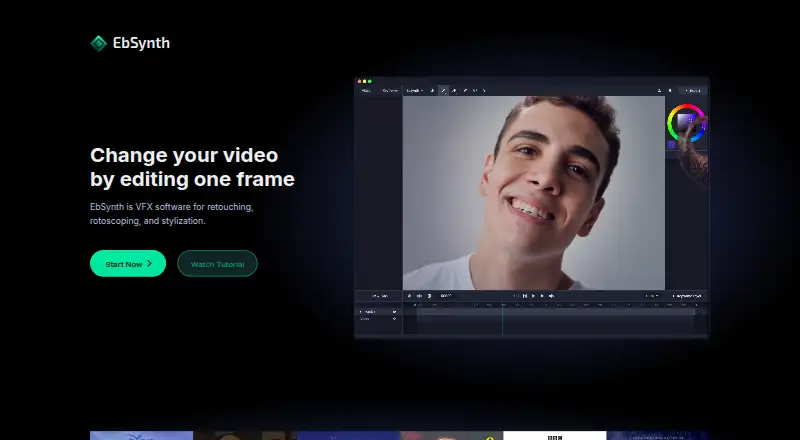
EbSynth is visual-effects software for artists and teams that want to propagate visual changes from selected keyframes across video sequences. Users provide a guiding video and edited keyframes, and the software synthesizes the intervening frames. Its workflows cover video retouching, digital makeup, colorizing, rotoscoping, painterly animation, and hand-drawn animation from painted keyframes. The product is available on the web, with Studio also providing a Windows desktop application.
The published plans show a freemium structure. Free includes all core functions, 720p video export, and MP4 format output. Pro costs $20 per month with monthly billing and adds 1080p and 4K exports, PNG output with alpha, and priority processing. Studio costs $200 per seat per month with monthly billing and adds local execution, a Windows desktop app, footage that never leaves your machines, and full data privacy. This makes Free suitable for lower-resolution work, while Pro fits projects needing higher-resolution or alpha-enabled output. Studio is aimed at organizations with offline processing and privacy requirements.
EbSynth’s main strength is its focused keyframe-propagation workflow, supported by optical-flow-based tracking guidance and optional AI-generated keyframes through Generate Image. That focus suits stylized retouching and effects work, including painterly and hand-drawn treatments. It is less suitable for buyers seeking a broad visual-effects suite or wider platform coverage, because its listed platforms are web and Windows and its workflow centers on guiding video plus edited keyframes. Choose EbSynth for targeted stylization, retouching, rotoscoping, and keyframe-driven transformations; choose an alternative when a broader production environment is the priority.
Your product? Our editors can test EbSynth in depth and publish a review, labelled as paid · from $149/mo →
EbSynth pricing
All 3 EbSynth plans and prices →
EbSynth fact sheet
| Free plan | Yes |
|---|---|
| Paid from | $20/mo |
| Node-based compositing | Not verified |
| Keying tools | Not verified |
| Rotoscoping tools | Yes |
| 3D camera tracking | Not verified |
| Simulation tools | Not verified |
| Supported platforms | web, windows |
| Render engine | Not verified |
| Deployment | Cloud, Desktop |
| Platforms | Web, Windows |
| Compliance & security | GDPR |
| Support | |
| Built for | Solo, Small business, Mid-market, Enterprise (editorial estimate) |
| Pricing | Free plan (source) |
| Website | ebsynth.com |
| Facts checked | 20 Sep 2026 |
Alternatives to EbSynth
- NukeA deep compositing system for professional film, television, and large-scale post-production.9.4
- Autodesk FlameA professional finishing suite combining compositing, editing, grading, tracking, and AI-assisted isolation.9.2
- FusionA broad VFX toolkit with a free Resolve version and a $295 Studio option.9.1



See all EbSynth alternatives →
Used EbSynth? Be the first to review it
The editor score above is our own research. What this page doesn't have yet is a reader's view — what you used EbSynth for, what worked and what didn't. No stars are seeded and no review is paid for; an editor reads every one before it appears.
Write a reviewTwo minutes · verified accounts only · read by an editor before it appears
Featured on iTechGuides

EbSynth is listed in our Visual Effects Software directory. Add the badge to your site — it links back to this page.
<a href="https://www.itechguides.com/products/ebsynth/"><img src="https://www.itechguides.com/best/badge/ebsynth.svg" alt="Featured on iTechGuides" width="230" height="46"></a>
Reviewed by iTechGuides Editors · Editorial team · Updated Oct 2026
Advertiser disclosure: iTechGuides is reader-supported. Vendors can pay for top positions in our rankings and for a place on other products' pages, and we may earn a commission when you click some links. Bought places stand at the number bought; this page and our disclosure say so. Paying vendors may get a fuller, more detailed review from our editors, and that review can change their score. How we rank.
Last updated · How we research and update