
Autodesk Flame
Autodesk Flame: A professional finishing suite combining compositing, editing, grading, tracking, and AI-assisted isolation. Ranked #2 of 37 in Visual Effects Software by our editors (9.2/10); pricing: 30-day trial; best for high-end finishing and compositing.
At a glance
- Editor score9.2 / 10
- Pricing30-day trial
- Best forHigh-end finishing and compositing
- Free planNo
- Node-based compositingYes
- Founded1982 · San Francisco, California
- Facts checked20 Sep 2026
Where it wins
- Node-based 2D and 3D compositing with keying and matte tools
- Combines editing, HDR-ready grading, tracking, and image isolation
- Background rendering supports GPU-based production workflows
Where it doesn't
- No free plan; access is subscription-based
- Limited to macOS and Rocky Linux workstations
- Built for professional finishing rather than general-purpose editing
Our verdict on Autodesk Flame
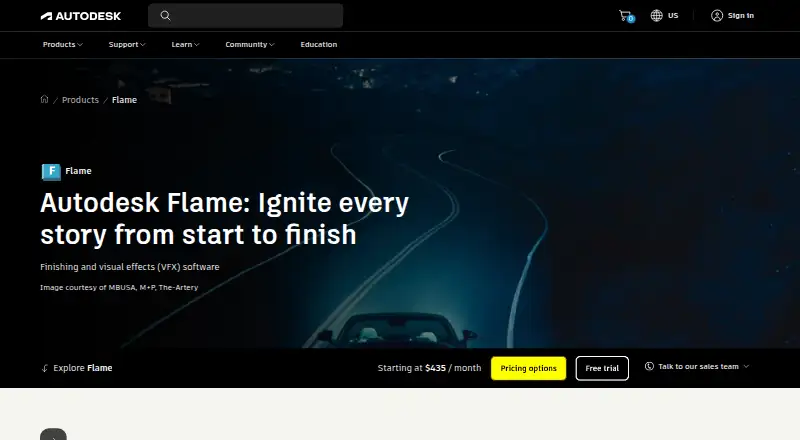
Autodesk Flame is professional finishing and visual effects software for commercials, television episodes, trailers, and feature films. It brings editorial timeline tools, 2D and 3D compositing, color grading, keying, camera tracking, matte creation, and AI-assisted image isolation into one environment. Autodesk positions it for VFX supervisors, CG compositing artists, 3D world builders, colorists, and finishers who need a focused workflow for high-end post-production.
Its feature depth is the main reason to consider it. Batch and Batch FX provide node-based compositing, while Modular Keyer, Keyer, and GMask Tracer cover chroma keying and roto-style masking. Automatic 3D camera tracking supports camera analysis, and MasterGrade adds integrated HDR-ready color grading. Timeline editing handles video and audio, while semantic keying and object isolation add AI-assisted tools for image work. Burn and Background Reactor provide background rendering, with the category specification identifying GPU as the render engine.
Flame is subscription software with a 30-day trial and no free plan. It runs on macOS and Rocky Linux workstations, making platform fit an important consideration before adoption. The published product scope favors teams working across finishing, compositing, grading, and visual effects rather than users seeking a lightweight editor or a narrowly focused keying tool. Choose Flame when an integrated professional finishing environment and broad VFX toolkit matter; consider a different product if you need a free option, broader platform coverage, or a simpler editing-focused workflow.
Your product? Our editors can test Autodesk Flame in depth and publish a review, labelled as paid · from $149/mo →
Autodesk Flame pricing
All 1 Autodesk Flame plans and prices →
Autodesk Flame fact sheet
| Free plan | No |
|---|---|
| Paid from | Not verified |
| Node-based compositing | Yes |
| Keying tools | Yes |
| Rotoscoping tools | Yes |
| 3D camera tracking | Yes |
| Simulation tools | Not verified |
| Supported platforms | macOS, Rocky Linux |
| Render engine | Gpu |
| Free trial | 30 days |
| Money-back guarantee | 30 days |
| Deployment | Desktop |
| Platforms | macOS, Linux |
| Support | Live chat, Community, Docs · 24/7 |
| Built for | Mid-market, Enterprise (editorial estimate) |
| Pricing | 30-day trial (source) |
| Website | autodesk.com |
| Facts checked | 20 Sep 2026 |
Alternatives to Autodesk Flame
- NukeA deep compositing system for professional film, television, and large-scale post-production.9.4
- FusionA broad VFX toolkit with a free Resolve version and a $295 Studio option.9.1
- Adobe After EffectsA broad desktop toolkit for motion design, compositing, tracking, and mainstream VFX.9.0



See all Autodesk Flame alternatives →
Autodesk Flame vs the competition
- Autodesk Flame vs Nuke
- Autodesk Flame vs Fusion
- Autodesk Flame vs Adobe After Effects
- Autodesk Flame vs Silhouette
- Autodesk Flame vs Houdini
- Autodesk Flame vs Natron


Compare Autodesk Flame with any tool side by side →
Also Ranked In
Autodesk Flame is ranked in 4 of our directories.
Used Autodesk Flame? Be the first to review it
The editor score above is our own research. What this page doesn't have yet is a reader's view — what you used Autodesk Flame for, what worked and what didn't. No stars are seeded and no review is paid for; an editor reads every one before it appears.
Write a reviewTwo minutes · verified accounts only · read by an editor before it appears
Featured on iTechGuides

Autodesk Flame is listed in our Visual Effects Software directory. Add the badge to your site — it links back to this page.
<a href="https://www.itechguides.com/products/autodesk-flame/"><img src="https://www.itechguides.com/best/badge/autodesk-flame.svg" alt="Featured on iTechGuides" width="230" height="46"></a>
Reviewed by iTechGuides Editors · Editorial team · Updated Oct 2026
Advertiser disclosure: iTechGuides is reader-supported. Vendors can pay for top positions in our rankings and for a place on other products' pages, and we may earn a commission when you click some links. Bought places stand at the number bought; this page and our disclosure say so. Paying vendors may get a fuller, more detailed review from our editors, and that review can change their score. How we rank.
Last updated · How we research and update