
EaseUS PDF Editor
EaseUS PDF Editor: A broad Windows PDF editor with free access and flexible license options. Ranked #28 of 102 in PDF Editors by our editors (6.6/10); pricing: Free plan; best for windows users needing conventional PDF tools.
At a glance
- Editor score6.6 / 10
- PricingFree plan
- Best forWindows users needing conventional PDF tools
- Free planYes
- Paid from$49.95/device/yr
- OCRYes
- Founded2004 · Chengdu, Sichuan, China
- Facts checked20 Sep 2026
Where it wins
- Edits PDF text, images and hyperlinks, with OCR for scanned documents
- Creates fillable forms and supports annotations, signatures, passwords and watermarks
- Handles PDF conversion, page organization, compression and batch processing
Where it doesn't
- Available only as a Windows desktop application
- The free version has page, file and size restrictions
- Each paid license covers one computer
Our verdict on EaseUS PDF Editor
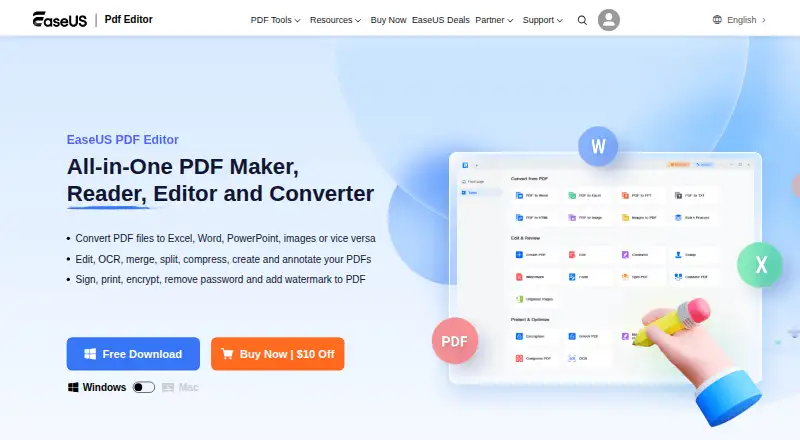
EaseUS PDF Editor is a Windows desktop application for reading, creating, editing, converting, organizing, annotating, signing and protecting PDF documents. It is aimed at individual users and professional workflows that need conventional document tools in one application. Its feature set covers existing text, images and hyperlinks, PDF conversion to and from Office and image formats, OCR for scanned documents, fillable forms, annotations, page management, compression and batch processing.
Pricing is offered through a restricted free version and three paid license options. The 1-Month plan costs $19.95 per license per month and includes one month of free upgrades. The 1-Year plan costs $49.95 per license per year and includes one year of free upgrades. Lifetime Upgrades costs $79.95 per license as a one-time purchase and includes lifetime free upgrades. All paid plans are for one computer, and the subscription plans auto-renew. The paid tiers mainly add broader access to the editor and its document tools, while the free version has page, file and size restrictions.
The product’s strongest fit is for Windows users who want editing, OCR, forms, conversion, annotations and document protection without assembling separate PDF utilities. It also supports practical document operations such as merging, splitting, extracting, replacing, cropping and rotating pages. Its main constraint is platform coverage: it is Windows-only, so it is not suited to buyers who need a Mac or cross-platform PDF workflow. Buyers should also consider whether a one-computer license fits their working setup. Choose EaseUS PDF Editor for a conventional Windows PDF toolkit; choose an alternative when broader platform support or a different licensing model is essential.
Your product? Our editors can test EaseUS PDF Editor in depth and publish a review, labelled as paid · from $149/mo →
EaseUS PDF Editor pricing
All 3 EaseUS PDF Editor plans and prices →
EaseUS PDF Editor fact sheet
| Free plan | Yes |
|---|---|
| Paid from | $49.95/device/yr |
| Text editing | Yes |
| Annotation tools | Yes |
| OCR | Yes |
| PDF conversion | Yes |
| Form creation | Yes |
| Supported platforms | Windows, macOS |
| Money-back guarantee | 30 days |
| Deployment | Desktop |
| Platforms | Windows, macOS |
| Support | Email, Live chat, Docs |
| Built for | Solo, Small business, Mid-market, Enterprise (editorial estimate) |
| Pricing | Free plan (source) |
| Website | pdf.easeus.com |
| Facts checked | 20 Sep 2026 |
Alternatives to EaseUS PDF Editor
- Foxit PDF EditorA mature PDF workspace with deep editing, OCR, forms, security, and integrations.9.3
- iLovePDFA broad PDF toolkit with free access, offline desktop processing, and cross-device apps.9.2
- SmallpdfA broad PDF toolkit for simple editing across web, Windows, mobile, and Chrome.9.1



See all EaseUS PDF Editor alternatives →
Also Ranked In
EaseUS PDF Editor is ranked in 2 of our directories.
Used EaseUS PDF Editor? Be the first to review it
The editor score above is our own research. What this page doesn't have yet is a reader's view — what you used EaseUS PDF Editor for, what worked and what didn't. No stars are seeded and no review is paid for; an editor reads every one before it appears.
Write a reviewTwo minutes · verified accounts only · read by an editor before it appears
Featured on iTechGuides

EaseUS PDF Editor is listed in our PDF Editors directory. Add the badge to your site — it links back to this page.
<a href="https://www.itechguides.com/products/easeus-pdf-editor/"><img src="https://www.itechguides.com/best/badge/easeus-pdf-editor.svg" alt="Featured on iTechGuides" width="230" height="46"></a>
Reviewed by iTechGuides Editors · Editorial team · Updated Oct 2026
Advertiser disclosure: iTechGuides is reader-supported. Vendors can pay for top positions in our rankings and for a place on other products' pages, and we may earn a commission when you click some links. Bought places stand at the number bought; this page and our disclosure say so. Paying vendors may get a fuller, more detailed review from our editors, and that review can change their score. How we rank.
Last updated · How we research and update