DrawSplat
DrawSplat: A classroom-focused whiteboard with drawing, diagrams, assignments, and moderation tools. Ranked #54 of 56 in Online Whiteboard Tools by our editors (6.0/10); pricing: Free plan; best for free classroom-focused visual collaboration.
At a glance
- Editor score6.0 / 10
- PricingFree plan
- Best forFree classroom-focused visual collaboration
- Free planYes
- Paid fromFree
- Facts checked19 Sep 2026
Where it wins
- Combines drawing, diagrams, media, templates, and classroom widgets.
- Assignment mode includes teacher and student layers, turn-ins, and moderation.
- Free to use, with hosted or self-hosted options and several export formats.
Where it doesn't
- Cloud collaboration depends on a teacher-configured Google backend.
- Google Drive and Google Sheets are the listed integrations.
- Classroom workflows may be more than small groups need from a whiteboard.
Our verdict on DrawSplat
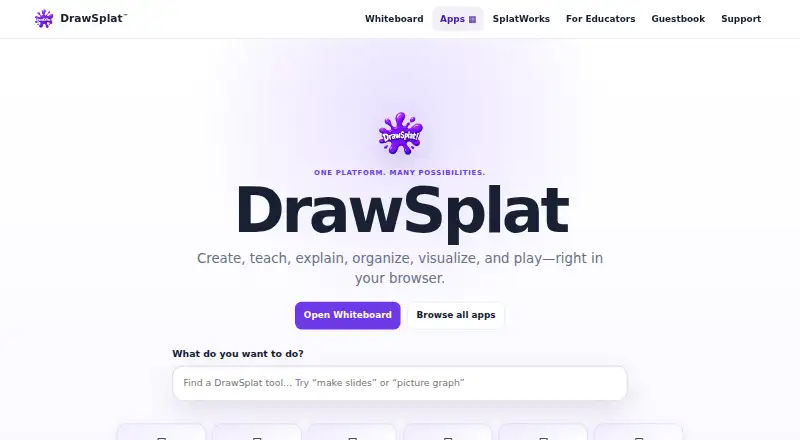
DrawSplat is a browser-based whiteboard for educators, students, classrooms, and small groups. Alongside freehand drawing, shapes, text, and sticky notes, it supports diagrams, graphs, images, audio notes, collages, and word clouds. Its classroom focus is clear: assignment mode separates teacher and student layers, while turn-ins and moderation tools support shared work. It is a strong fit for teachers looking for free visual collaboration with classroom-specific tools, rather than teams seeking a broad platform ecosystem.
The classroom features extend beyond the canvas. Boards can use reusable templates, multiple panels, and restore points; classroom widgets include polls, timers, random pickers, and scoreboards. Cloud collaboration rooms use a teacher-configured Google backend, with Google Drive and Google Sheets listed as integrations. That setup may suit classes already organized around those services, but it makes the collaboration path more specific than a whiteboard with broader platform coverage. Local autosave provides another way to preserve work, and boards can be exported as PNG, PDF, or files.
The published plan is Everyone at $0, covering the full browser whiteboard and classroom tools, hosted or self-hosted use, under AGPL-3.0-or-later licensing. Optional paid district services include setup, professional learning, compliance review, and custom development; they are services rather than paid software tiers. That makes DrawSplat appealing to schools that value open-source software and can work with its Google-based collaboration approach. Groups that need wider integrations or a less classroom-specific collaboration model should consider another whiteboard.
Questions about DrawSplat
Does DrawSplat have a free plan? Yes: the Everyone plan is free.
What does DrawSplat run on? Web. It runs in the cloud and self-hosted.
What does DrawSplat integrate with? 2 integrations: Google Drive and Google Sheets.
Your product? Our editors can test DrawSplat in depth and publish a review, labelled as paid · from $149/mo →
DrawSplat pricing
All 1 DrawSplat plans and prices →
DrawSplat fact sheet
| Free plan | Yes |
|---|---|
| Paid from | Free |
| Infinite canvas | Not verified |
| Diagramming tools | Yes |
| Workshop templates | Not verified |
| Guest collaboration | Yes |
| Presentation mode | Not verified |
| Board limit | Not verified |
| Voting tools | Yes |
| Deployment | Cloud, Self-hosted |
| Platforms | Web |
| Integrations | 2 integrations: Google Drive, Google Sheets |
| Pricing | Free plan (source) |
| Website | drawsplat.org |
| Facts checked | 19 Sep 2026 |
DrawSplat integrations
DrawSplat lists 2 integrations on its own site.
- Google Drive
- Google Sheets
Alternatives to DrawSplat
- MiroA broad whiteboard suite for teams that need collaboration, workshops, diagrams, and presentations.9.4
- MURALA facilitation-focused whiteboard with strong workshop controls and enterprise options.9.2
- FigJamAn affordable collaborative whiteboard with strong workshop tools and a focused ecosystem.9.0



See all DrawSplat alternatives →
Also Ranked In
DrawSplat is ranked in 2 of our directories.
Used DrawSplat? Be the first to review it
The editor score above is our own research. What this page doesn't have yet is a reader's view — what you used DrawSplat for, what worked and what didn't. No stars are seeded and no review is paid for; an editor reads every one before it appears.
Write a reviewTwo minutes · verified accounts only · read by an editor before it appears
Featured on iTechGuides

DrawSplat is listed in our Online Whiteboard Tools directory. Add the badge to your site — it links back to this page.
<a href="https://www.itechguides.com/products/drawsplat/"><img src="https://www.itechguides.com/best/badge/drawsplat.svg" alt="Featured on iTechGuides" width="230" height="46"></a>
Reviewed by iTechGuides Editors · Editorial team · Updated Nov 2026
Advertiser disclosure: iTechGuides is reader-supported. Vendors can pay for top positions in our rankings and for a place on other products' pages, and we may earn a commission when you click some links. Bought places stand at the number bought; this page and our disclosure say so. Paying vendors may get a fuller, more detailed review from our editors, and that review can change their score. How we rank.
Last updated · How we research and update