
Dramatica
Dramatica: A structured story-development workspace, not a full screenplay drafting editor. Ranked #24 of 27 in Screenwriting Software by our editors (6.0/10); pricing: Paid; best for writers focused on story structure and AI analysis.
At a glance
- Editor score6.0 / 10
- PricingPaid
- Best forWriters focused on story structure and AI analysis
- Free planNo
- Paid from$200/yr
- Facts checked24 Sep 2026
Where it wins
- Models storyforms and visualizes beats and sequences.
- Analyzes screenplay drafts for throughlines and Storyform candidates.
- Exports structured outlines, treatments, synopses, and Storyform packages.
Where it doesn't
- It supports story development rather than conventional screenplay drafting.
- The entry plan allows up to 7 story sources and 2 GB of storage.
- Pro costs $200 monthly, making the higher tier a substantial commitment.
Our verdict on Dramatica
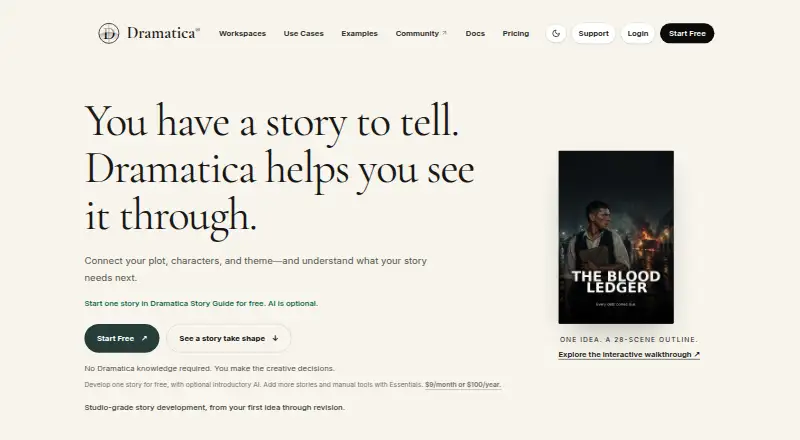
Dramatica is a cloud-based narrative-development platform for writers and story teams who want to shape structure before or alongside drafting. It combines Subtxt visual development, Storyform Builder, and Narrova, an AI narrative assistant. Writers can develop a Storyform, map beats and sequences, and analyze screenplay drafts for structure, character, theme, and narrative drift. Its outputs are designed to support work in a separate writing application, so it is better understood as a story-planning and analysis tool than as a conventional screenplay editor.
Its strongest fit is the structured workflow: users can model a storyform, visualize storybeats and sequences, assess draft throughlines, and generate outlines or treatments. Storytelling, synopses, and Storyform packages can also be exported. That combination suits writers who want a theory-grounded way to examine narrative choices; the emphasis is less appropriate for someone whose priority is composing and formatting screenplay pages in one application. The platform is available on the web and through an API, with API and MCP integrations for supported clients.
The published plans start at $20 per month or $200 per year for Dramatica, with a basic allowance that refreshes monthly, up to 7 story sources, 2 GB of storage, and 1 custom persona. Dramatica Plus is $50 monthly or $500 yearly; it adds a full monthly allowance, up to 20 sources, 10 GB, story-specific uploads and worldbuilding files, and Dramatica Interactive. Pro costs $200 monthly or $2,000 yearly, with a full weekly allowance, up to 50 sources, 20 GB, API access, and 1:1 onboarding. Choose it if structural analysis is central to your process; choose a dedicated screenplay editor if drafting is the main job.
Your product? Our editors can test Dramatica in depth and publish a review, labelled as paid · from $149/mo →
Dramatica pricing
All 3 Dramatica plans and prices →
Dramatica fact sheet
| Free plan | No |
|---|---|
| Paid from | $200/yr |
| Real-time collaboration | Not verified |
| Offline mode | Not verified |
| Revision tracking | Not verified |
| Production breakdown tools | Not verified |
| Supported platforms | web, api |
| Export formats | Not verified |
| Deployment | Cloud |
| Platforms | Web |
| Support | Docs |
| Built for | Solo, Small business, Mid-market, Enterprise (editorial estimate) |
| Integrations | 2 integrations: API, MCP integrations for supported clients |
| Pricing | Paid (source) |
| Website | dramatica.com |
| Facts checked | 24 Sep 2026 |
Dramatica integrations
Dramatica lists 2 integrations on its own site.
- API
- MCP integrations for supported clients
Alternatives to Dramatica
- Final DraftA mature, full-scope screenwriting suite for writing through production.9.3
- CeltxA strong fit for writers who need production planning beyond screenplay formatting.9.1
- WriterDuetA flexible screenwriting workspace for teams that need collaboration and extensive exports.8.8



See all Dramatica alternatives →
Used Dramatica? Be the first to review it
The editor score above is our own research. What this page doesn't have yet is a reader's view — what you used Dramatica for, what worked and what didn't. No stars are seeded and no review is paid for; an editor reads every one before it appears.
Write a reviewTwo minutes · verified accounts only · read by an editor before it appears
Featured on iTechGuides

Dramatica is listed in our Screenwriting Software directory. Add the badge to your site — it links back to this page.
<a href="https://www.itechguides.com/products/dramatica/"><img src="https://www.itechguides.com/best/badge/dramatica.svg" alt="Featured on iTechGuides" width="230" height="46"></a>
Reviewed by iTechGuides Editors · Editorial team · Updated Oct 2026
Advertiser disclosure: iTechGuides is reader-supported. Vendors can pay for top positions in our rankings and for a place on other products' pages, and we may earn a commission when you click some links. Bought places stand at the number bought; this page and our disclosure say so. Paying vendors may get a fuller, more detailed review from our editors, and that review can change their score. How we rank.
Last updated · How we research and update