
doPDF
doPDF: A focused Windows PDF printer with useful office add-ins and a low-cost upgrade. Ranked #27 of 46 in PDF Converter Software by our editors (6.4/10); pricing: Free plan; best for free Windows PDF printer creation.
At a glance
- Editor score6.4 / 10
- PricingFree plan
- Best forFree Windows PDF printer creation
- Free planYes
- Paid from$14.99 one-time
- Founded1999 · Cluj-Napoca, Romania
- Facts checked21 Sep 2026
Where it wins
- Free virtual PDF printer with Office add-ins
- Searchable PDFs, font embedding, and metadata controls
- Premium adds password protection for a one-time $14.99
Where it doesn't
- Windows-only desktop software
- Focused on creating PDFs rather than broad conversion
- OCR is not part of the product's documented feature set
Our verdict on doPDF
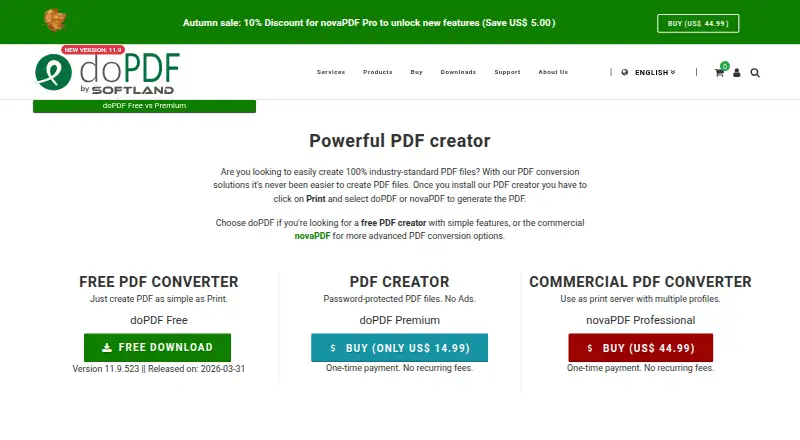
doPDF is a Windows desktop PDF printer and converter from Softland. It creates PDF files from printable documents through a virtual printer driver or a startup conversion window, making it a fit for people who need a straightforward way to generate PDFs from office files, web content, text, images, and other printable documents. Microsoft Office add-ins extend the workflow to Word, Excel, PowerPoint, Publisher, Visio, and Outlook.
The free edition covers the core use case: creating PDFs, using output presets, embedding used font subsets, generating searchable text, configuring predefined or custom page sizes, and editing metadata such as title, subject, author, keywords, and creator. The published plans show doPDF Free at no cost. doPDF Premium 11 costs $14.99 as a one-time purchase and adds user password protection plus an ad-free Save dialog. That keeps the paid upgrade narrow and easy to understand for users who need basic document restrictions or a cleaner saving experience.
Its main strength is focus. A virtual printer can serve many printable applications, while the Office add-ins make common document workflows more direct. Automatic update checks are configurable, and the product includes practical controls for output quality, file size, and balance. The trade-off is scope: doPDF is primarily a PDF creation tool, not a broad conversion suite, and it does not provide OCR. Organizations or individuals needing wider conversion workflows, OCR, or platforms beyond Windows should choose a different product. For Windows users who want free PDF printer creation with searchable output and optional password protection, doPDF is a clear fit.
Your product? Our editors can test doPDF in depth and publish a review, labelled as paid · from $149/mo →
doPDF pricing
All 2 doPDF plans and prices →
doPDF fact sheet
| Free plan | Yes |
|---|---|
| Paid from | $14.99 one-time |
| Conversion targets | DOC, XLS, PPT, PUB, DOCX, XLSX, PPTX, PUBX, HTML, TXT, ODS, ODT, PDF → PDF |
| OCR conversion | Not verified |
| Batch conversion | Not verified |
| Maximum file size | Not verified |
| Supported platforms | Windows |
| API access | Not verified |
| Deployment | Desktop |
| Platforms | Windows |
| Support | Email, Community, Docs |
| Built for | Solo, Small business (editorial estimate) |
| Integrations | 6 integrations: Microsoft Word, Microsoft Excel, Microsoft PowerPoint, Microsoft Publisher, Microsoft Visio, Microsoft Outlook |
| Pricing | Free plan (source) |
| Website | dopdf.com |
| Facts checked | 21 Sep 2026 |
doPDF integrations
doPDF lists 6 integrations on its own site.
- Microsoft Word
- Microsoft Excel
- Microsoft PowerPoint
- Microsoft Publisher
- Microsoft Visio
- Microsoft Outlook
Alternatives to doPDF
- Wondershare PDFelementA full PDF workbench with conversion, OCR, forms, security, signatures, and AI tools.9.3
- Adobe PDF Services APIA broad PDF automation API with a useful free tier and quote-based paid scaling.9.1
- ConvertioA broad cloud converter for documents, media, images, and automated workflows.9.0



Used doPDF? Be the first to review it
The editor score above is our own research. What this page doesn't have yet is a reader's view — what you used doPDF for, what worked and what didn't. No stars are seeded and no review is paid for; an editor reads every one before it appears.
Write a reviewTwo minutes · verified accounts only · read by an editor before it appears
Featured on iTechGuides

doPDF is listed in our PDF Converter Software directory. Add the badge to your site — it links back to this page.
<a href="https://www.itechguides.com/products/dopdf/"><img src="https://www.itechguides.com/best/badge/dopdf.svg" alt="Featured on iTechGuides" width="230" height="46"></a>
Reviewed by iTechGuides Editors · Editorial team · Updated Oct 2026
Advertiser disclosure: iTechGuides is reader-supported. Vendors can pay for top positions in our rankings and for a place on other products' pages, and we may earn a commission when you click some links. Bought places stand at the number bought; this page and our disclosure say so. Paying vendors may get a fuller, more detailed review from our editors, and that review can change their score. How we rank.
Last updated · How we research and update