DesktopCtl
DesktopCtl: A precise, local macOS control layer for agents that need structured UI automation. Ranked #13 of 24 in AI Computer Use Agents by our editors (8.0/10); pricing: Free plan; best for mac users needing precise local UI control.
At a glance
- Editor score8.0 / 10
- PricingFree plan
- Best forMac users needing precise local UI control
- Free planYes
- Paid fromFree
- Desktop app controlYes
- Facts checked22 Sep 2026
Where it wins
- Structured UI tokens, OCR, and vision support grounded agent actions
- CLI controls applications, windows, mouse, keyboard, and verification loops
- Free, open source, local-first operation with JSON output contracts
Where it doesn't
- Supports macOS only, with multi-platform support listed as upcoming
- No verified integrations are provided
- No human-approval workflow is included
Our verdict on DesktopCtl
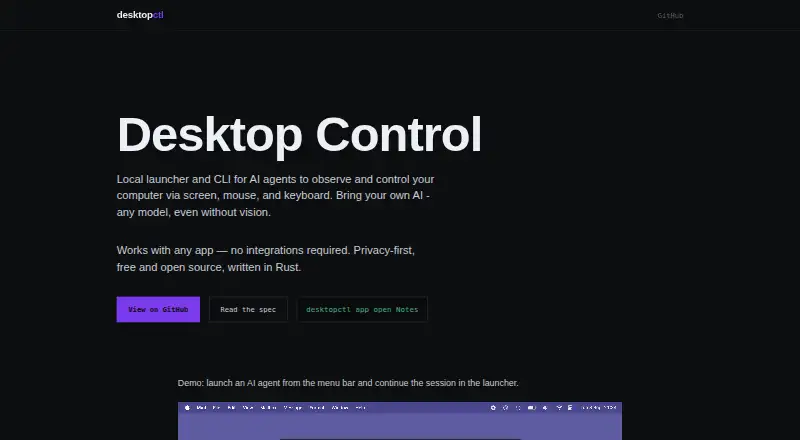
DesktopCtl is a local launcher and command-line tool for AI agents that need to observe and control graphical desktop applications. It uses screen capture, text recognition, computer vision, mouse actions, and keyboard input to interact with applications without application-specific integrations. Its macOS-first design suits developers and teams building locally run or externally provided AI models that need precise control over a Mac interface while keeping screenshots and perception local by default. It is free and open source under the MIT License.
Its strongest technical focus is structured, verifiable desktop interaction. DesktopCtl exposes structured screen tokens for agent grounding, GPU-accelerated OCR and computer vision, deterministic CLI commands, and JSON output contracts for agent integrations. Agents can open applications, discover and control windows, locate interface elements, click, type, wait, and observe the result through post-action verification loops. That combination is useful where an agent needs more than raw coordinate actions and where UI state should be checked after an operation. The keyboard-first launcher and application/window controls also keep the workflow centered on local desktop automation rather than a cloud service.
The trade-off is a narrow platform and ecosystem footprint. DesktopCtl is designed for macOS, while multi-platform support is listed as upcoming, so teams standardizing on Windows or Linux should choose another option. The product also does not provide verified integrations or a human-approval workflow, which may matter for organizations requiring pre-action review or packaged connections to other systems. Choose DesktopCtl for open-source, local Mac control with grounding and verification; choose an alternative when cross-platform deployment, built-in integrations, or approval steps are central requirements.
Your product? Our editors can test DesktopCtl in depth and publish a review, labelled as paid · from $149/mo →
DesktopCtl pricing
DesktopCtl fact sheet
| Free plan | Yes |
|---|---|
| Paid from | Free |
| Desktop app control | Yes |
| Supported platforms | macOS |
| Browser control | Yes |
| Screen understanding | Yes |
| Deployment | Local |
| Human approval controls | Not verified |
| API access | Not verified |
| Deployment | Desktop |
| Platforms | macOS |
| Support | Docs |
| Built for | Solo, Small business (editorial estimate) |
| Pricing | Free plan |
| Website | desktopctl.com |
| Facts checked | 22 Sep 2026 |
Alternatives to DesktopCtl
- CoastyA programmable computer-use platform with managed machines, workflows, approvals, and APIs.9.2
- Claude CoworkA broad computer-use workspace for business automation, with paid plans starting at $17 annually.9.1
- Clawd CursorA free, open-source local MCP server for controlled desktop automation.9.0



See all DesktopCtl alternatives →
Used DesktopCtl? Be the first to review it
The editor score above is our own research. What this page doesn't have yet is a reader's view — what you used DesktopCtl for, what worked and what didn't. No stars are seeded and no review is paid for; an editor reads every one before it appears.
Write a reviewTwo minutes · verified accounts only · read by an editor before it appears
Featured on iTechGuides

DesktopCtl is listed in our AI Computer Use Agents directory. Add the badge to your site — it links back to this page.
<a href="https://www.itechguides.com/products/desktopctl/"><img src="https://www.itechguides.com/best/badge/desktopctl.svg" alt="Featured on iTechGuides" width="230" height="46"></a>
Reviewed by iTechGuides Editors · Editorial team · Updated Oct 2026
Advertiser disclosure: iTechGuides is reader-supported. Vendors can pay for top positions in our rankings and for a place on other products' pages, and we may earn a commission when you click some links. Bought places stand at the number bought; this page and our disclosure say so. Paying vendors may get a fuller, more detailed review from our editors, and that review can change their score. How we rank.
Last updated · How we research and update