
Desktop Calendar
Desktop Calendar: A focused free desktop calendar with customization, printing, and synchronization options. Ranked #151 of 193 in Calendar Apps by our editors (3.0/10); pricing: Free plan; best for simple desktop calendar users.
At a glance
- Editor score3.0 / 10
- PricingFree plan
- Best forSimple desktop calendar users
- Free planYes
- Founded2011
- Facts checked20 Sep 2026
Where it wins
- Free plan covers appointments, tasks, schedules, and desktop entries.
- Supports printing, day background colors, and calendar settings customization.
- Cloud rollback and mobile-version synchronization support continuity across devices.
Where it doesn't
- Integrations and verified calendar interoperability are limited.
- VIP is required for automatic multi-device synchronization and added cloud storage.
- The product is focused on Windows and macOS desktop use rather than broad platforms.
Our verdict on Desktop Calendar
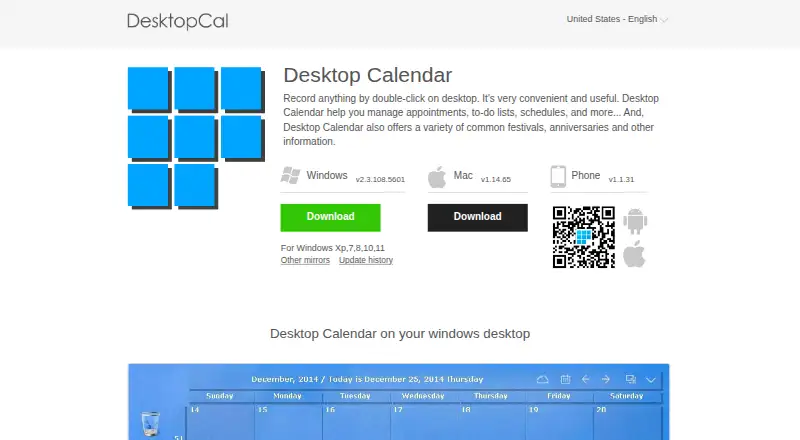
Desktop Calendar is a desktop-oriented calendar application from CloudStory, Inc. It is designed for people who want a straightforward way to record appointments, to-do lists, schedules, and notes directly from the desktop. Double-click entry creation keeps the core workflow simple, while calendar views include festival and anniversary information. Windows and macOS downloads are available, and a free edition provides the central calendar and task-management functions without requiring a paid plan.
The free plan includes desktop calendar entries, appointment and schedule management, calendar customization, and data transfer tools. Users can print calendar pages, assign background colors by day, adjust calendar settings, and transfer data between devices. The published plans show a VIP upgrade with automatic synchronization across multiple devices, more cloud storage, and more security for data. Cloud synchronization and rollback are also included among the product features, while the official site describes real-time synchronization with the mobile version. This makes the product more suitable for users who value a personal calendar workspace with optional continuity across devices than for teams seeking shared scheduling workflows.
Desktop Calendar’s strengths are its narrow focus, accessible free tier, and practical customization features. It can suit users who prefer a desktop calendar for personal appointments, tasks, reminders, printing, and notes. The trade-off is limited ecosystem depth: integrations and verified calendar interoperability are limited, and the product does not provide AI features. Users who need a broader connected calendar environment, extensive integrations, or more advanced collaboration should choose an alternative. Those who want a simple Windows or macOS calendar with optional cloud and mobile synchronization should find the feature set more aligned with their needs.
Questions about Desktop Calendar
Does Desktop Calendar have a free plan? Yes, there is a free plan.
What does Desktop Calendar run on? Windows and macOS. It runs in the cloud and as a desktop app.
Who is Desktop Calendar built for? Solo users and small businesses (our editorial estimate).
Your product? Our editors can test Desktop Calendar in depth and publish a review, labelled as paid · from $149/mo →
Desktop Calendar pricing
All 2 Desktop Calendar plans and prices →
Desktop Calendar fact sheet
| Free plan | Yes |
|---|---|
| Paid from | Not verified |
| Shared calendars | Not verified |
| Time blocking | Not verified |
| Scheduling links | Not verified |
| Calendar sync | Not verified |
| Mobile apps | Not verified |
| Video meeting support | Not verified |
| Deployment | Cloud, Desktop |
| Platforms | Windows, macOS |
| Support | |
| Built for | Solo, Small business (editorial estimate) |
| Pricing | Free plan (source) |
| Website | desktopcal.com |
| Facts checked | 20 Sep 2026 |
Alternatives to Desktop Calendar
- Google CalendarA versatile calendar for personal schedules and Google Workspace collaboration.9.4
- Microsoft OutlookA flexible calendar choice for people and teams already working in Microsoft’s ecosystem.9.2
- Zoho CalendarA low-cost calendar with booking, sync, room reservations, and broad integrations.9.1


See all Desktop Calendar alternatives →
Used Desktop Calendar? Be the first to review it
The editor score above is our own research. What this page doesn't have yet is a reader's view — what you used Desktop Calendar for, what worked and what didn't. No stars are seeded and no review is paid for; an editor reads every one before it appears.
Write a reviewTwo minutes · verified accounts only · read by an editor before it appears
Featured on iTechGuides

Desktop Calendar is listed in our Calendar Apps directory. Add the badge to your site — it links back to this page.
<a href="https://www.itechguides.com/products/desktop-calendar/"><img src="https://www.itechguides.com/best/badge/desktop-calendar.svg" alt="Featured on iTechGuides" width="230" height="46"></a>
Reviewed by iTechGuides Editors · Editorial team · Updated Nov 2026
Advertiser disclosure: iTechGuides is reader-supported. Vendors can pay for top positions in our rankings and for a place on other products' pages, and we may earn a commission when you click some links. Bought places stand at the number bought; this page and our disclosure say so. Paying vendors may get a fuller, more detailed review from our editors, and that review can change their score. How we rank.
Last updated · How we research and update