
DesignTool AI Palette Generator
DesignTool AI Palette Generator: A free browser-based matcher for text-led palette discovery and developer exports. Ranked #22 of 22 in AI Color Palette Generators by our editors (6.6/10); pricing: Free plan; best for users wanting a lightweight local palette matcher.
At a glance
- Editor score6.6 / 10
- PricingFree plan
- Best forUsers wanting a lightweight local palette matcher
- Free planYes
- Paid fromFree
- Image color extractionNo
- Founded2024
- Facts checked21 Sep 2026
Where it wins
- Free unlimited use with CSS, Tailwind, SCSS, and JSON exports
- Semantic text matching with keyword fallback when the model fails
- Multilingual descriptions and a curated 206-palette library
Where it doesn't
- No image color extraction
- Available only on the web
- Palette discovery is limited to the curated 206-palette library
Our verdict on DesignTool AI Palette Generator
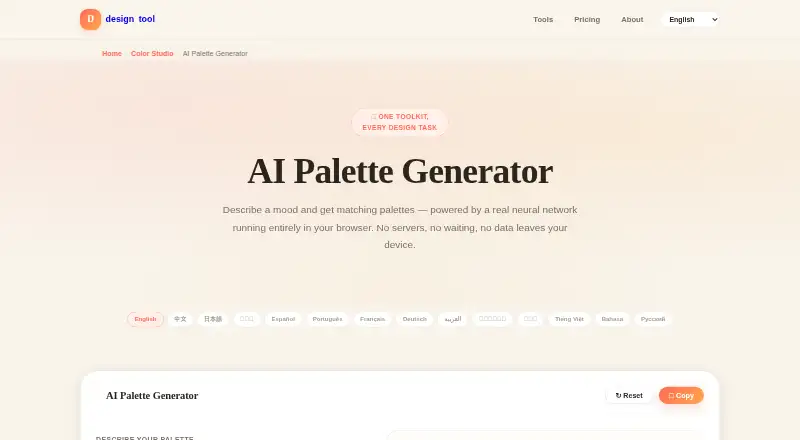
DesignTool AI Palette Generator creates color palettes from text descriptions covering moods, places, seasons, and brand styles. It is intended for designers, developers, and other users who want to turn descriptive language into a starting palette without installing software. Processing runs in the browser through ONNX Runtime Web, using a MiniLM sentence-embedding model for semantic matching. The tool also includes keyword matching as a fallback when the model is unavailable, along with multilingual palette descriptions, palette copying, an accessibility checker, and commercial use of palette data.
Pricing is straightforward: the Always & Forever Free plan costs $0 USD as a flat price. It includes all design tools and features, unlimited use, no credit card requirement, and exports in CSS, Tailwind, SCSS, and JSON. There are no paid tiers or trial periods. That makes the product a practical fit for users who want recurring access to a palette matcher and developer-ready output without a subscription decision. The export formats are particularly relevant for workflows that move from visual direction into code or design-system files.
Its main focus is text-based palette matching rather than broad color-input coverage. The curated library contains 206 palettes, and the browser-based model keeps processing local to the web experience while providing a fallback matching method. However, the product does not extract colors from images and is available only on the web, so it is less suitable for users who need image-led sampling or a desktop or mobile application. Choose it for lightweight semantic palette discovery, multilingual descriptions, and code-friendly exports; choose an alternative when image extraction is central to the workflow.
Your product? Our editors can test DesignTool AI Palette Generator in depth and publish a review, labelled as paid · from $149/mo →
DesignTool AI Palette Generator pricing
All 1 DesignTool AI Palette Generator plans and prices →
DesignTool AI Palette Generator fact sheet
| Free plan | Yes |
|---|---|
| Paid from | Free |
| Image color extraction | No |
| Accessibility checker | Yes |
| Brand library | Not verified |
| Export formats | CSS, Tailwind, SCSS, JSON |
| Palette limit | Not verified |
| Harmony modes | Not verified |
| Deployment | Cloud |
| Platforms | Web |
| Support | Docs |
| Built for | Solo, Small business, Mid-market, Enterprise (editorial estimate) |
| Pricing | Free plan (source) |
| Website | designtool.tools |
| Facts checked | 21 Sep 2026 |
Alternatives to DesignTool AI Palette Generator
- ColorUI Prompt Palette StudioA free, open-source palette generator with accessibility checks and broad developer exports.9.4
- Colorfor.aiA broad free workspace for palette generation, accessibility audits, themes, previews, and exports.9.3
- KColorA broad free toolkit for turning prompts, images, and colors into usable design palettes.9.2



See all DesignTool AI Palette Generator alternatives →
Used DesignTool AI Palette Generator? Be the first to review it
The editor score above is our own research. What this page doesn't have yet is a reader's view — what you used DesignTool AI Palette Generator for, what worked and what didn't. No stars are seeded and no review is paid for; an editor reads every one before it appears.
Write a reviewTwo minutes · verified accounts only · read by an editor before it appears
Featured on iTechGuides

DesignTool AI Palette Generator is listed in our AI Color Palette Generators directory. Add the badge to your site — it links back to this page.
<a href="https://www.itechguides.com/products/designtool-ai-palette-generator/"><img src="https://www.itechguides.com/best/badge/designtool-ai-palette-generator.svg" alt="Featured on iTechGuides" width="230" height="46"></a>
Reviewed by iTechGuides Editors · Editorial team · Updated Oct 2026
Advertiser disclosure: iTechGuides is reader-supported. Vendors can pay for top positions in our rankings and for a place on other products' pages, and we may earn a commission when you click some links. Bought places stand at the number bought; this page and our disclosure say so. Paying vendors may get a fuller, more detailed review from our editors, and that review can change their score. How we rank.
Last updated · How we research and update