Deep-Live-Cam
Deep-Live-Cam: A capable free desktop face-swap tool with paid hardware-specific quickstart plans. Ranked #7 of 57 in AI Face Swap Tools by our editors (8.8/10); pricing: Free plan; best for open-source real-time swapping with OBS.
At a glance
- Editor score8.8 / 10
- PricingFree plan
- Best forOpen-source real-time swapping with OBS
- Free planYes
- Paid from$22/mo
- Facts checked20 Sep 2026
Where it wins
- Free, open-source image, video, and webcam face swapping
- Supports multiple faces, face mapping, mouth masking, and enhancement
- Runs on Windows, macOS, and Linux with OBS integration
Where it doesn't
- Paid plans vary by hardware, with Mac starting at $32 per month
- Self-hosted setup requires manual installation
- No documented face-swapping API or batch-asset processing
Our verdict on Deep-Live-Cam
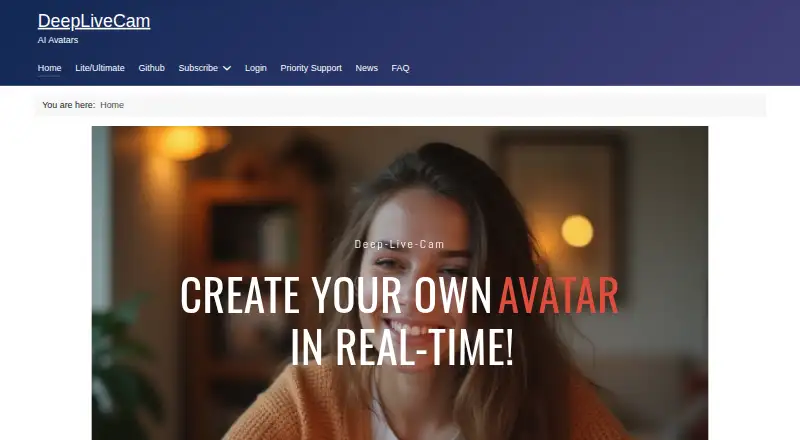
Deep-Live-Cam is an open-source desktop application for real-time face swapping from a single source image. It supports image, video, and webcam workflows, making it suitable for solo creators and small teams producing live video, edited clips, or swapped images. The application runs on Windows, macOS, and Linux, supports output up to 1080p, and integrates with OBS for broadcast and streaming workflows.
Its strongest case is feature depth within a focused desktop tool. Deep-Live-Cam includes multiple-face processing, face mapping between source and target faces, mouth masking, live preview, and video playback. Face enhancement is available through GFPGAN and GPEN, while CUDA, CoreML, DirectML, and OpenVINO execution providers support different hardware environments. The free source edition keeps the core application accessible, although manual installation makes it better suited to users comfortable with desktop setup than to teams seeking a managed browser workflow.
The paid plans add priority support and access to the latest Deep Live Cam Quickstart. Nvidia and AMD plans cost $22 per month or $40 per 3 months, while Mac plans cost $32 per month or $60 per 3 months. These hardware-specific subscriptions can make the product less attractive than fully free alternatives, particularly for Mac users. Choose Deep-Live-Cam if open-source access, local desktop processing, webcam swapping, and OBS compatibility are priorities. Choose another tool if you require a documented face-swapping API, batch-asset processing, or a more guided setup experience.
Your product? Our editors can test Deep-Live-Cam in depth and publish a review, labelled as paid · from $149/mo →
Deep-Live-Cam pricing
All 6 Deep-Live-Cam plans and prices →
Deep-Live-Cam fact sheet
| Free plan | Yes |
|---|---|
| Paid from | $22/mo |
| Video face swap | Not verified |
| Max video length | Not verified |
| Multiple faces | Not verified |
| Max output resolution | 1080p |
| Watermark-free export | Not verified |
| Commercial use | Not verified |
| Deployment | Self-hosted, Desktop |
| Platforms | Windows, macOS, Linux |
| Built for | Solo, Small business (editorial estimate) |
| Integrations | 1 integrations: OBS |
| Pricing | Free plan (source) |
| Website | deeplivecam.net |
| Facts checked | 20 Sep 2026 |
Deep-Live-Cam integrations
Deep-Live-Cam lists 1 integrations on its own site.
- OBS
Alternatives to Deep-Live-Cam
- Picsi.AiA broad face-swap toolkit with useful integrations, live modes, and flexible media support.9.4
- Remaker AIA broad face-swapping toolkit with free access, one-time credit packs, and API support.9.3
- AI Face SwapA format-friendly cloud face-swap tool with free access, 4K output, and API support.9.2



See all Deep-Live-Cam alternatives →
Deep-Live-Cam vs the competition
- Deep-Live-Cam vs Picsi.Ai
- Deep-Live-Cam vs Remaker AI
- Deep-Live-Cam vs AI Face Swap
- Deep-Live-Cam vs Morface
- Deep-Live-Cam vs FaceFusion
- Deep-Live-Cam vs Faceswap



Compare Deep-Live-Cam with any tool side by side →
Also Ranked In
Deep-Live-Cam is ranked in 2 of our directories.
Used Deep-Live-Cam? Be the first to review it
The editor score above is our own research. What this page doesn't have yet is a reader's view — what you used Deep-Live-Cam for, what worked and what didn't. No stars are seeded and no review is paid for; an editor reads every one before it appears.
Write a reviewTwo minutes · verified accounts only · read by an editor before it appears
Featured on iTechGuides

Deep-Live-Cam is listed in our AI Face Swap Tools directory. Add the badge to your site — it links back to this page.
<a href="https://www.itechguides.com/products/deep-live-cam/"><img src="https://www.itechguides.com/best/badge/deep-live-cam.svg" alt="Featured on iTechGuides" width="230" height="46"></a>
Reviewed by iTechGuides Editors · Editorial team · Updated Oct 2026
Advertiser disclosure: iTechGuides is reader-supported. Vendors can pay for top positions in our rankings and for a place on other products' pages, and we may earn a commission when you click some links. Bought places stand at the number bought; this page and our disclosure say so. Paying vendors may get a fuller, more detailed review from our editors, and that review can change their score. How we rank.
Last updated · How we research and update