
Deckyard
Deckyard: A self-hosted slide platform with collaboration, AI transformation and broad export options. Ranked #32 of 93 in Presentation Software by our editors (6.2/10); pricing: Free plan; best for self-hosted collaborative slides.
At a glance
- Editor score6.2 / 10
- PricingFree plan
- Best forSelf-hosted collaborative slides
- Free planYes
- Paid fromFree
- AI assistanceYes
- Facts checked20 Sep 2026
Where it wins
- Real-time editing includes presence, slide locks and activity updates.
- Imports PowerPoint and exports PPTX, PDF, PNG, HTML and JSON.
- Self-hosting, APIs and MCP support enable deployment and automation flexibility.
Where it doesn't
- No listed integrations with external software ecosystems.
- Managed hosting requires a sales conversation for pricing.
- Self-hosting requires organisations to run the Docker or Node.js edition.
Our verdict on Deckyard
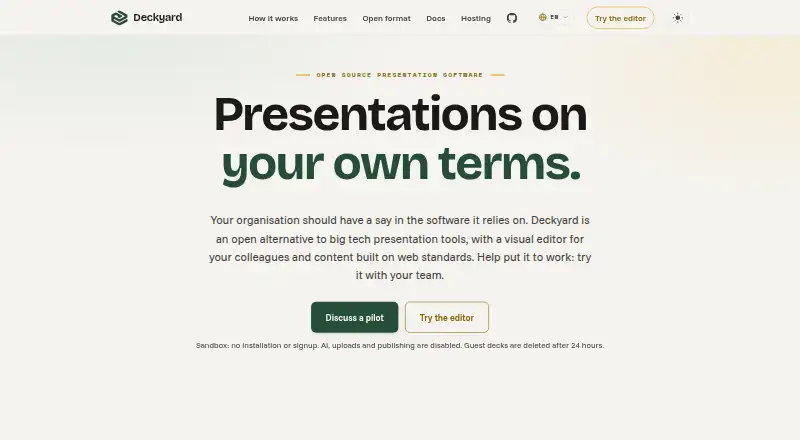
Deckyard is an open-source presentation platform for organisations and teams that need to create, edit, present, publish and share slide decks. Its browser-based visual editor uses declared slide types and themes for colours, fonts, logos and styling. Collaboration features include comments, permissions, controlled share links, presence, slide locks and activity updates. Presenter view adds notes, slide preview, a timer and navigation controls, while AI-assisted transformation can turn notes, documents and outlines into slides when enabled.
The self-hosted edition is MIT-licensed and available without a paid feature tier, making it suited to organisations that want control over deployment. Docker and Node.js support provide the stated hosting paths, and Deckyard also offers a public API and MCP interface for programmatic access. Managed dedicated hosting is available, but its pricing begins with a sales conversation. That split makes the product more attractive to teams with internal infrastructure capability than to buyers seeking a fully priced, ready-to-deploy subscription.
Deckyard covers a broad presentation workflow: PowerPoint import; export to PowerPoint, PDF, PNG, HTML and JSON; collaborative editing; controlled sharing; and presenter mode. Its main ecosystem connection is through the API and MCP interface rather than listed third-party integrations. Choose Deckyard if self-hosting, open-source licensing, collaborative editing and flexible output formats matter most. Organisations that depend on a large catalogue of named integrations or want publicly stated managed-hosting pricing should consider a different presentation platform.
Your product? Our editors can test Deckyard in depth and publish a review, labelled as paid · from $149/mo →
Deckyard pricing
Deckyard fact sheet
| Free plan | Yes |
|---|---|
| Paid from | Free |
| AI assistance | Yes |
| Real-time collaboration | Yes |
| PowerPoint import | Yes |
| PowerPoint export | Yes |
| Offline access | Yes |
| Presenter mode | Yes |
| Supported platforms | web, self-hosted, API |
| Deployment | Cloud, Self-hosted |
| Platforms | Web |
| Support | Email, Docs |
| Built for | Small business, Mid-market, Enterprise (editorial estimate) |
| Pricing | Free plan |
| Website | deckyard.eu |
| Facts checked | 20 Sep 2026 |
Alternatives to Deckyard
- Microsoft PowerPointA broad presentation workspace spanning web, desktop, mobile, collaboration, AI, and rehearsal tools.9.4
- Apple KeynoteA polished free presentation tool for Apple ecosystem users, with optional AI features.9.1
- Zoho ShowA capable free option for teams that need collaboration, offline work, and PPTX support.9.0



See all Deckyard alternatives →
Used Deckyard? Be the first to review it
The editor score above is our own research. What this page doesn't have yet is a reader's view — what you used Deckyard for, what worked and what didn't. No stars are seeded and no review is paid for; an editor reads every one before it appears.
Write a reviewTwo minutes · verified accounts only · read by an editor before it appears
Featured on iTechGuides

Deckyard is listed in our Presentation Software directory. Add the badge to your site — it links back to this page.
<a href="https://www.itechguides.com/products/deckyard/"><img src="https://www.itechguides.com/best/badge/deckyard.svg" alt="Featured on iTechGuides" width="230" height="46"></a>
Guides on presentation software
- 5 Best AI Presentation and PowerPoint Design Tools in 2026Aug 2026
- Best AI Tools for Effortless Presentation Design Compared 2025: 2026 Buyer’s UpdateAug 2026
- Best Presentation Apps for iPad and iPhone: Keynote, PowerPoint, Google Slides, Canva, and PreziAug 2026
Reviewed by iTechGuides Editors · Editorial team · Updated Oct 2026
Advertiser disclosure: iTechGuides is reader-supported. Vendors can pay for top positions in our rankings and for a place on other products' pages, and we may earn a commission when you click some links. Bought places stand at the number bought; this page and our disclosure say so. Paying vendors may get a fuller, more detailed review from our editors, and that review can change their score. How we rank.
Last updated · How we research and update