Dawn Cut
Dawn Cut: A capable transcript-first Mac editor with local AI and a source-build setup. Ranked #64 of 78 in AI Video Editors by our editors (3.5/10); pricing: Free plan; best for mac users editing from transcripts.
At a glance
- Editor score3.5 / 10
- PricingFree plan
- Best forMac users editing from transcripts
- Free planYes
- Paid fromFree
- Text-based editingYes
- Facts checked21 Sep 2026
Where it wins
- Local word-level transcription with whisper.cpp processing
- Text-based cuts, silence removal, subtitles, and reframing
- Free open-source core with no subscriptions or watermarks
Where it doesn't
- macOS is the only supported platform
- macOS .dmg packaging has a ship-blocking issue
- Natural-language editing and MCP features are experimental
Our verdict on Dawn Cut
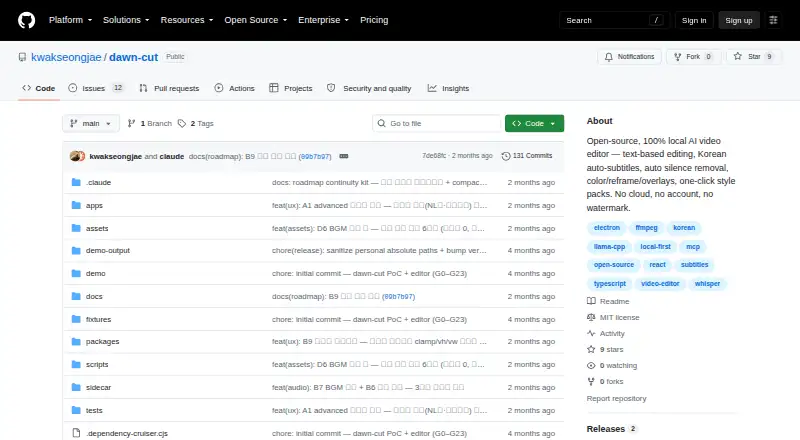
Dawn Cut is an open-source, local-first AI video editor for macOS, delivered as an Electron desktop application. It is aimed at Mac users who want to edit footage through transcripts rather than a conventional timeline alone. Word-level transcription uses local whisper.cpp processing, while text-based editing cuts the corresponding footage. The editor also includes automatic silence removal with configurable padding, automatic subtitles with SRT export, color grading presets, reframing for 9:16 and 1:1 video, image, sticker, and GIF overlays, and local text-to-speech voiceover.
The strongest fit is its focused local editing workflow. Footage remains on the user's machine, and the core is free and open source without subscriptions or watermarks. Transcript-based cutting, silence removal, and subtitle creation address repetitive editing tasks directly, while project save/open and undo and redo support an ongoing project workflow. SRT and chapter export extend the editor beyond a single finished video. Integrations include MCP, Claude Desktop, and Cursor, although natural-language editing and the MCP agent server are described as experimental local features.
Dawn Cut is best suited to Mac creators who value local processing, open-source software, and transcript-led editing. Its scope is narrower for teams needing broader platform coverage or mature advanced workflows: macOS is the supported platform, and the project describes itself as v0.1. Distribution also requires building from source because the macOS .dmg packaging has a ship-blocking issue. Choose Dawn Cut for a focused, local editor with AI-assisted cutting and captions; choose another tool if ready-made installation, cross-platform access, or more developed workflow features are priorities.
Your product? Our editors can test Dawn Cut in depth and publish a review, labelled as paid · from $149/mo →
Dawn Cut pricing
Dawn Cut fact sheet
| Free plan | Yes |
|---|---|
| Paid from | Free |
| Text-based editing | Yes |
| Automatic captions | Yes |
| Silence removal | Yes |
| AI audio cleanup | Not verified |
| Maximum export resolution | Not verified |
| Supported platforms | macOS |
| Deployment | Desktop |
| Platforms | macOS |
| Built for | Solo, Small business (editorial estimate) |
| Integrations | 3 integrations: MCP, Claude Desktop, Cursor |
| Pricing | Free plan |
| Website | github.com |
| Facts checked | 21 Sep 2026 |
Dawn Cut integrations
Dawn Cut lists 3 integrations on its own site.
- MCP
- Claude Desktop
- Cursor
Alternatives to Dawn Cut
- DaVinci ResolveA full post-production suite with an unusually capable free version.9.4
- Adobe PremiereA deep Adobe-centered editor for professional video work and collaborative production.9.3
- Avid Media ComposerA deep editor for teams needing transcript tools, high-resolution media, and shared projects.9.1


See all Dawn Cut alternatives →
Also Ranked In
Dawn Cut is ranked in 2 of our directories.
Used Dawn Cut? Be the first to review it
The editor score above is our own research. What this page doesn't have yet is a reader's view — what you used Dawn Cut for, what worked and what didn't. No stars are seeded and no review is paid for; an editor reads every one before it appears.
Write a reviewTwo minutes · verified accounts only · read by an editor before it appears
Featured on iTechGuides

Dawn Cut is listed in our AI Video Editors directory. Add the badge to your site — it links back to this page.
<a href="https://www.itechguides.com/products/dawn-cut/"><img src="https://www.itechguides.com/best/badge/dawn-cut.svg" alt="Featured on iTechGuides" width="230" height="46"></a>
Reviewed by iTechGuides Editors · Editorial team · Updated Oct 2026
Advertiser disclosure: iTechGuides is reader-supported. Vendors can pay for top positions in our rankings and for a place on other products' pages, and we may earn a commission when you click some links. Bought places stand at the number bought; this page and our disclosure say so. Paying vendors may get a fuller, more detailed review from our editors, and that review can change their score. How we rank.
Last updated · How we research and update