CUPS-PDF
CUPS-PDF: A configurable CUPS PDF printer for self-hosted Linux and macOS deployments. Ranked #44 of 45 in PDF Creation Software by our editors (5.1/10); pricing: Free plan; best for simple open-source CUPS PDF printing.
At a glance
- Editor score5.1 / 10
- PricingFree plan
- Best forSimple open-source CUPS PDF printing
- Free planYes
- Paid fromFree
- Facts checked22 Sep 2026
Where it wins
- Free, open-source deployment with no commercial plan required
- Central fileserver support for network printing
- Configurable PDF output, filenames, logs, and backend instances
Where it doesn't
- No data merging or bulk PDF generation
- No forms or API access
- Requires self-hosted CUPS deployment and configuration
Our verdict on CUPS-PDF
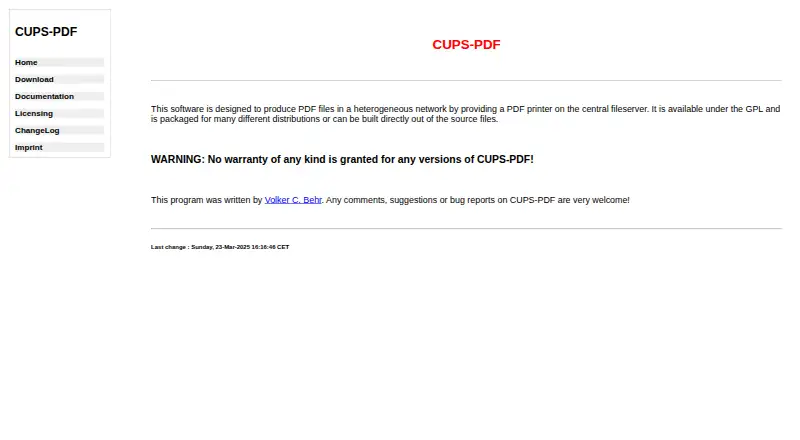
CUPS-PDF is an open-source virtual PDF printer for CUPS-based systems. It is aimed at teams and administrators that need to convert PostScript, CUPS print jobs, or raw queues from Samba or Netatalk into PDF files. The software can provide a PDF printer on a central fileserver, allowing users to print to a configured CUPS queue while the resulting files are written to a selected output directory. It supports Linux and macOS, with self-hosted deployment and package or source installation options for Unix-like systems.
Its main strength is configurable virtual printing rather than document authoring. Administrators can set output directories, PDF versions, page sizes, filename truncation, job labeling, color or grayscale output, logging levels, and multiple backend instances with separate configurations. CUPS and Ghostscript provide the stated ecosystem fit. This makes CUPS-PDF suitable for network print workflows where predictable file placement and queue configuration matter. It is a narrow PDF creation tool, not a broader document automation platform: data merging, bulk generation, forms, and API access are not included.
CUPS-PDF is free and open source, with no commercial plan structure. The published package information identifies cups-pdf_3.0.3.tar.gz and a 2026-05-08 release. Choose it when a configurable, self-hosted CUPS queue is the right foundation for PDF output, especially in a central fileserver setup. Choose an alternative when the workflow requires templates, form creation, programmatic access, or large-scale document generation. Its value comes from deployment control and print-to-PDF configuration, while its narrow scope makes it less suitable for teams seeking a complete PDF production suite.
Your product? Our editors can test CUPS-PDF in depth and publish a review, labelled as paid · from $149/mo →
CUPS-PDF pricing
CUPS-PDF fact sheet
| Free plan | Yes |
|---|---|
| Paid from | Free |
| Data merge | Not verified |
| Bulk PDF generation | Not verified |
| API access | Not verified |
| Maximum pages | Not verified |
| Input sources | PostScript; CUPS print jobs; raw queues from Samba or Netatalk |
| Fillable form creation | Not verified |
| Deployment | Self_hosted |
| Deployment | Self-hosted |
| Platforms | Linux, macOS |
| Support | Email, Docs |
| Built for | Small business, Mid-market, Enterprise (editorial estimate) |
| Integrations | 2 integrations: CUPS, Ghostscript |
| Pricing | Free plan |
| Website | cups-pdf.de |
| Facts checked | 22 Sep 2026 |
CUPS-PDF integrations
CUPS-PDF lists 2 integrations on its own site.
- CUPS
- Ghostscript
Alternatives to CUPS-PDF
- Wondershare PDFelementA broad PDF toolkit covering editing, OCR, forms, conversion, signatures, and AI workflows.9.3
- Adobe PDF Services APIA broad PDF automation API for enterprise document workflows and integrations.9.2
- PDFCreatorA Windows-focused PDF converter for batch processing, automation, and controlled output.9.1



See all CUPS-PDF alternatives →
Used CUPS-PDF? Be the first to review it
The editor score above is our own research. What this page doesn't have yet is a reader's view — what you used CUPS-PDF for, what worked and what didn't. No stars are seeded and no review is paid for; an editor reads every one before it appears.
Write a reviewTwo minutes · verified accounts only · read by an editor before it appears
Featured on iTechGuides

CUPS-PDF is listed in our PDF Creation Software directory. Add the badge to your site — it links back to this page.
<a href="https://www.itechguides.com/products/cups-pdf/"><img src="https://www.itechguides.com/best/badge/cups-pdf.svg" alt="Featured on iTechGuides" width="230" height="46"></a>
Reviewed by iTechGuides Editors · Editorial team · Updated Oct 2026
Advertiser disclosure: iTechGuides is reader-supported. Vendors can pay for top positions in our rankings and for a place on other products' pages, and we may earn a commission when you click some links. Bought places stand at the number bought; this page and our disclosure say so. Paying vendors may get a fuller, more detailed review from our editors, and that review can change their score. How we rank.
Last updated · How we research and update