
Crosshair X
Crosshair X: A feature-rich Windows overlay for players who want detailed crosshair control. Ranked #20 of 26 in Game Overlay Software by our editors (6.8/10); pricing: Paid; best for advanced paid crosshair customization.
At a glance
- Editor score6.8 / 10
- PricingPaid
- Best forAdvanced paid crosshair customization
- Free planNo
- Facts checked20 Sep 2026
Where it wins
- Detailed designer with animated lines, dots, colors, and opacity
- Community library plus Steam Workshop sharing and subscriptions
- Multi-monitor positioning, shortcuts, and automatic ADS hiding
Where it doesn't
- Windows-only support limits use across other desktop platforms
- No free plan for ongoing access
- Focused on crosshair overlays rather than broader game customization
Our verdict on Crosshair X
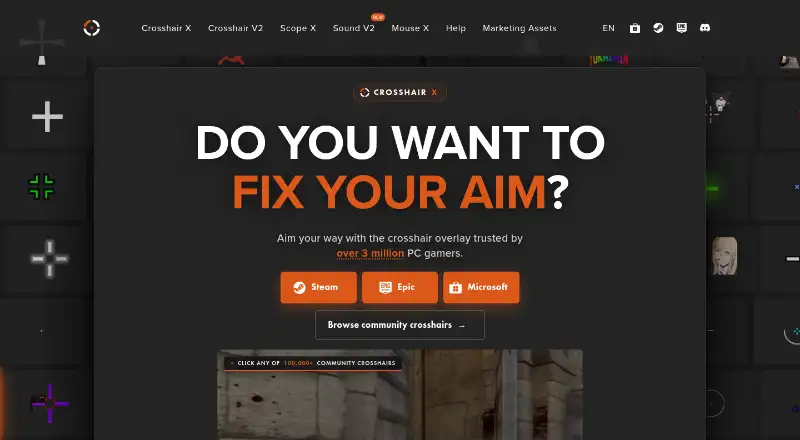
Crosshair X is a Windows desktop overlay for PC games, including titles without built-in reticles. It is aimed at players who want more control than a basic fixed crosshair, with tools for creating, importing, browsing, and positioning custom designs. The product supports Windows 10 and Windows 11 gaming PCs and is distributed through Steam, Microsoft Store, and Epic Games. Its paid model suits users who specifically want an advanced crosshair tool rather than a broader game overlay suite.
Its main strength is the depth of the crosshair designer. Users can adjust lines, dots, outlines, colors, opacity, and animations, then add PNG or animated GIF image overlays, text, and emoji layers. A community crosshair library provides ready-made designs, while Steam Workshop support adds subscription and publishing options. These features make Crosshair X a good fit for players who want to create distinctive reticles or explore designs shared by other users instead of relying on a simple preset collection.
The platform features address several practical gaming setups. Xbox Game Bar support enables the overlay in exclusive-fullscreen games, while multi-monitor support and per-game positioning help place it where needed. Keyboard shortcuts provide quick toggling, and automatic hiding while aiming down sights can keep the overlay from obstructing specific gameplay moments. The trade-off is its narrow focus: players seeking general-purpose overlays or support beyond Windows should choose another type of tool. Crosshair X makes the most sense for Windows gamers who prioritize detailed crosshair customization, image layers, sharing, and positioning controls.
Your product? Our editors can test Crosshair X in depth and publish a review, labelled as paid · from $149/mo →
Crosshair X pricing
All 1 Crosshair X plans and prices →
Crosshair X fact sheet
| Free plan | No |
|---|---|
| Paid from | Not verified |
| Supported platforms | Windows |
| In-game chat | Not verified |
| Performance statistics | Not verified |
| Recording controls | Not verified |
| Hardware monitoring | Not verified |
| Supported games | Not verified |
| Money-back guarantee | 14 days |
| Deployment | Desktop |
| Platforms | Windows |
| Support | Community, Tickets |
| Built for | Solo, Small business (editorial estimate) |
| Pricing | Paid (source) |
| Website | centerpointgaming.com |
| Facts checked | 20 Sep 2026 |
Alternatives to Crosshair X
- RivaTuner Statistics ServerA free Windows overlay utility with broad API support and practical performance controls.9.4
- NVIDIA FrameViewA focused, free overlay for detailed FPS, latency, telemetry, and power benchmarking.9.2
- Intel PresentMonA free, open-source overlay and capture toolkit for detailed frame-time analysis.9.0



See all Crosshair X alternatives →
Used Crosshair X? Be the first to review it
The editor score above is our own research. What this page doesn't have yet is a reader's view — what you used Crosshair X for, what worked and what didn't. No stars are seeded and no review is paid for; an editor reads every one before it appears.
Write a reviewTwo minutes · verified accounts only · read by an editor before it appears
Featured on iTechGuides

Crosshair X is listed in our Game Overlay Software directory. Add the badge to your site — it links back to this page.
<a href="https://www.itechguides.com/products/crosshair-x/"><img src="https://www.itechguides.com/best/badge/crosshair-x.svg" alt="Featured on iTechGuides" width="230" height="46"></a>
Reviewed by iTechGuides Editors · Editorial team · Updated Oct 2026
Advertiser disclosure: iTechGuides is reader-supported. Vendors can pay for top positions in our rankings and for a place on other products' pages, and we may earn a commission when you click some links. Bought places stand at the number bought; this page and our disclosure say so. Paying vendors may get a fuller, more detailed review from our editors, and that review can change their score. How we rank.
Last updated · How we research and update