
CrazyTalk
CrazyTalk: A feature-rich Windows tool for detailed facial animation, but it is discontinued. Ranked #7 of 26 in Photo Animation Software by our editors (8.2/10); pricing: Paid; best for windows users building detailed talking heads.
At a glance
- Editor score8.2 / 10
- PricingPaid
- Best forWindows users building detailed talking heads
- Facts checked21 Sep 2026
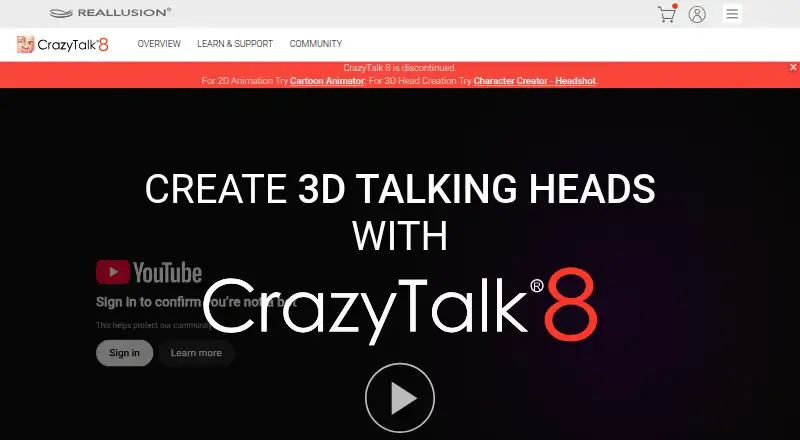
Where it wins
- Creates animated 2D and 3D heads from photos and illustrations
- Automates facial motion and lip-sync from voice, audio, or text
- Supports puppeteering, timeline editing, and exports up to 4K
Where it doesn't
- Discontinued and no longer generally available for sale
- Limited to Windows with no mobile apps
- Current pricing and integration options are not available
Our verdict on CrazyTalk
CrazyTalk was Reallusion’s desktop software for turning photos, illustrations, and other images into talking 2D or 3D heads. It was aimed at video production, family projects, marketing and training, and animated comics. The core workflow combined photo-to-head creation with automatic facial motion, audio- and text-based lip-sync, mouse-driven puppeteering, and facial expression editing. For Windows users who need detailed talking-head animation rather than a general video editor, its feature set remains focused and substantial.
Facial animation is the product’s strongest area. CrazyTalk could generate head and facial movement from voice or audio, create lip-sync from text, recorded voice, or other audio, and allow direct mouse-driven puppeteering. Editors could refine facial expressions and motion, work with timelines and motion clips, and build a result from both automated and manual controls. Export support included MPEG-4, NTSC, PAL, Flash FLV, TGA, BMP image sequences, alpha-channel image sequences, and image or video formats up to 4K. That combination suits projects where expressive character performance and flexible output matter more than broad ecosystem connections.
Availability changes the buying decision. Reallusion discontinued CrazyTalk 8, and the product is no longer generally available for sale, so it is not a practical choice for buyers seeking a currently supported purchase. It also runs only on Windows and has no mobile apps. Windows users who already have legitimate access to the software may find its facial-animation depth useful for talking characters, training visuals, marketing pieces, or animated comics. Buyers starting a new workflow should instead look for an available product with current pricing and ongoing support.
Your product? Our editors can test CrazyTalk in depth and publish a review, labelled as paid · from $149/mo →
CrazyTalk pricing
CrazyTalk fact sheet
| Free plan | Not verified |
|---|---|
| Paid from | Not verified |
| Depth animation | Not verified |
| Face animation | Yes |
| AI motion effects | Not verified |
| Photo limit | Not verified |
| Mobile apps | None |
| Export formats | MPEG-4, NTSC, PAL, Flash FLV, TGA, BMP image sequences, and image/video formats up to 4K |
| Deployment | Desktop |
| Platforms | Windows |
| Support | Tickets |
| Built for | Solo, Small business, Mid-market (editorial estimate) |
| Pricing | Paid |
| Website | reallusion.com |
| Facts checked | 21 Sep 2026 |
Alternatives to CrazyTalk
- Deep NostalgiaA focused tool for turning detected faces in old photos into shareable MP4 animations.9.2
- Nero AI Face AnimationA focused face-animation tool with batch workflows and API automation.8.9
- LivePortraitA local tool for animating portraits with transferred expressions, pose, and retargeting controls.8.6


See all CrazyTalk alternatives →
CrazyTalk vs the competition
- CrazyTalk vs Deep Nostalgia
- CrazyTalk vs Nero AI Face Animation
- CrazyTalk vs LivePortrait
- CrazyTalk vs Immersity AI
- CrazyTalk vs Viggle
- CrazyTalk vs D-ID



Compare CrazyTalk with any tool side by side →
Also Ranked In
CrazyTalk is ranked in 2 of our directories.
Used CrazyTalk? Be the first to review it
The editor score above is our own research. What this page doesn't have yet is a reader's view — what you used CrazyTalk for, what worked and what didn't. No stars are seeded and no review is paid for; an editor reads every one before it appears.
Write a reviewTwo minutes · verified accounts only · read by an editor before it appears
Featured on iTechGuides

CrazyTalk is listed in our Photo Animation Software directory. Add the badge to your site — it links back to this page.
<a href="https://www.itechguides.com/products/crazytalk/"><img src="https://www.itechguides.com/best/badge/crazytalk.svg" alt="Featured on iTechGuides" width="230" height="46"></a>
Reviewed by iTechGuides Editors · Editorial team · Updated Oct 2026
Advertiser disclosure: iTechGuides is reader-supported. Vendors can pay for top positions in our rankings and for a place on other products' pages, and we may earn a commission when you click some links. Bought places stand at the number bought; this page and our disclosure say so. Paying vendors may get a fuller, more detailed review from our editors, and that review can change their score. How we rank.
Last updated · How we research and update