
CourtAlert Case Management
CourtAlert Case Management: A deep docket-control system for firms managing complex court workflows. Ranked #1 of 20 in Legal Calendaring Software by our editors (9.4/10); pricing: Pricing on request; best for large firms needing comprehensive docket control.
At a glance
- Editor score9.4 / 10
- PricingPricing on request
- Best forLarge firms needing comprehensive docket control
- Calendar syncTwo-way
- Founded1999 · New York, New York, United States
- Facts checked20 Sep 2026
Where it wins
- Captures and reconciles court notices with linked PDFs
- Calculates deadlines through manual, automatic, and CalendarRules workflows
- Connects calendars and matter systems across major legal platforms
Where it doesn't
- Pricing requires contacting sales
- Web access is the listed platform
- Its broad feature set may exceed simple calendaring needs
Our verdict on CourtAlert Case Management
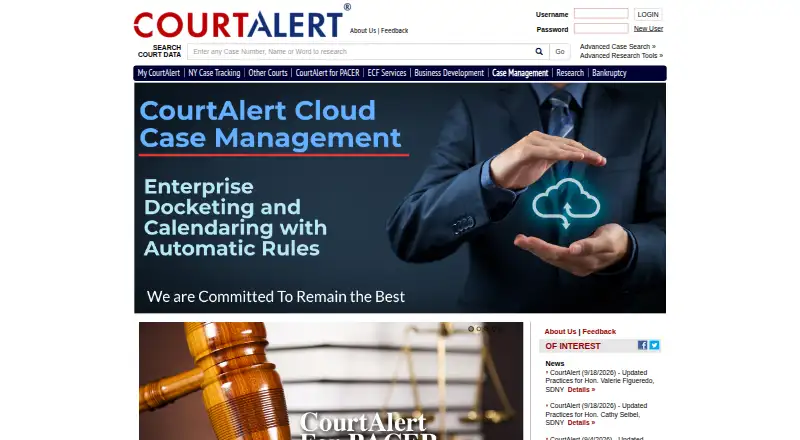
CourtAlert Case Management combines docketing, calendaring, and case-management tools for mid-sized and large law firms handling complex workflows and heavy caseloads. It captures electronic court notices, reconciles docket documents, calculates deadlines, and organizes case, staff, firmwide, and practice-group calendars. The system is available through cloud or on-premises deployment and is intended for firms that need centralized control over court deadlines, case information, reminders, and reporting.
The Case Management plan includes nationwide docketing and calendaring, ECF notice reconciliation, automatic rules, inquiry and knowledge-management features, dashboards, and case details. Deadline entry can be manual, calculator-based, automatic-rule driven, or based on adjournments, with real-time calculations through CalendarRules. Configurable email deadline reminders and attorney ticklers support ongoing follow-up, while reminders can also use Outlook, the web interface, and printed reports. Pricing uses a contact-sales model, so firms should expect a tailored buying process rather than a self-serve plan comparison.
CourtAlert’s strongest fit is a firm with established legal technology systems. It offers automatic Outlook integration, Microsoft Exchange connectivity, and integrations with iManage, NetDocuments, Intapp Walls, iManage SPM, Active Directory, and matter-intake systems. Case search, PDF full-text search, reporting, dashboards, knowledge-management tagging, and document search extend the product beyond basic calendaring. The tradeoff is scope: firms seeking only a lightweight calendar or a simple deadline list may find this broader workflow model unnecessary. Large firms that need court-notice capture, rule-based calculations, firmwide calendars, and connected matter systems should consider it; smaller teams with simpler requirements may prefer a narrower tool.
Your product? Our editors can test CourtAlert Case Management in depth and publish a review, labelled as paid · from $149/mo →
CourtAlert Case Management pricing
All 1 CourtAlert Case Management plans and prices →
CourtAlert Case Management fact sheet
| Free plan | Not verified |
|---|---|
| Paid from | Not verified |
| Deadline calculation | Both |
| Court rule library | Yes |
| Statute limitations | Not verified |
| Calendar sync | Two-way |
| Reminder channels | email, Outlook, web, printed reports |
| Supported platforms | web |
| Deployment | Cloud, Self-hosted |
| Platforms | Web |
| Compliance & security | SOC 2 |
| Support | Email, Phone, Docs |
| Built for | Mid-market, Enterprise (editorial estimate) |
| Integrations | 9 integrations: CalendarRules, Microsoft Outlook, Microsoft Exchange, iManage, NetDocuments, Intapp Walls … |
| Pricing | Pricing on request (source) |
| Website | courtalert.com |
| Facts checked | 20 Sep 2026 |
CourtAlert Case Management integrations
CourtAlert Case Management lists 9 integrations on its own site.
- CalendarRules
- Microsoft Outlook
- Microsoft Exchange
- iManage
- NetDocuments
- Intapp Walls
- iManage SPM
- Active Directory
- matter-intake systems
Alternatives to CourtAlert Case Management
- LawToolBoxA Microsoft 365-focused legal calendaring system with broad rules and platform integrations.9.1
- CalendarRulesA court-rule-focused calendaring system with broad jurisdiction coverage and one-way exports.8.9
- JuraLawA broad-jurisdiction calendaring system with workflow, capture, and reporting tools.8.7



See all CourtAlert Case Management alternatives →
CourtAlert Case Management vs the competition
- CourtAlert Case Management vs LawToolBox
- CourtAlert Case Management vs CalendarRules
- CourtAlert Case Management vs JuraLaw
- CourtAlert Case Management vs MatterAlert
- CourtAlert Case Management vs Docket Enterprise
- CourtAlert Case Management vs Milana



Compare CourtAlert Case Management with any tool side by side →
Also Ranked In
CourtAlert Case Management is ranked in 2 of our directories.
Used CourtAlert Case Management? Be the first to review it
The editor score above is our own research. What this page doesn't have yet is a reader's view — what you used CourtAlert Case Management for, what worked and what didn't. No stars are seeded and no review is paid for; an editor reads every one before it appears.
Write a reviewTwo minutes · verified accounts only · read by an editor before it appears
Featured on iTechGuides

CourtAlert Case Management is listed in our Legal Calendaring Software directory. Add the badge to your site — it links back to this page.
<a href="https://www.itechguides.com/products/courtalert-case-management/"><img src="https://www.itechguides.com/best/badge/courtalert-case-management.svg" alt="Featured on iTechGuides" width="230" height="46"></a>
Reviewed by iTechGuides Editors · Editorial team · Updated Oct 2026
Advertiser disclosure: iTechGuides is reader-supported. Vendors can pay for top positions in our rankings and for a place on other products' pages, and we may earn a commission when you click some links. Bought places stand at the number bought; this page and our disclosure say so. Paying vendors may get a fuller, more detailed review from our editors, and that review can change their score. How we rank.
Last updated · How we research and update