
Cosmic Client
Cosmic Client: A feature-rich Windows client for gameplay overlays, but not a full launcher replacement. Ranked #72 of 75 in Minecraft Launchers by our editors (5.4/10); pricing: Free plan; best for windows players focused on in-game overlays.
At a glance
- Editor score5.4 / 10
- PricingFree plan
- Best forWindows players focused on in-game overlays
- Free planYes
- Paid fromFree
- Desktop OS supportWindows
- Facts checked22 Sep 2026
Where it wins
- Detailed HUDs for server, combat, inventory, and event information
- Minimap, waypoints, schematics, and world-download utilities
- Switch between multiple accounts without restarting the client
Where it doesn't
- Windows-only, with no official macOS or Linux build
- Core launcher features such as instances and modpacks are not verified
- A Minecraft.net account is required to play
Our verdict on Cosmic Client
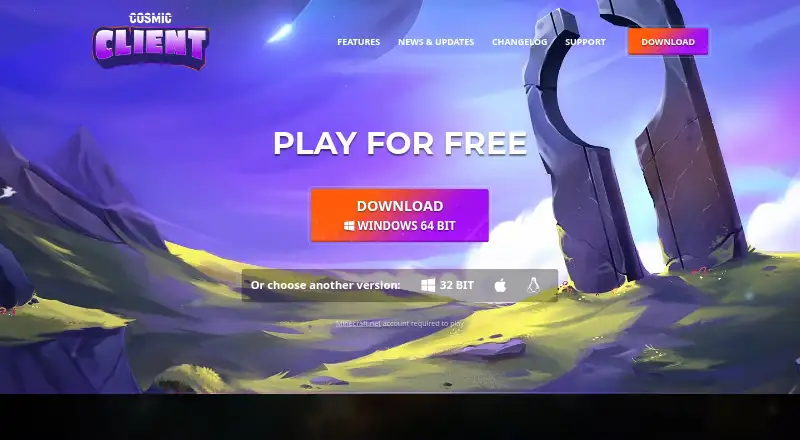
Cosmic Client is a free Windows desktop Minecraft client for players who want built-in gameplay modifications and utility features rather than a bare game launch. Its focus is in-game information and convenience: players can customize server and game-detail HUDs, display keystrokes and clicks per second, filter chat, use a minimap, view Schematica blueprints, save waypoints, download worlds, and manage multiple accounts. A Minecraft.net account is required to play, and the published downloads support both 32-bit and 64-bit Windows systems.
The strongest part of the client is the breadth of its overlay and utility set. Scoreboard, armor, potion, cooldown, and events HUDs cover several types of at-a-glance information, while the information HUD can display game and server details. Mapwriter adds zoom and fullscreen minimap modes; waypoint saving supports optional beacons and customization; and WorldEdit CUI plus chunk-border overlays extend the visual toolkit. Schematica blueprint viewing and building, toggle sprint or sneak controls, tab-based chat filtering, and font customization make the feature set useful for players who want more control during play.
Cosmic Client is a narrower choice for Windows players who prioritize overlays, mapping, blueprints, and account switching. It is less suitable for anyone seeking a verified full launcher workflow built around instances, modpacks, loaders, or Java management. The client also does not extend to an official macOS or Linux build. Choose it when built-in gameplay utilities are the priority and Windows is your platform; consider an alternative when cross-platform support or broader launcher administration matters more than in-game overlays.
Your product? Our editors can test Cosmic Client in depth and publish a review, labelled as paid · from $149/mo →
Cosmic Client pricing
Cosmic Client fact sheet
| Free plan | Yes |
|---|---|
| Paid from | Free |
| Desktop OS support | Windows |
| Separate instances | Not verified |
| Modpack import | Not verified |
| Mod loader support | Not verified |
| Java runtime management | Not verified |
| Built-in modpack catalog | Not verified |
| Automatic updates | Not verified |
| Deployment | Desktop |
| Platforms | Windows |
| Built for | Solo, Small business (editorial estimate) |
| Pricing | Free plan |
| Website | cosmicclient.com |
| Facts checked | 22 Sep 2026 |
Alternatives to Cosmic Client
- Prism LauncherA free, open-source launcher for organizing isolated Minecraft instances and modpacks.9.4
- RefractA broad, free launcher for players moving libraries and modpacks from other launchers.9.2
- Spectra LauncherA free, open-source launcher with strong instance, mod, and modpack workflows.9.1


See all Cosmic Client alternatives →
Used Cosmic Client? Be the first to review it
The editor score above is our own research. What this page doesn't have yet is a reader's view — what you used Cosmic Client for, what worked and what didn't. No stars are seeded and no review is paid for; an editor reads every one before it appears.
Write a reviewTwo minutes · verified accounts only · read by an editor before it appears
Featured on iTechGuides

Cosmic Client is listed in our Minecraft Launchers directory. Add the badge to your site — it links back to this page.
<a href="https://www.itechguides.com/products/cosmic-client/"><img src="https://www.itechguides.com/best/badge/cosmic-client.svg" alt="Featured on iTechGuides" width="230" height="46"></a>
Reviewed by iTechGuides Editors · Editorial team · Updated Oct 2026
Advertiser disclosure: iTechGuides is reader-supported. Vendors can pay for top positions in our rankings and for a place on other products' pages, and we may earn a commission when you click some links. Bought places stand at the number bought; this page and our disclosure say so. Paying vendors may get a fuller, more detailed review from our editors, and that review can change their score. How we rank.
Last updated · How we research and update