Corel Presentations
Corel Presentations: A Windows-only choice for core slide creation and PowerPoint file compatibility. Ranked #85 of 93 in Presentation Software by our editors (3.0/10); pricing: Paid; best for windows users needing PowerPoint-compatible basics.
At a glance
- Editor score3.0 / 10
- PricingPaid
- Best forWindows users needing PowerPoint-compatible basics
- Free planNo
- Facts checked20 Sep 2026
Where it wins
- Opens, edits, and saves Microsoft PowerPoint presentation files
- Supports text, graphics, audio, video, templates, and layouts
- Includes outlining, sorting, wireless remotes, and PDF publishing
Where it doesn't
- Runs only on Windows
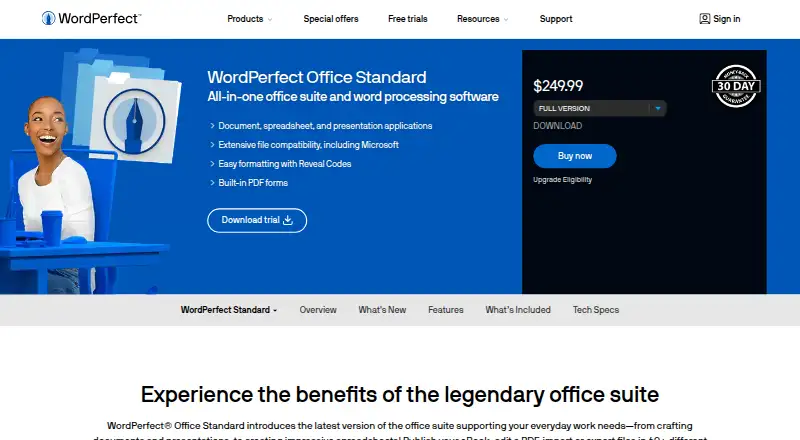
- Included with WordPerfect Office rather than sold standalone
- Does not provide collaboration, AI, or mobile coverage
Our verdict on Corel Presentations
Corel Presentations is a Windows desktop application for creating slideshows, proposals, demonstrations, and interactive reports. It is aimed at individuals, businesses, government organizations, and education customers who need traditional presentation tools and Microsoft PowerPoint file compatibility. The feature set covers slide creation, multimedia content, templates, backgrounds, layouts, and presentation delivery, with support for opening, editing, and saving PowerPoint files.
The software is included with WordPerfect Office rather than sold as a standalone product. WordPerfect Office provides access to more than 300 templates through the suite, and Corel Presentations is included in editions for individuals, businesses, government organizations, and education customers. The published product information identifies WordPerfect Office editions 2020 and 2021 as supported. This structure makes the application a fit for buyers already considering the broader office suite, but less suitable for someone seeking a separate presentation subscription or standalone purchase.
For day-to-day presentation work, Corel Presentations offers several distinct working views: Slide Outliner, Slide Editor, and Slide Sorter. It can also publish presentations to PDF and work with wireless remotes during delivery. Its multimedia support includes text, graphics, audio, and video, giving it broader scope than a basic slide editor. The main tradeoff is platform and workflow coverage: it runs on Windows and does not provide collaboration, AI, or mobile coverage. Choose it for Windows-based, PowerPoint-compatible desktop presentations; choose another product if shared editing, mobile access, or AI-assisted presentation creation is central to the workflow.
Your product? Our editors can test Corel Presentations in depth and publish a review, labelled as paid · from $149/mo →
Corel Presentations pricing
Corel Presentations fact sheet
| Free plan | No |
|---|---|
| Paid from | Not verified |
| AI assistance | Not verified |
| Real-time collaboration | Not verified |
| PowerPoint import | Yes |
| PowerPoint export | Yes |
| Offline access | Not verified |
| Presenter mode | Not verified |
| Supported platforms | Windows |
| Deployment | Desktop |
| Platforms | Windows |
| Support | Tickets, Live chat, Phone, Docs |
| Built for | Small business, Mid-market, Enterprise (editorial estimate) |
| Pricing | Paid |
| Website | wordperfect.com |
| Facts checked | 20 Sep 2026 |
Alternatives to Corel Presentations
- Microsoft PowerPointA broad presentation workspace spanning web, desktop, mobile, collaboration, AI, and rehearsal tools.9.4
- Apple KeynoteA polished free presentation tool for Apple ecosystem users, with optional AI features.9.1
- Zoho ShowA capable free option for teams that need collaboration, offline work, and PPTX support.9.0



See all Corel Presentations alternatives →
Used Corel Presentations? Be the first to review it
The editor score above is our own research. What this page doesn't have yet is a reader's view — what you used Corel Presentations for, what worked and what didn't. No stars are seeded and no review is paid for; an editor reads every one before it appears.
Write a reviewTwo minutes · verified accounts only · read by an editor before it appears
Featured on iTechGuides

Corel Presentations is listed in our Presentation Software directory. Add the badge to your site — it links back to this page.
<a href="https://www.itechguides.com/products/corel-presentations/"><img src="https://www.itechguides.com/best/badge/corel-presentations.svg" alt="Featured on iTechGuides" width="230" height="46"></a>
Guides on presentation software
- 5 Best AI Presentation and PowerPoint Design Tools in 2026Aug 2026
- Best AI Tools for Effortless Presentation Design Compared 2025: 2026 Buyer’s UpdateAug 2026
- Best Presentation Apps for iPad and iPhone: Keynote, PowerPoint, Google Slides, Canva, and PreziAug 2026
Reviewed by iTechGuides Editors · Editorial team · Updated Oct 2026
Advertiser disclosure: iTechGuides is reader-supported. Vendors can pay for top positions in our rankings and for a place on other products' pages, and we may earn a commission when you click some links. Bought places stand at the number bought; this page and our disclosure say so. Paying vendors may get a fuller, more detailed review from our editors, and that review can change their score. How we rank.
Last updated · How we research and update