
Coolors
Coolors: A broad palette toolkit with useful free features and a $3 monthly Pro plan. Ranked #1 of 34 in Color Palette Generators by our editors (9.4/10); pricing: Free plan; best for most designers needing an all-round palette tool.
At a glance
- Editor score9.4 / 10
- PricingFree plan
- Best forMost designers needing an all-round palette tool
- Free planYes
- Paid from$3/mo
- Palette methodsBoth
- Facts checked20 Sep 2026
Where it wins
- Generates, browses, extracts, checks, and visualizes color palettes
- Exports to PDF, image, CSS, ASE, SVG, code, Tailwind, and Procreate
- Works across web, iOS, Chrome, Figma, and Adobe applications
Where it doesn't
- The Free plan includes only limited saved palettes
- Image color picking and contrast checks require Pro
- Advanced export options and color libraries require Pro
Our verdict on Coolors
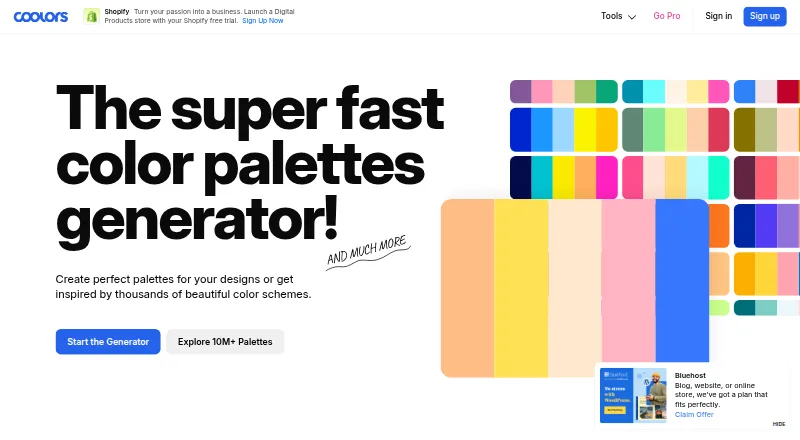
Coolors is a color palette tool for designers and other creative professionals. It combines palette generation and discovery with image color extraction, contrast and accessibility checking, and palette visualization on designs. Users can also create gradient palettes and collages, organize saved work in projects and collections, and use AI color suggestions. Its web app, iOS app, and Chrome extension support different parts of a palette workflow, while integrations extend into Figma, Adobe Illustrator, Adobe InDesign, and Adobe Photoshop.
The published plans keep the entry point simple. The Free plan includes palette generation, palette browsing, and limited saved palettes. Pro costs $3 per month and adds unlimited saved palettes, unlimited projects and collections, image color picking, palette contrast checks, advanced export options, and color libraries. That makes Pro relevant for designers who regularly save, organize, review, and export palettes; the Free plan fits lighter discovery and generation needs.
Coolors stands out for breadth rather than a narrow single-purpose workflow. Its export formats include PDF, image, CSS, ASE, SVG, code, Tailwind, and Procreate, giving designers several ways to move palette work into design and development processes. The combination of browser access, mobile access, Chrome, Figma, and Adobe integrations suits creative workflows that move between tools. Designers seeking a centralized palette workspace should consider it, while those who need only occasional generation may find the Free plan sufficient and may not need the paid organization and checking features.
Your product? Our editors can test Coolors in depth and publish a review, labelled as paid · from $149/mo →
Coolors pricing
All 2 Coolors plans and prices →
Coolors fact sheet
| Free plan | Yes |
|---|---|
| Paid from | $3/mo |
| Palette methods | Both |
| Image extraction | Yes |
| Accessibility checks | Yes |
| Export formats | PDF, image, CSS, ASE, SVG, code, Tailwind, Procreate |
| Saved palettes | Yes |
| Brand color library | Yes |
| Print color support | Not verified |
| Deployment | Cloud, Mobile, Browser extension |
| Platforms | Web, iOS, Chrome extension |
| Support | Email, Docs |
| Built for | Solo, Small business, Mid-market (editorial estimate) |
| Integrations | 5 integrations: Figma, Adobe Illustrator, Adobe InDesign, Adobe Photoshop, Chrome |
| Pricing | Free plan (source) |
| Website | coolors.co |
| Facts checked | 20 Sep 2026 |
Coolors integrations
Coolors lists 5 integrations on its own site.
- Figma
- Adobe Illustrator
- Adobe InDesign
- Adobe Photoshop
- Chrome
Alternatives to Coolors
- Pantone Connect Palette GeneratorA strong Pantone workflow for print-focused designers who need conversion and Adobe support.9.0
- Fluent UI Theme DesignerA focused web tool for building accessible Fluent UI semantic themes.8.7
- KColorA free, highly flexible palette generator with accessibility checks and developer-ready exports.7.9


See all Coolors alternatives →
Coolors vs the competition
- Coolors vs Pantone Connect Palette Generator
- Coolors vs Fluent UI Theme Designer
- Coolors vs KColor
- Coolors vs Colorfool
- Coolors vs Color Palette Generator AI
- Coolors vs Leonardo



Compare Coolors with any tool side by side →
Also Ranked In
Coolors is ranked in 2 of our directories.
Used Coolors? Be the first to review it
The editor score above is our own research. What this page doesn't have yet is a reader's view — what you used Coolors for, what worked and what didn't. No stars are seeded and no review is paid for; an editor reads every one before it appears.
Write a reviewTwo minutes · verified accounts only · read by an editor before it appears
Featured on iTechGuides

Coolors is listed in our Color Palette Generators directory. Add the badge to your site — it links back to this page.
<a href="https://www.itechguides.com/products/coolors/"><img src="https://www.itechguides.com/best/badge/coolors.svg" alt="Featured on iTechGuides" width="230" height="46"></a>
Reviewed by iTechGuides Editors · Editorial team · Updated Oct 2026
Advertiser disclosure: iTechGuides is reader-supported. Vendors can pay for top positions in our rankings and for a place on other products' pages, and we may earn a commission when you click some links. Bought places stand at the number bought; this page and our disclosure say so. Paying vendors may get a fuller, more detailed review from our editors, and that review can change their score. How we rank.
Last updated · How we research and update