Contour Rig Tools
Contour Rig Tools: A focused Maya plug-in for spline deformation, Contour rigs, IK, and technical rigging workflows. Ranked #13 of 27 in 3D Rigging Software by our editors (7.7/10); pricing: Free plan · 30-day trial; best for maya riggers needing spline-based deformation.
At a glance
- Editor score7.7 / 10
- PricingFree plan · 30-day trial
- Best forMaya riggers needing spline-based deformation
- Free planYes
- Paid from$40/mo
- Facts checked20 Sep 2026
Where it wins
- Spline-based deformation with Contour joints, bones, and stretch support
- Integrated IK, aim handles, constraints, and weight-editing workflows
- Python API plus conventional Maya joint driving for game-engine exports
Where it doesn't
- Rigger Mode costs $50 per month on the one-month term
- Floating licenses require contacting Notional Pipe
- Focused on Autodesk Maya rather than standalone rigging workflows
Our verdict on Contour Rig Tools
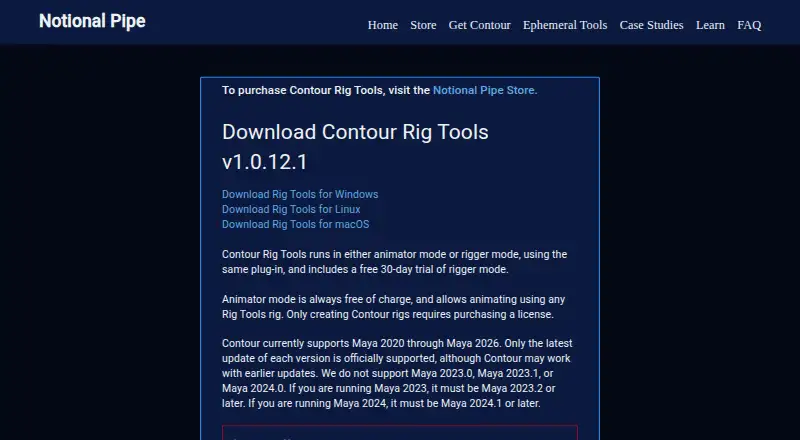
Contour Rig Tools is a plug-in for Autodesk Maya aimed at animators and technical directors who create character rigs, deform meshes, and drive conventional Maya joints for downstream workflows. Its core approach centers on spline-based mesh deformation, Contour joints and bones with length and stretch, integrated IK, aim handles, orientation controls, constraints, and weight-painting workflows. The plug-in runs on Windows, macOS, and Linux, with the latest listed release supporting Maya 2020 through Maya 2026.
Pricing is structured around separate Animator Mode and Rigger Mode access. Animator Mode supports animation with Contour rigs and adding bone CVs to those rigs. Rigger Mode creates and modifies Contour rigs, with one-month access priced at $50 per month, six-month access at $45 per month, and twelve-month access at $40 per month billed annually. A free plan and a 30-day trial are available. Rigger Mode supports node-locked or floating licensing, although floating licenses require contacting Notional Pipe rather than purchasing through the store.
The strongest case for Contour Rig Tools is its focused deformation and rig-authoring feature set. The Python API can create, modify, and query Contour nodes, while the ability to drive conventional Maya joints supports workflows that need game-engine export compatibility. That makes it a fit for Maya-based teams seeking spline-driven control and scriptable rig operations. Teams looking for a standalone application, a different host, or a primarily automatic rigging workflow should consider another tool instead. Animators who only need to work with existing Contour rigs may find Animator Mode more appropriate than Rigger Mode.
Your product? Our editors can test Contour Rig Tools in depth and publish a review, labelled as paid · from $149/mo →
Contour Rig Tools pricing
All 4 Contour Rig Tools plans and prices →
Contour Rig Tools fact sheet
| Free plan | Yes |
|---|---|
| Paid from | $40/mo |
| Auto-rigging | Not verified |
| Deployment | Host_plugin |
| Rig targets | Mixed |
| Scripting support | Yes |
| Supported host apps | Maya |
| Export formats | Not verified |
| Free trial | 30 days |
| Deployment | Cloud, Self-hosted |
| Platforms | Windows, macOS, Linux |
| Support | Email, Docs |
| Built for | Solo, Small business, Mid-market (editorial estimate) |
| Pricing | Free plan · 30-day trial (source) |
| Website | notionalpipe.com |
| Facts checked | 20 Sep 2026 |
Alternatives to Contour Rig Tools
- AccuRIGA capable free auto-rigging tool for biped models across major 3D applications.9.4
- MixamoA free web tool for automatic humanoid rigging and motion-captured animation.9.2
- RigifyA free Blender add-on for automated character armatures and extensible rig systems.9.1



See all Contour Rig Tools alternatives →
Used Contour Rig Tools? Be the first to review it
The editor score above is our own research. What this page doesn't have yet is a reader's view — what you used Contour Rig Tools for, what worked and what didn't. No stars are seeded and no review is paid for; an editor reads every one before it appears.
Write a reviewTwo minutes · verified accounts only · read by an editor before it appears
Featured on iTechGuides

Contour Rig Tools is listed in our 3D Rigging Software directory. Add the badge to your site — it links back to this page.
<a href="https://www.itechguides.com/products/contour-rig-tools/"><img src="https://www.itechguides.com/best/badge/contour-rig-tools.svg" alt="Featured on iTechGuides" width="230" height="46"></a>
Reviewed by iTechGuides Editors · Editorial team · Updated Oct 2026
Advertiser disclosure: iTechGuides is reader-supported. Vendors can pay for top positions in our rankings and for a place on other products' pages, and we may earn a commission when you click some links. Bought places stand at the number bought; this page and our disclosure say so. Paying vendors may get a fuller, more detailed review from our editors, and that review can change their score. How we rank.
Last updated · How we research and update