
Content Snare
Content Snare: A structured client portal for collecting, reviewing, and approving information. Ranked #15 of 27 in Client Intake Software by our editors (7.8/10); pricing: 14-day trial; best for structured document-request intake.
At a glance
- Editor score7.8 / 10
- Pricing14-day trial
- Best forStructured document-request intake
- Free planNo
- Paid from$35/mo
- Facts checked23 Sep 2026
Where it wins
- Structured requests combine questions with dedicated upload areas
- Reminders, approvals, discussions, and change requests support follow-up
- API, AI request builder, templates, and four listed integrations
Where it doesn't
- No free plan; annual pricing starts at $35 per month
- No verified e-signatures or payments
- Lower tiers limit active requests, users, and storage
Our verdict on Content Snare
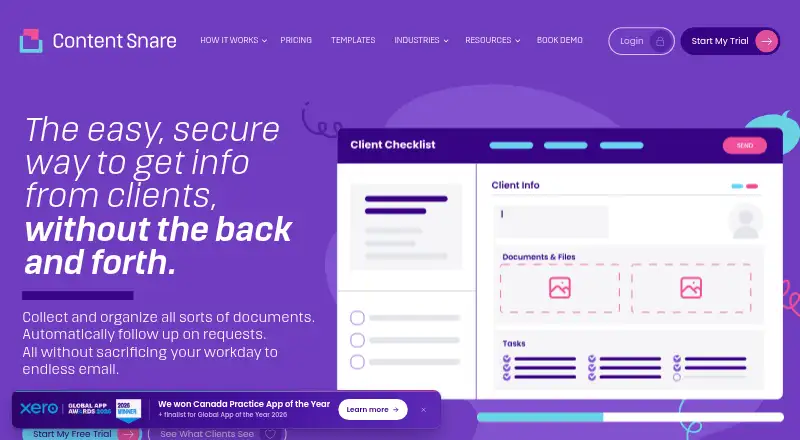
Content Snare is web-based client portal software for businesses that collect documents, files, answers, and other information from clients. It is aimed at accounting firms, bookkeepers, law firms, mortgage brokers, digital agencies, and other professional-services organizations. Teams can create structured requests with questions and upload areas, while clients can access requests through links, optionally without creating an account. File sharing, reminders, approvals, rejection workflows, discussions, templates, and a progress dashboard cover the main intake process.
Pricing is paid-only, with a 14-day free trial. On annual billing, Basic costs $35 per month and includes 20 active requests, 2 users, and 20GB of storage. Plus is $71 per month for 50 active requests, 5 users, and 50GB; Pro is $119 for 100 active requests, 10 users, and 100GB; Custom is $215 for 200+ active requests, 20+ users, and 200GB+ of storage. Monthly billing is $42, $85, $143, and $258 for the same plans. Basic includes a simple client portal and Zapier, while higher tiers add custom branding and premium integrations.
The strongest fit is for teams that need a repeatable way to request, organize, review, and approve client materials. Automatic email and SMS reminders, item-level change requests, client and team discussions, and secure file sharing give the workflow more structure than a basic upload form. Google Drive, Dropbox, OneDrive, Zapier, and API access using OAuth 2.0 support broader platform fit, while the AI request builder can help create requests. However, the paid entry price and plan limits make it less suitable for occasional intake or teams seeking a free option. Organizations that require verified e-signatures or payments should choose a product built around those capabilities instead.
Your product? Our editors can test Content Snare in depth and publish a review, labelled as paid · from $149/mo →
Content Snare pricing
All 4 Content Snare plans and prices →
Content Snare fact sheet
| Free plan | No |
|---|---|
| Paid from | $35/mo |
| Client portal | Not verified |
| E-signatures | Not verified |
| Document uploads | Not verified |
| Workflow automation | Not verified |
| Payment collection | Not verified |
| Custom branding | Not verified |
| Free trial | 14 days · no card needed |
| Deployment | Cloud |
| Platforms | Web |
| Compliance & security | ISO 27001, GDPR, 2FA |
| Support | Email, Live chat, Docs |
| Built for | Solo, Small business, Mid-market (editorial estimate) |
| Integrations | 5,000+ integrations: Zapier, Make, Google Drive, Dropbox, OneDrive, SharePoint … See all → |
| Pricing | 14-day trial (source) |
| Website | contentsnare.com |
| Facts checked | 23 Sep 2026 |
Content Snare integrations
Content Snare lists 5,000+ integrations on its own site — the 12 named here are the ones its pages call out.
- Zapier
- Make
- Google Drive
- Dropbox
- OneDrive
- SharePoint
- Xero Practice Manager
- FYI
- FuseSign
- Annature
- Microsoft Power Automate
- n8n
See all Content Snare integrations →
Alternatives to Content Snare
- PorticoA broad client intake workflow with a free plan and paid automation tiers.9.4
- IntakeA low-cost intake platform with AI classification, payments, signatures, and automation access.9.2
- LaunchBayA paid web platform for turning client intake into structured project workflows.9.0



See all Content Snare alternatives →
Also Ranked In
Content Snare is ranked in 6 of our directories.
Used Content Snare? Be the first to review it
The editor score above is our own research. What this page doesn't have yet is a reader's view — what you used Content Snare for, what worked and what didn't. No stars are seeded and no review is paid for; an editor reads every one before it appears.
Write a reviewTwo minutes · verified accounts only · read by an editor before it appears
Featured on iTechGuides

Content Snare is listed in our Client Intake Software directory. Add the badge to your site — it links back to this page.
<a href="https://www.itechguides.com/products/content-snare/"><img src="https://www.itechguides.com/best/badge/content-snare.svg" alt="Featured on iTechGuides" width="230" height="46"></a>
Reviewed by iTechGuides Editors · Editorial team · Updated Oct 2026
Advertiser disclosure: iTechGuides is reader-supported. Vendors can pay for top positions in our rankings and for a place on other products' pages, and we may earn a commission when you click some links. Bought places stand at the number bought; this page and our disclosure say so. Paying vendors may get a fuller, more detailed review from our editors, and that review can change their score. How we rank.
Last updated · How we research and update