Confab
Confab: A focused web workspace for turning 1:1 conversations into accountable follow-up. Ranked #5 of 26 in Action Item Tracking Software by our editors (8.8/10); pricing: 30-day trial; best for affordable teams tracking 1:1 action items.
At a glance
- Editor score8.8 / 10
- Pricing30-day trial
- Best forAffordable teams tracking 1:1 action items
- Free planNo
- Paid from$6/user/mo
- Action-item extractionYes
- Facts checked20 Sep 2026
Where it wins
- Action items include assignees, due dates, statuses, and filters
- Reminders work through email and Slack for approaching or overdue items
- Connects calendars, meetings, Slack, code tools, Jira, and Linear
Where it doesn't
- Available on the web only
- No free plan after the trial period
- Advanced capabilities vary by plan and AI quotas
Our verdict on Confab
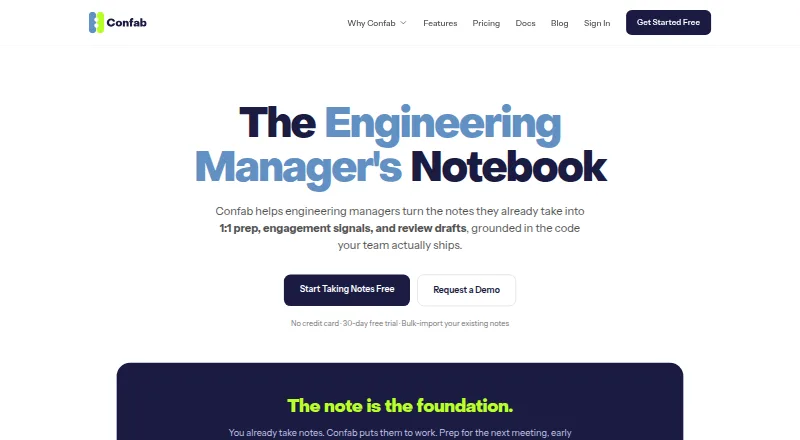
Confab is a web-based manager enablement platform for engineering managers and teams that need structured 1:1 records and clearer follow-through. It organizes agendas, notes, meeting transcripts, action items, reminders, performance reviews, and 360 feedback around each team member. Action items can have assignees, due dates, statuses, and filters, making the product a fit for teams that want 1:1 commitments tracked in one place rather than left in meeting notes.
The published plans show a 30-day free trial for up to 5 team members, with unlimited notes, AI topics and insights, performance reviews, and 360 Feedback. Solo costs $15 per month for up to 8 team members and adds reminders and export. Pro costs $6 per user per month and includes unlimited team members, performance reviews and 360, higher AI quotas, Code Insights, and Team Pulse. Enterprise costs $10 per user per month and adds the highest AI quotas, notes export, and priority support alongside Pro features. The plan structure makes Pro the clearest fit for growing teams, while Solo is oriented toward a smaller fixed team.
Confab’s strongest differentiator is how it connects conversation context with follow-up and manager workflows. It can capture meeting transcripts or summaries from Google Meet, Zoom, Microsoft Teams, and other services; synchronize with Google Calendar, Microsoft Outlook, and Zoom; and turn Slack messages into notes, agenda items, or action items. AI features generate meeting topics and insights and can draft performance reviews from accumulated notes and related team context. GitHub and Bitbucket code insights can be paired with Jira and Linear delivery metrics. Choose Confab when 1:1 tracking, reminders, reviews, and connected engineering context belong together. Teams seeking a native desktop or mobile platform should look elsewhere.
Your product? Our editors can test Confab in depth and publish a review, labelled as paid · from $149/mo →
Confab pricing
All 4 Confab plans and prices →
Confab fact sheet
| Free plan | No |
|---|---|
| Paid from | $6/user/mo |
| Action-item extraction | Yes |
| Assignment tracking | Yes |
| Due dates and reminders | Yes |
| Meeting capture method | Not verified |
| Calendar integrations | Google Calendar, Microsoft Outlook, Zoom |
| Supported platforms | Web |
| Workflow automation | Yes |
| Free trial | 30 days · no card needed |
| Deployment | Cloud |
| Platforms | Web |
| Compliance & security | 2FA |
| Support | Email, Docs |
| Built for | Small business, Mid-market, Enterprise (editorial estimate) |
| Integrations | 10 integrations: Google Calendar, Microsoft Outlook, Zoom, Google Meet, Slack, GitHub … |
| Pricing | 30-day trial (source) |
| Website | confab.team |
| Facts checked | 20 Sep 2026 |
Confab integrations
Confab lists 10 integrations on its own site.
- Google Calendar
- Microsoft Outlook
- Zoom
- Google Meet
- Slack
- GitHub
- Bitbucket
- GitLab
- Jira
- Linear
Alternatives to Confab
- 4MinitzA free, self-hosted workspace for turning recurring meetings into tracked action items.9.4
- ActFluxA free web app for turning meeting conversations into assigned, trackable work.9.2
- RecalA broad-platform AI task tracker for turning meetings and messages into assigned work.9.0



Confab vs the competition
- Confab vs 4Minitz
- Confab vs ActFlux
- Confab vs Recal
- Confab vs Harmony
- Confab vs MeetingBooster
- Confab vs Kutamo



Compare Confab with any tool side by side →
Also Ranked In
Confab is ranked in 2 of our directories.
Used Confab? Be the first to review it
The editor score above is our own research. What this page doesn't have yet is a reader's view — what you used Confab for, what worked and what didn't. No stars are seeded and no review is paid for; an editor reads every one before it appears.
Write a reviewTwo minutes · verified accounts only · read by an editor before it appears
Featured on iTechGuides

Confab is listed in our Action Item Tracking Software directory. Add the badge to your site — it links back to this page.
<a href="https://www.itechguides.com/products/confab/"><img src="https://www.itechguides.com/best/badge/confab.svg" alt="Featured on iTechGuides" width="230" height="46"></a>
Reviewed by iTechGuides Editors · Editorial team · Updated Oct 2026
Advertiser disclosure: iTechGuides is reader-supported. Vendors can pay for top positions in our rankings and for a place on other products' pages, and we may earn a commission when you click some links. Bought places stand at the number bought; this page and our disclosure say so. Paying vendors may get a fuller, more detailed review from our editors, and that review can change their score. How we rank.
Last updated · How we research and update