Colorful iGame Center
Colorful iGame Center: A free Windows utility pairing iGame hardware control with monitoring and manual overclocking. Ranked #18 of 19 in GPU Overclocking Software by our editors (4.8/10); pricing: Free plan; best for colorful iGame hardware owners.
At a glance
- Editor score4.8 / 10
- PricingFree plan
- Best forColorful iGame hardware owners
- Free planYes
- Paid fromFree
- Founded1995 · Shenzhen, China
- Facts checked19 Sep 2026
Where it wins
- Free Windows software with monitoring and manual overclocking controls
- Controls RGB across supported graphics cards, boards, memory and cooling
- Adds game frame-rate monitoring, reports and on-screen performance display
Where it doesn't
- Windows-only availability limits platform flexibility
- Overclocking controls have limited documented depth
- RGB and device features depend on supported hardware
Our verdict on Colorful iGame Center
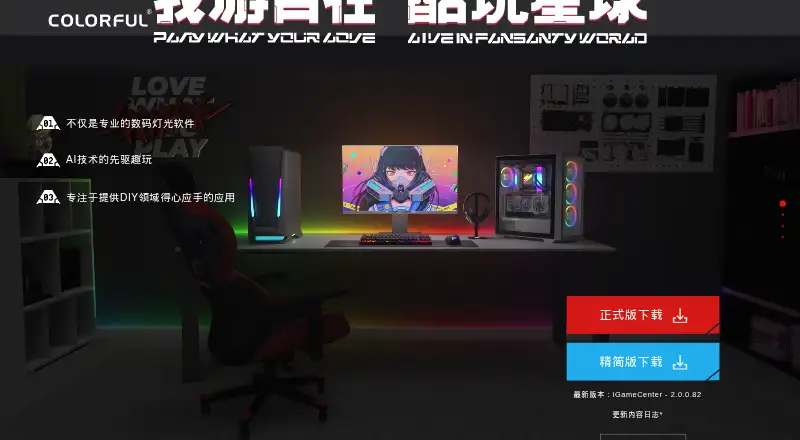
Colorful iGame Center is a free Windows utility for managing Colorful gaming hardware and iGame systems. It combines graphics-card, motherboard, memory, cooling and peripheral controls with hardware temperature, frequency and load monitoring. Manual overclocking controls make it relevant to users who want tuning features alongside device management, while RGB customization and LCD personalization add a broader system-control layer for supported iGame hardware. It is most suitable for Colorful iGame owners who want one utility for performance visibility, lighting and compatible component settings.
Its strongest advantage is breadth within the Colorful ecosystem. The software supports synchronized lighting across supported devices, ARGB header correction and individually configurable lighting elements. It can also detect devices, recommend driver updates, display performance information on screen, and provide game frame-rate monitoring and performance reports. Razer integration extends the lighting ecosystem, although the practical scope of that connection depends on compatible hardware. These features make iGame Center more than a narrowly focused overclocking panel, particularly for users managing several supported components.
The main constraint is platform and hardware scope. iGame Center is available for Windows, and its lighting, LCD and device-control functions depend on supported hardware. The published feature set includes manual overclocking, but the documented details do not establish the same depth as a specialist tuning application. Users primarily seeking advanced overclocking controls may prefer a more focused alternative, while Colorful iGame owners who value integrated monitoring, lighting and device management should find the overall feature mix more relevant. Its free model also makes it a practical starting point for compatible systems without a subscription tier.
Your product? Our editors can test Colorful iGame Center in depth and publish a review, labelled as paid · from $149/mo →
Colorful iGame Center pricing
Colorful iGame Center fact sheet
| Free plan | Yes |
|---|---|
| Paid from | Free |
| GPU vendor support | Not verified |
| Custom voltage control | Not verified |
| Fan curve control | Not verified |
| Power limit control | Not verified |
| Tuning profiles | Not verified |
| On-screen overlay | Not verified |
| Operating systems | Not verified |
| Deployment | Desktop |
| Platforms | Windows |
| Integrations | 1 integrations: Razer |
| Pricing | Free plan |
| Website | colorful.cn |
| Facts checked | 19 Sep 2026 |
Colorful iGame Center integrations
Colorful iGame Center lists 1 integrations on its own site.
- Razer
Alternatives to Colorful iGame Center
- MSI AfterburnerA full-featured, free Windows tuner for multi-vendor GPU overclocking and monitoring.9.4
- ASUS GPU Tweak IIIA free, feature-rich Windows toolkit for guided GPU tuning, profiles, and monitoring.9.2
- Arc PowerA free Windows utility for deep Intel Arc tuning, monitoring, profiles, and overlays.8.9



See all Colorful iGame Center alternatives →
Also Ranked In
Colorful iGame Center is ranked in 2 of our directories.
Used Colorful iGame Center? Be the first to review it
The editor score above is our own research. What this page doesn't have yet is a reader's view — what you used Colorful iGame Center for, what worked and what didn't. No stars are seeded and no review is paid for; an editor reads every one before it appears.
Write a reviewTwo minutes · verified accounts only · read by an editor before it appears
Featured on iTechGuides

Colorful iGame Center is listed in our GPU Overclocking Software directory. Add the badge to your site — it links back to this page.
<a href="https://www.itechguides.com/products/colorful-igame-center/"><img src="https://www.itechguides.com/best/badge/colorful-igame-center.svg" alt="Featured on iTechGuides" width="230" height="46"></a>
Reviewed by iTechGuides Editors · Editorial team · Updated Oct 2026
Advertiser disclosure: iTechGuides is reader-supported. Vendors can pay for top positions in our rankings and for a place on other products' pages, and we may earn a commission when you click some links. Bought places stand at the number bought; this page and our disclosure say so. Paying vendors may get a fuller, more detailed review from our editors, and that review can change their score. How we rank.
Last updated · How we research and update