
CollagePhotoApp
CollagePhotoApp: A feature-rich collage editor with web and mobile apps, plus local browser processing. Ranked #4 of 34 in Collage Maker Software by our editors (8.8/10); pricing: Free plan · 3-day trial; best for feature-rich collage editing on web and mobile.
At a glance
- Editor score8.8 / 10
- PricingFree plan · 3-day trial
- Best forFeature-rich collage editing on web and mobile
- Free planYes
- PlatformsWeb_and_mobile
- Facts checked20 Sep 2026
Where it wins
- Layouts, grids, templates, frames, photostrips, and social canvas resizing
- Background cutout, photo editing, typography, drawing, shapes, and stickers
- Free plan with PNG, JPG, and WebP exports and watermark-free output
Where it doesn't
- Premium extras such as gradient backgrounds require a subscription
- The free trial lasts three days
- Its focus is photo collage creation rather than a broad design workspace
Our verdict on CollagePhotoApp
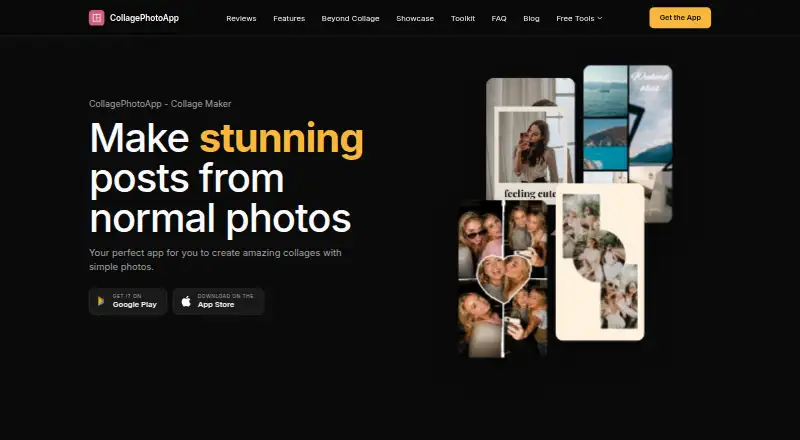
CollagePhotoApp is a collage maker for people who want to turn photos into layouts, grids, templates, photostrips, and social-media-ready designs. It is available on the web, iOS, and Android, making it suitable for mobile creators as well as browser users. Alongside collage composition, it includes photo adjustments, filters, cropping, flipping, blur, background cutout, text, frames, stickers, emojis, shapes, and drawing tools.
Its strongest differentiator is the breadth of creative controls within a photo-focused workflow. The Humanout background cutout offers one-tap removal with eraser and custom cut tools, while See Letters and See Sentence create photo-filled typography. Users can add digital frames styled as music players, cameras, phones, and browser windows, then refine text with fonts, colors, gradients, spacing, shadows, and borders. Photostrips can be vertical or horizontal, and canvas resizing supports social-media aspect ratios. The browser tools process files locally on the device and do not require an account or installation.
CollagePhotoApp follows a freemium model with a free plan and an optional subscription for extras including gradient backgrounds, gradient filters, and 3D Tilt. The App Store listing includes a three-day free trial. Its category specifications include watermark-free output and PNG, JPG, and WebP export formats. Choose it if you want a collage-first editor with substantial styling, cutout, framing, and typography options across web and mobile. Consider another type of design tool if your priority is a broader workspace beyond photo collages and related image compositions.
Your product? Our editors can test CollagePhotoApp in depth and publish a review, labelled as paid · from $149/mo →
CollagePhotoApp pricing
CollagePhotoApp fact sheet
| Free plan | Yes |
|---|---|
| Paid from | Not verified |
| Platforms | Web_and_mobile |
| Maximum photos | Not verified |
| Custom layouts | Yes |
| Video collages | Not verified |
| Text overlays | Yes |
| Watermark-free exports | Yes |
| Export formats | PNG, JPG, WebP |
| Free trial | 3 days |
| Deployment | Cloud, Mobile |
| Platforms | Web, iOS, Android |
| Support | |
| Built for | Solo, Small business (editorial estimate) |
| Pricing | Free plan · 3-day trial |
| Website | collagephotoapp.com |
| Facts checked | 20 Sep 2026 |
Alternatives to CollagePhotoApp
- PicCollageA broad collage tool for photos, videos, social graphics, and personal designs.9.3
- PhotoGridA broad collage editor for photos, videos, social visuals, and AI-assisted layouts.9.1
- SCRLA flexible collage maker for polished Instagram and TikTok carousel designs.8.9



See all CollagePhotoApp alternatives →
CollagePhotoApp vs the competition
- CollagePhotoApp vs PicCollage
- CollagePhotoApp vs PhotoGrid
- CollagePhotoApp vs SCRL
- CollagePhotoApp vs FotoJet
- CollagePhotoApp vs CollageIt
- CollagePhotoApp vs LiveCollage


Compare CollagePhotoApp with any tool side by side →
Used CollagePhotoApp? Be the first to review it
The editor score above is our own research. What this page doesn't have yet is a reader's view — what you used CollagePhotoApp for, what worked and what didn't. No stars are seeded and no review is paid for; an editor reads every one before it appears.
Write a reviewTwo minutes · verified accounts only · read by an editor before it appears
Featured on iTechGuides

CollagePhotoApp is listed in our Collage Maker Software directory. Add the badge to your site — it links back to this page.
<a href="https://www.itechguides.com/products/collagephotoapp/"><img src="https://www.itechguides.com/best/badge/collagephotoapp.svg" alt="Featured on iTechGuides" width="230" height="46"></a>
Reviewed by iTechGuides Editors · Editorial team · Updated Oct 2026
Advertiser disclosure: iTechGuides is reader-supported. Vendors can pay for top positions in our rankings and for a place on other products' pages, and we may earn a commission when you click some links. Bought places stand at the number bought; this page and our disclosure say so. Paying vendors may get a fuller, more detailed review from our editors, and that review can change their score. How we rank.
Last updated · How we research and update