
ClipShip
ClipShip: An inexpensive desktop repurposing tool with transcript-led clipping and local processing. Ranked #23 of 50 in AI Video Repurposing Tools by our editors (6.3/10); pricing: Free plan · 7-day trial; best for desktop creators seeking inexpensive clip exports.
At a glance
- Editor score6.3 / 10
- PricingFree plan · 7-day trial
- Best forDesktop creators seeking inexpensive clip exports
- Free planYes
- Paid from$5/mo
- AI highlight detectionYes
- Facts checked24 Sep 2026
Where it wins
- Transcript analysis suggests moments and supports editable clip points.
- Face tracking, speaker reframing, and word-level caption styling aid vertical clips.
- $5 monthly and $99 lifetime Pro plans remove watermarks and enable 1080p.
Where it doesn't
- Desktop-only availability limits browser and mobile workflows.
- Free exports are limited to 720p and include a ClipShip watermark.
- Direct publishing is limited to an optional connected YouTube account.
Our verdict on ClipShip
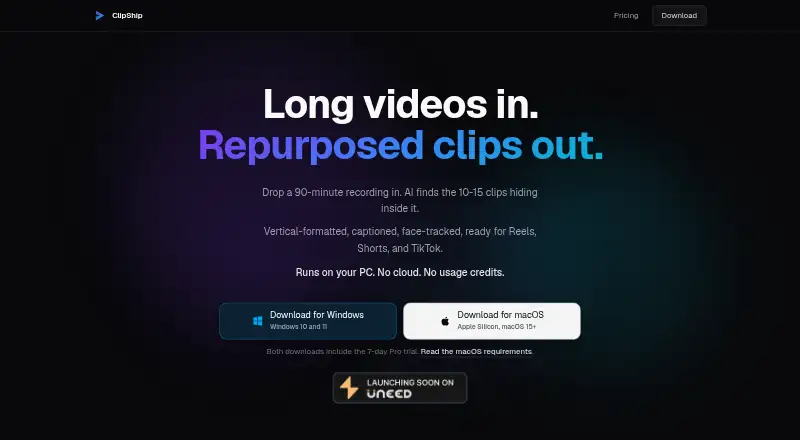
ClipShip is a desktop app for solo and small-team creators turning long spoken videos into short-form clips. It runs on Windows and Apple Silicon Macs, transcribes recordings, suggests clip-worthy moments, reframes speakers for vertical video, and prepares captions, headlines, and post captions for review. Creators can import local files or supported YouTube, Twitch, and Kick links, then adjust in and out points before exporting. Local AI mode processes video on the computer, with source videos advertised up to two hours.
The published plans keep the pricing straightforward. Free includes unlimited local processing, core clip generation, and 720p exports with a ClipShip watermark. Pro monthly costs $5 per month and adds watermark-free 1080p exports plus custom styled captions. Pro lifetime costs $99 as a one-time purchase and includes those same Pro features without a recurring charge. A seven-day free trial is available, and no trial card is required. Batch export, selectable caption styles, editable caption words, multi-speaker detection, and editable AI-generated headlines make the review-and-export stage more flexible than a basic clipping workflow.
ClipShip fits creators who want a focused desktop workflow rather than a broad publishing suite. It can connect with YouTube, Twitch, and Kick for source imports, while optional direct publishing supports a connected YouTube account. AI provider integrations include OpenAI, Claude, Gemini, Groq, and OpenRouter. The trade-offs are its desktop-only deployment, email-only support, and limited direct publishing destination. Creators prioritizing inexpensive local processing and export control should consider ClipShip; teams needing browser access, mobile editing, or wider social publishing should choose another tool.
Your product? Our editors can test ClipShip in depth and publish a review, labelled as paid · from $149/mo →
ClipShip pricing
All 3 ClipShip plans and prices →
ClipShip fact sheet
| Free plan | Yes |
|---|---|
| Paid from | $5/mo |
| Max source length | 120 min |
| AI highlight detection | Yes |
| Automatic reframing | Yes |
| Social platform presets | Yes |
| Transcript-to-post output | Yes |
| Brand templates | Yes |
| Monthly clip limit | Not verified |
| Free trial | 7 days · no card needed |
| Money-back guarantee | 7 days |
| Deployment | Desktop |
| Platforms | Windows, macOS |
| Support | |
| Built for | Solo, Small business (editorial estimate) |
| Integrations | 8 integrations: YouTube, Twitch, Kick, OpenAI, Claude, Gemini … |
| Pricing | Free plan · 7-day trial (source) |
| Website | clipship.co |
| Facts checked | 24 Sep 2026 |
ClipShip integrations
ClipShip lists 8 integrations on its own site.
- YouTube
- Twitch
- Kick
- OpenAI
- Claude
- Gemini
- Groq
- OpenRouter
Alternatives to ClipShip
- OpusClipA broad AI workflow for turning long videos into branded, social-ready clips.9.9
- HeadlinerA broad, affordable toolkit for turning long-form media into social-ready clips.8.9
- quso.aiA broad AI repurposing suite with scheduling and analytics, though paid access starts at $29 monthly.8.7



See all ClipShip alternatives →
Used ClipShip? Be the first to review it
The editor score above is our own research. What this page doesn't have yet is a reader's view — what you used ClipShip for, what worked and what didn't. No stars are seeded and no review is paid for; an editor reads every one before it appears.
Write a reviewTwo minutes · verified accounts only · read by an editor before it appears
Featured on iTechGuides

ClipShip is listed in our AI Video Repurposing Tools directory. Add the badge to your site — it links back to this page.
<a href="https://www.itechguides.com/products/clipship/"><img src="https://www.itechguides.com/best/badge/clipship.svg" alt="Featured on iTechGuides" width="230" height="46"></a>
Reviewed by iTechGuides Editors · Editorial team · Updated Oct 2026
Advertiser disclosure: iTechGuides is reader-supported. Vendors can pay for top positions in our rankings and for a place on other products' pages, and we may earn a commission when you click some links. Bought places stand at the number bought; this page and our disclosure say so. Paying vendors may get a fuller, more detailed review from our editors, and that review can change their score. How we rank.
Last updated · How we research and update